Compare
What Is CRM Software? The Complete Guide for Beginners (2026)
If you’ve ever tried to manage customer conversations using spreadsheets, emails, and scattered notes, you already know how quickly things fall apart. Leads get missed, follow-ups are forgotten, and important customer data ends up buried across different tools. This is exactly the problem that CRM software is designed to solve.
So, you may ask: what is CRM software, and why has it become such an essential part of modern business?
CRM, or customer relationship management software, is a system that helps businesses organize, track, and manage every interaction they have with their customers. Instead of juggling multiple tools, companies use a single CRM database to store contact details, monitor lead tracking, manage their sales pipeline, and maintain a complete customer history.
Over the past decade, CRM systems have evolved from basic contact storage tools into powerful platforms that support contact management, deal management, and sales automation. Today, they are considered one of the most important sales team tools for driving efficiency and improving performance.
Businesses that implement CRM software correctly often see measurable improvements in revenue growth, customer retention, and team productivity. That’s because they are no longer relying on guesswork: they are making decisions based on organized data and clearly defined processes.
In this complete guide, you’ll learn everything you need to know about CRM systems, including the CRM definition, how they work, the key features they offer, and why they are critical for modern businesses.
What Is CRM Software?
CRM software is a system businesses use to organize customer information, keep records of interactions, and manage ongoing relationships in one place.
A direct answer to what is CRM software would be this:
CRM software is a centralized platform that helps businesses store, organize, and maintain customer-related information so teams can manage relationships more consistently.
That is the core CRM definition. It is not a spreadsheet, a notes app, or a loose collection of tools. It is a dedicated system built around customer records.
Crm Explained In Simple Terms
When CRM is explained in plain language, it comes down to one idea: keeping customer information structured instead of scattered.
Without a CRM, information often ends up in:
- Inboxes
- Spreadsheets
- Notebooks
- Individual team members’ memory
With CRM software, that information is kept inside one organized system.
What Makes CRM Software Different
CRM software is defined by structure. It gives businesses a clear place to maintain:
- Names and contact details
- Interaction records
- Account notes
- Relationship status
The key point here is definition, not process. CRM software exists to create a reliable system for customer records and relationship data.
What Does CRM Stand For?
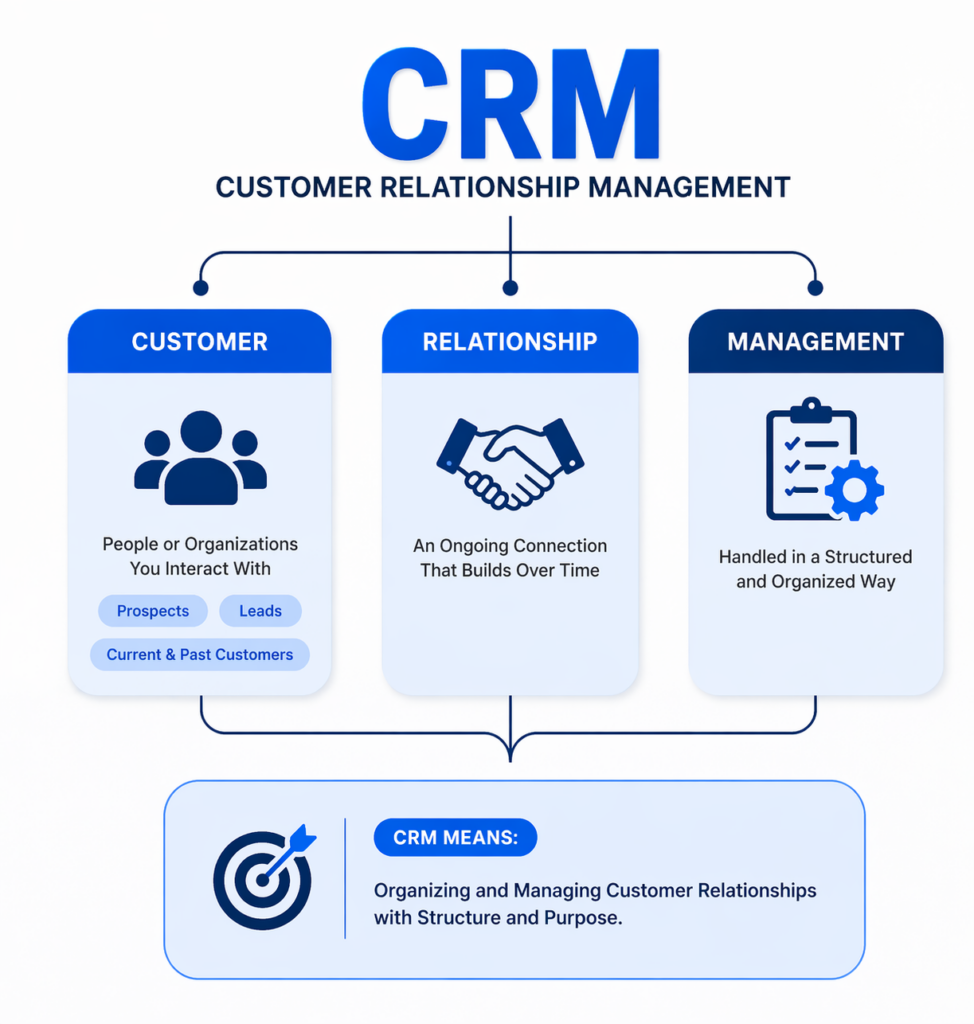
CRM stands for Customer Relationship Management.
This section is not about how the software works. It is about the meaning of the term itself.
Breaking Down The Acronym
Customer
This refers to the people or organizations a business interacts with. It can include:
- Prospects
- Leads
- Current customers
- Past customers
Relationship
This part of the term highlights continuity. Customer interactions are not treated as isolated moments. They are part of an ongoing connection that develops over time.
Management
This means those relationships are handled in a structured and organized way rather than informally or randomly.
CRM Meaning In Context
The CRM meaning is rooted in structure and continuity. It reflects the idea that customer relationships should be handled with a system, not guesswork.
So when someone asks what does CRM stand for, the literal answer is simple. But in business language, the term points to a broader mindset: treating customer relationships as something that should be organized, recorded, and managed deliberately.
CRM System Overview
A CRM system overview should focus on what exists inside the system, not the step-by-step process of using it.
At a structural level, a CRM is made up of organized records, stored information, and linked components that keep customer-related data connected.
The Central Role Of The CRM Database
At the core of every CRM is the CRM database.
This is where customer records live. It acts as the foundation of the system by storing information in a consistent format. Instead of having customer details scattered across different places, the database creates a single structured source of information.
A CRM database usually holds:
- Contact details
- Company information
- Notes
- Interaction records
- Linked account data
Contact Management As A Core Layer
One of the most visible parts of the system is contact management.
This is the part of the CRM that organizes individual people and accounts into structured profiles. Each profile acts like a living record that can be updated over time.
Contact management gives the system order by making it possible to:
- Keep records consistent
- Retrieve contact details quickly
- Separate people, companies, and accounts clearly
- Maintain organized profiles at scale
Linked Records And Structured Information
A CRM system is not just a storage tool. Its structure is built on linked records.
That means information is connected rather than isolated. A contact can be tied to:
- A company
- An account owner
- Related notes
- Associated opportunities
- Past interactions
This connected structure is part of what makes CRM systems more useful than flat spreadsheets.
Interfaces And Visibility
A CRM system also includes the interface layer: the dashboards, records, fields, and views that allow users to access and maintain information.
This structural layer matters because it determines how easily teams can:
- Locate records
- Review updates
- Maintain consistency
- Work within the same system
A proper CRM system overview is really about understanding that a CRM is built as an organized environment for customer records, not just a place to dump information.
How CRM Software Works
Once the system structure is clear, the next question is how CRM software actually functions over time.
This is where movement comes in.
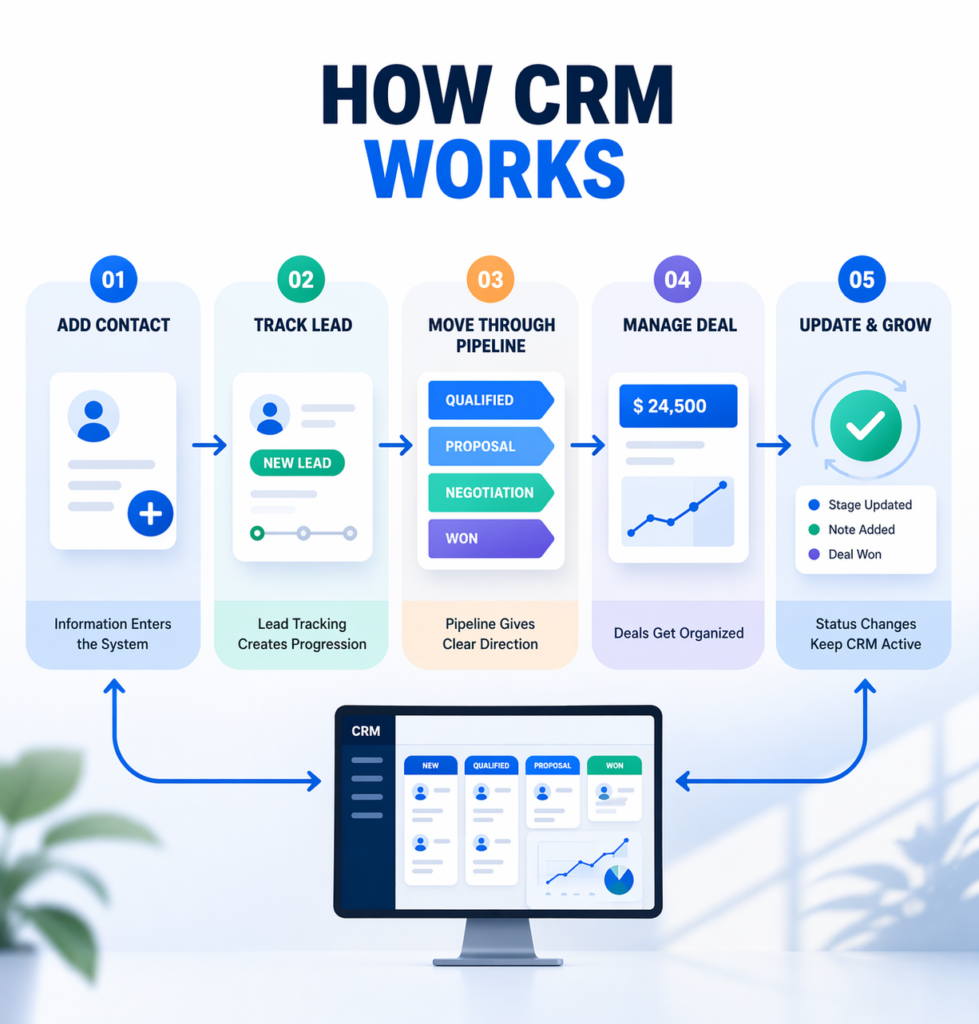
CRM software works by taking records and moving them through a defined process. It is not static storage. It reflects change, progression, and status.
- Information Enters The System
The process begins when a person or company is added to the CRM. Once the record exists, it becomes part of the broader system.
At that point, the CRM can begin organizing the relationship in a way that is visible and trackable.
- Lead Tracking Creates Progression
One of the earliest stages in this movement is lead tracking.
Lead tracking allows the system to recognize that a contact is not just a name in a database, but an active opportunity with a current status. This makes the record dynamic rather than passive.
Instead of sitting in a list, the lead is placed into a tracked progression.
- The Sales Pipeline Gives Structure To Movement
That progression is usually represented through a sales pipeline.
A sales pipeline is the framework that shows where an opportunity currently stands. It gives shape to movement by placing each record into a defined stage.
This matters because it turns activity into visibility. Instead of wondering what is active, pending, or progressing, the CRM reflects that status clearly through the pipeline.
- Deal Management Organizes Active Opportunities
As opportunities become more serious, they are often represented through deal management.
This creates a more formal structure around active business opportunities by assigning them their own record, status, and progression. It separates general contact information from specific commercial opportunities.
Deal management adds clarity by making it possible to distinguish:
- Casual contacts
- Early leads
- Active opportunities
- Progressing deals
- CRM Software Works Through Status And Updates
The key idea is that CRM software works by updating records as they move through different stages.
That movement is based on:
- Status changes
- New information
- Record updates
- Progression through the pipeline
This is what makes a CRM an active system. It reflects motion, not just storage.
Core Functions Of CRM Software
The core functions of CRM software are the capabilities that make the system useful in practice. These are not categories of CRM or steps in a process. They are the main jobs the system is built to handle.
Contact Management
Contact management is one of the foundational functions of CRM software.
It allows businesses to maintain organized records for individuals and companies inside one system. This includes creating, storing, updating, and retrieving contact profiles without losing structure.
Strong contact management makes it easier to:
- Keep records current
- Avoid duplicate entries
- Organize customer and prospect profiles
- Maintain consistency across teams
This function supports the entire system because every other activity depends on accurate records.
Customer History
Another essential function is maintaining customer history.
This means the CRM keeps an ongoing record of what has happened over time. Instead of information being lost or split across tools, the system preserves continuity inside the record itself.
Customer history may include:
- Previous conversations
- Notes
- Changes to status
- Account updates
- Record activity over time
This function matters because it preserves context. A contact is not just a current snapshot; it becomes a record with a timeline.
Sales Automation
Sales automation is the function that reduces manual effort by allowing certain actions or updates to happen according to predefined rules or system logic.
This does not change the structure of the CRM, but it improves how consistently the system is maintained.
Sales automation is often used to support:
- Task creation
- Reminder triggers
- Record updates
- Status-based actions
Its value lies in consistency. Instead of relying entirely on human follow-through, the system can support routine actions in a more dependable way.
Record Organization And Maintenance
Beyond these headline functions, CRM software also serves a broader organizational role. It allows records to be maintained in a structured way over time, even as the volume of information grows.
This function is easy to overlook, but it is one of the reasons CRM systems remain useful at scale. They are built to preserve order even when the amount of stored information increases significantly.
Types Of CRM Software
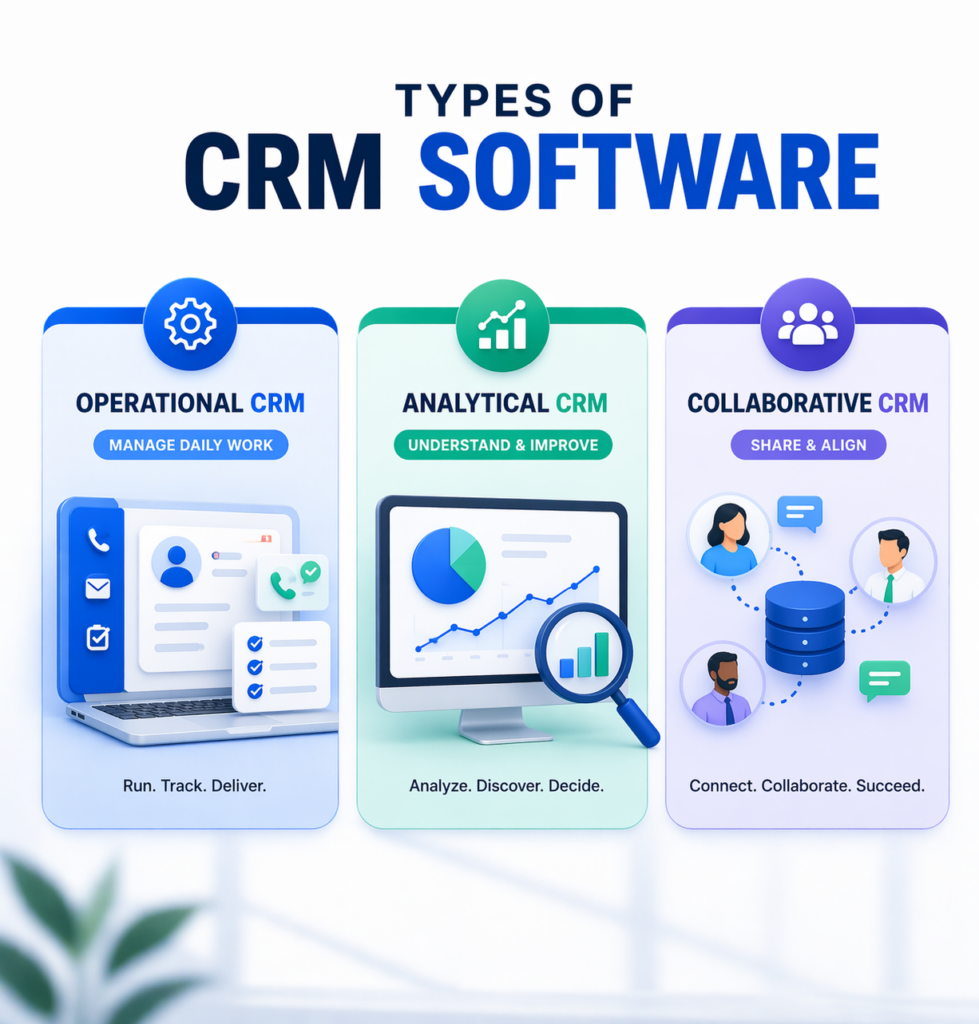
CRM software can be grouped into different types based on its main purpose within a business. These categories are not about specific tools or isolated features. They describe the role a CRM system is intended to play.
Operational CRM
Operational CRM is focused on managing day-to-day relationship activity.
Its role is to support the practical side of handling customer interactions in an organized way. It is closely tied to process execution and ongoing activity.
This type of CRM is used when the priority is creating structure around active business operations.
Analytical CRM
Analytical CRM is focused on understanding information rather than simply maintaining it.
Its purpose is to examine stored data and identify patterns, trends, or signals that help businesses interpret what is happening across their customer base.
This type of CRM is most relevant when the emphasis is on insight, evaluation, and analysis.
Collaborative CRM
Collaborative CRM is centered on alignment across teams.
Its role is to ensure that customer-related information remains shared and visible across functions rather than being isolated within one department or one user.
This type becomes important when businesses need multiple teams to work from the same context and maintain continuity across interactions.
These CRM types matter because they show that not every system is designed with the same priority.
- Some are built primarily to support activity.
- Some are designed to support analysis.
- Others are meant to improve coordination.
Understanding these categories helps frame CRM software more accurately and prevents it from being treated as a single, one-dimensional tool.
Why Businesses Use CRM Software
Businesses use CRM software because growth creates complexity, and complexity creates disorder unless there is a system in place to manage it.
Customer Data Becomes Difficult To Manage Manually
As a business grows, the amount of customer data it handles increases quickly. Information that once felt manageable starts spreading across multiple tools and people.
At that point, the challenge is no longer collecting information. It is maintaining control over it.
CRM software gives businesses a way to centralize and organize that information so it stays usable over time.
Teams Need Shared Visibility
Another reason businesses adopt CRM systems is the need for common visibility.
As more people become involved in handling customer relationships, it becomes harder to maintain consistency without a shared system. Different team members may hold different pieces of information, which creates gaps and confusion.
CRM software helps solve that by serving as one of the core sales team tools businesses use to keep records aligned.
Manual Systems Stop Scaling
Many businesses can operate without a CRM in the early stages. But once volume increases, manual methods become harder to maintain.
This is often the real adoption point. CRM software is not introduced just because it is useful. It is introduced because the business reaches a stage where informal systems are no longer reliable enough.
Businesses Use CRM To Create Consistency
At a deeper level, CRM software is adopted because it creates consistency.
It gives businesses a stable framework for:
- maintaining records
- organizing interactions
- keeping information accessible
- reducing dependency on memory or scattered tools
That consistency is usually the real reason CRM becomes necessary.
Benefits Of CRM Software
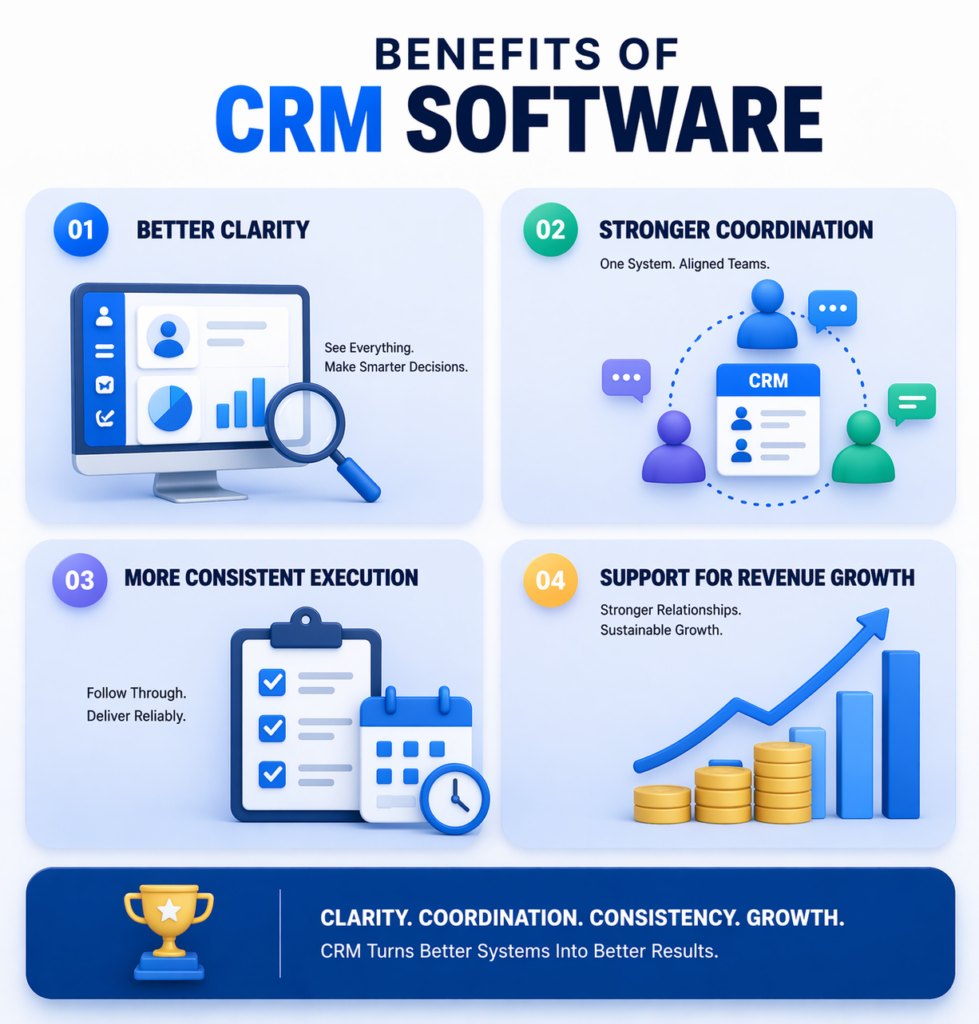
The benefits of CRM software are best understood as outcomes that emerge from structure, visibility, and consistency over time.
Better Clarity Across Operations
One of the first benefits is improved clarity.
When records are organized properly and information is easy to access, businesses gain a clearer view of what is happening across their customer relationships. This reduces uncertainty and improves oversight.
Stronger Coordination Across Teams
CRM software also improves coordination.
When teams work inside the same system, it becomes easier to maintain continuity, reduce duplication, and keep everyone working from the same information.
This creates smoother operations and fewer breakdowns caused by fragmented records.
More Consistent Execution
Another major benefit is consistency.
With CRM software in place, interactions and records are handled within a stable system rather than through scattered habits. Over time, this leads to more dependable execution across the business.
Support For Revenue Growth
Ultimately, these improvements contribute to revenue growth.
Not because CRM software creates revenue on its own, but because it strengthens the systems that support customer relationships, internal coordination, and ongoing commercial activity.
When a business operates with more clarity, more consistency, and better alignment, growth becomes easier to sustain.
CRM Use Case
To understand how all of these elements come together, it helps to look at a single, continuous scenario.
Consider a business that receives an inquiry through its website.
The moment the inquiry is submitted, the information is added to the system and becomes part of the CRM database. Instead of sitting in an inbox, the contact is now stored as a structured record with identifiable details.
From there, the system begins lead tracking. The contact is no longer just data—it is now recognized as an active opportunity. Its status is defined, and it becomes visible within the broader workflow.
As communication begins, each interaction is recorded, gradually building a complete customer history. Over time, this record reflects not just who the person is, but what has happened between them and the business.
The opportunity is then placed into the sales pipeline, where it is assigned a stage that represents its current position. This allows the business to understand whether the interaction is early, progressing, or close to completion.
As the engagement becomes more defined, it is handled through deal management, where it is treated as an active opportunity with its own progression and context.
Throughout this process, the system may support actions through sales automation, ensuring that updates and transitions happen consistently without requiring constant manual input.
What this example shows is not a feature, but a sequence. The CRM system connects storage, tracking, progression, and record-keeping into a single continuous flow. Instead of isolated actions, everything becomes part of one structured lifecycle.
CRM Vs Traditional Methods (Spreadsheets, Manual Tracking)
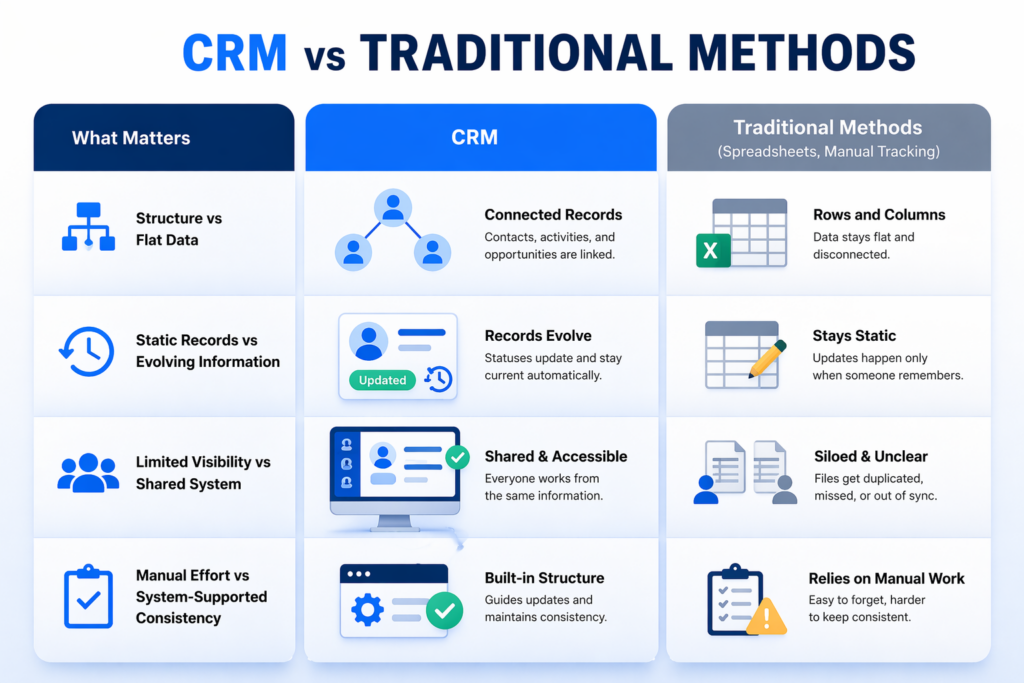
Before CRM systems became common, businesses relied heavily on spreadsheets and manual tracking methods to manage customer information.
While these methods can work at a very small scale, they introduce limitations as the volume of information grows.
Structure Vs Flat Data
Spreadsheets are designed to store data in rows and columns. While this works for basic organization, it does not create relationships between records.
CRM systems, on the other hand, maintain connected records where contacts, activities, and opportunities are linked. This allows information to exist in context rather than in isolation.
Static Records Vs Evolving Information
Manual tracking methods treat data as static. Once entered, information sits in place unless someone manually updates it.
In contrast, CRM systems reflect change over time. Records evolve, statuses update, and information remains aligned with the current state of activity.
Limited Visibility Vs Shared System
Spreadsheets are often maintained by individuals or small groups. This creates gaps in visibility when multiple people are involved.
CRM systems provide a shared environment where information is accessible and consistent across the entire team.
Manual Effort Vs System-Supported Consistency
Traditional methods rely heavily on manual input and discipline. Every update must be remembered and executed individually.
CRM systems reduce this dependency by providing structure and support, ensuring that records are maintained in a more consistent way.
CRM Vs ERP Vs Marketing Tools
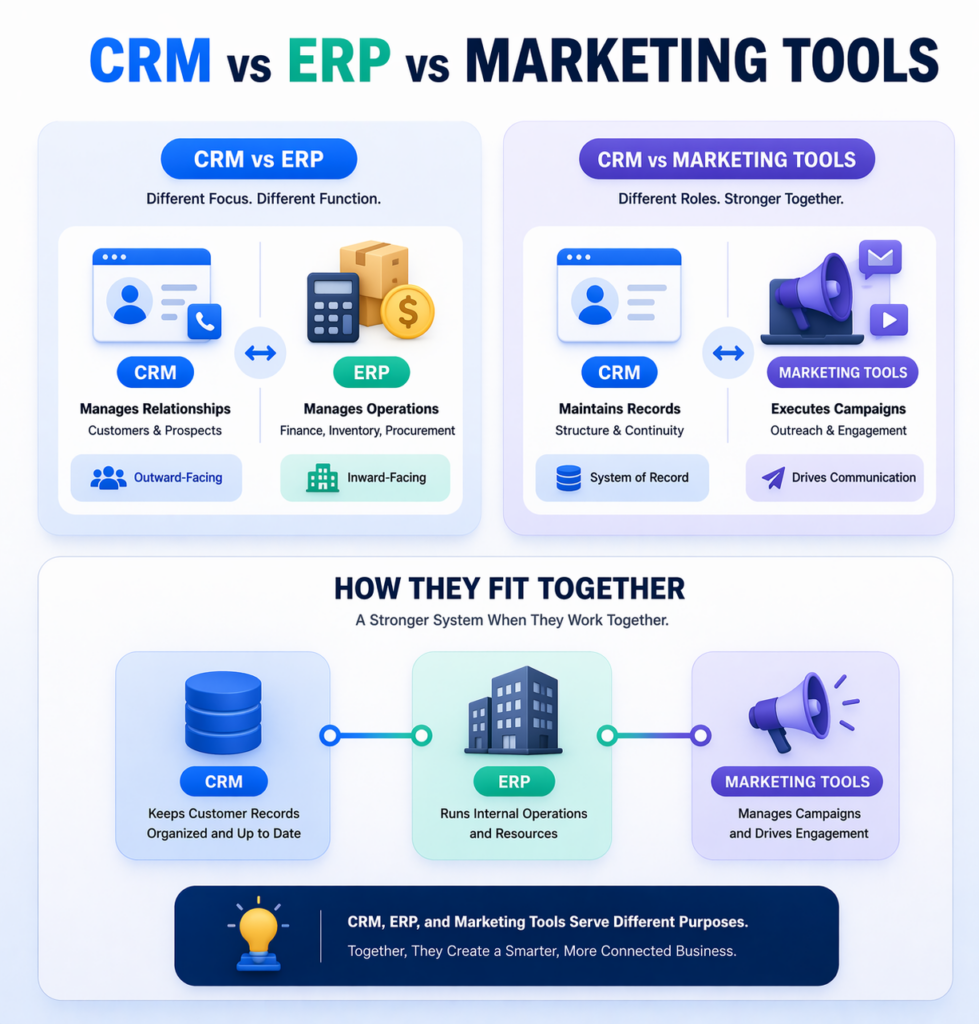
CRM software is often mentioned alongside other business systems, particularly ERP platforms and marketing tools. While they may appear similar at a glance, they serve different roles.
CRM Vs ERP
CRM systems are focused on managing external relationships, particularly interactions with customers and prospects.
ERP (Enterprise Resource Planning) systems, by contrast, are designed to manage internal operations such as finance, inventory, procurement, and logistics.
In simple terms:
- CRM is outward-facing, dealing with relationships and interactions
- ERP is inward-facing, dealing with operations and resources
The two systems often complement each other but are built for different purposes.
CRM Vs Marketing Tools
Marketing tools are typically designed to execute campaigns, manage outreach, and engage audiences at scale.
CRM systems, on the other hand, maintain the underlying records and structure that support those interactions.
While marketing tools focus on communication, CRM systems focus on maintaining the integrity and continuity of customer records.
How They Fit Together
In many businesses, these systems are not isolated. They are used together as part of a broader ecosystem:
- CRM maintains structured customer records
- ERP manages internal operations
- Marketing tools handle outreach and engagement
Understanding this distinction helps avoid confusion and ensures each system is used for its intended purpose.
Popular CRM Software Examples
There are many CRM platforms available, each designed with different priorities in mind.
Some of the most widely recognized CRM systems include:
These platforms vary in terms of complexity, flexibility, and intended use. Some are designed for large enterprises with extensive customization needs, while others focus on simplicity and ease of adoption.
The choice of platform often depends on how a business intends to structure and manage its processes.
How To Choose The Right CRM
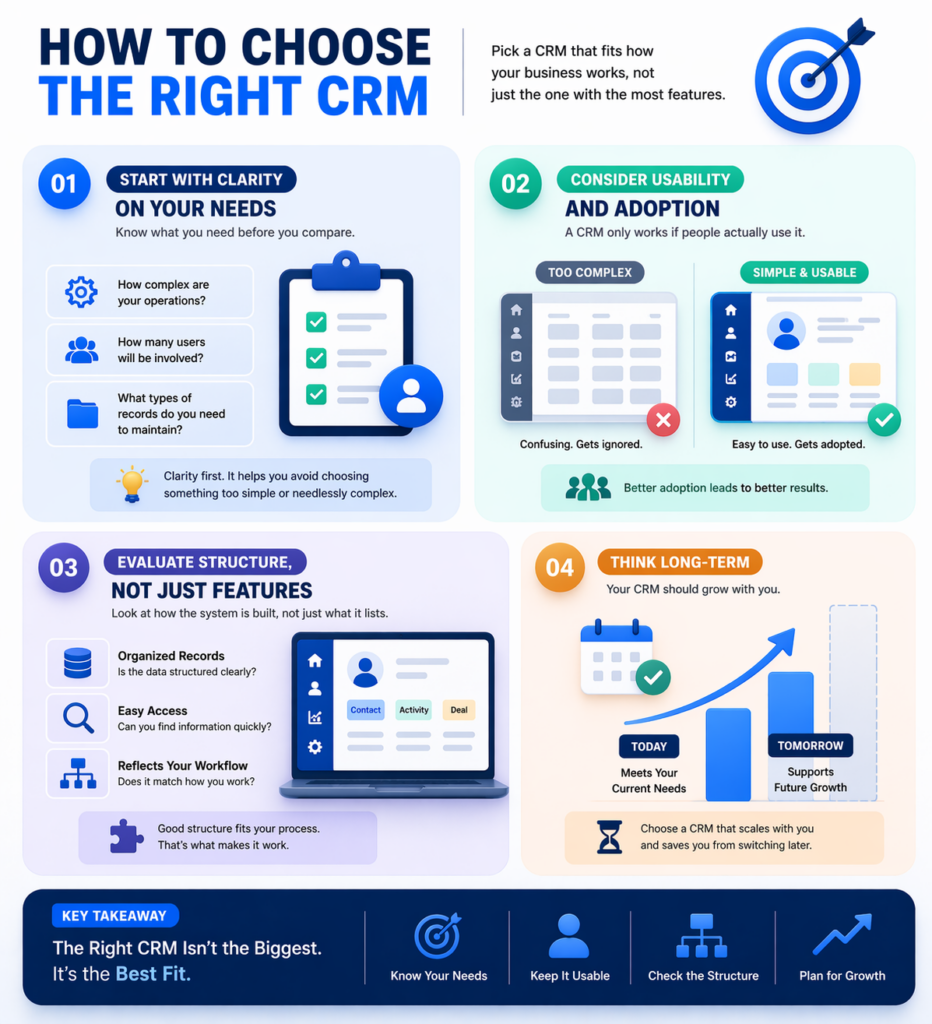
Selecting the right CRM system is not about finding the most feature-rich option. It is about choosing a system that aligns with how your business operates.
Start With Clarity On Your Needs
Before evaluating tools, it is important to understand what you actually need the system to support.
This includes:
- The level of complexity in your operations
- The number of users involved
- The type of records you need to maintain
Without this clarity, it becomes easy to select a system that is either too limited or unnecessarily complex.
Consider Usability And Adoption
A CRM system is only effective if it is used consistently.
If the interface is difficult to navigate or the structure is too complicated, adoption will suffer. A simpler system that is used properly is often more effective than a complex system that is not.
Evaluate Structure, Not Just Features
Rather than focusing only on features, it is useful to evaluate how the system is structured.
Look at:
- How records are organized
- How easily information can be accessed
- How clearly the system reflects your workflow
This determines how well the CRM will fit into your existing processes.
Think Long-Term
A CRM system is not a short-term tool. It becomes part of how your business operates.
Choosing a system that can scale with your needs helps avoid the disruption of switching platforms later.
CRM Implementation Mistakes
Implementing CRM software is not just a technical task. It requires alignment between the system and the way a business operates.
Several common mistakes can reduce the effectiveness of a CRM system.
Treating CRM As Just A Tool
One of the most common issues is approaching CRM as a simple tool rather than a system.
When CRM is treated like just another piece of software, it often ends up being used inconsistently. Different team members enter data in different ways, records are incomplete, and the system gradually loses reliability.
A CRM system only works when there is a clear understanding of:
- How information should be entered
- How records should be maintained
- How the system fits into daily operations
Without this structure, the CRM becomes nothing more than a storage space rather than a working system.
Overcomplicating The Setup
Another frequent mistake is trying to implement too much at once.
Businesses often attempt to configure every possible feature from the beginning, thinking it will make the system more powerful. In reality, this usually creates confusion and slows down adoption.
A complex setup can lead to:
- Difficulty in navigating the system
- Inconsistent data entry
- Reduced usage across the team
Starting with a simpler structure and expanding gradually allows the system to remain usable and easier to maintain over time.
Poor Data Quality from The Start
The quality of a CRM system depends entirely on the quality of the data inside it.
If inaccurate, duplicate, or incomplete information is entered during the early stages, it becomes difficult to correct later. Over time, this reduces trust in the system and makes it less useful.
Maintaining clean data requires:
- Consistent formatting
- Clear data entry standards
- Regular review and updates
A CRM system is only as reliable as the information it holds, so maintaining data quality should be treated as a priority from the beginning.
Lack Of Alignment Across Teams
CRM systems are designed to create a shared view of customer information. When teams are not aligned, that shared view breaks down.
If different teams use the system in different ways, it leads to:
- Inconsistent records
- Missing information
- Confusion about current status
For a CRM to work effectively, there needs to be a unified approach across the organization. This includes agreeing on how records are created, updated, and maintained.
Alignment ensures that the system remains consistent, reliable, and useful for everyone involved.
Future of CRM Software
CRM software continues to evolve as technology advances and business needs become more complex.
Increasing Role Of AI
Artificial intelligence is becoming more integrated into CRM systems. It is being used to identify patterns, suggest actions, and provide insights based on existing data.
This allows systems to move beyond storage and begin supporting decision-making more directly.
Expansion Of Automation
Automation is also becoming more advanced.
Rather than handling simple tasks, modern systems are increasingly capable of supporting more complex sequences, reducing manual effort while maintaining consistency.
Greater Emphasis On Data Quality
As systems become more powerful, the importance of accurate data increases.
Businesses are placing more focus on maintaining clean, structured information to ensure that insights and outputs remain reliable.
Integration Across Systems
CRM platforms are becoming more connected with other tools and systems.
This creates a more unified environment where information flows between different parts of the business without fragmentation.
Conclusion
CRM software provides businesses with a structured way to manage customer information, maintain continuity, and handle interactions consistently.
By replacing scattered methods with a unified system, it allows teams to operate with greater clarity and alignment. As businesses grow, this structure becomes increasingly important for maintaining control and supporting ongoing activity.
Understanding how CRM systems are defined, structured, and applied helps create a stronger foundation for using them effectively.
Frequently Asked Questions
Is CRM software only for sales teams?
No, CRM software is not limited to sales teams. While it is widely used for managing leads and deals, other departments also rely on it. Marketing teams use CRM systems to track campaign interactions and audience data. Customer support teams use it to view past conversations and resolve issues more effectively. Because it centralizes customer information, it becomes useful across the entire business, not just for sales-related activities.
Can small businesses benefit from CRM software?
Yes, CRM software can be especially useful for small businesses as they begin to grow. In the early stages, it helps organize customer data and prevent information from being lost across emails or spreadsheets. As the number of customers increases, a CRM system provides structure without adding unnecessary complexity. It also helps small teams stay consistent in how they manage interactions. This makes it easier to scale operations without losing control.
Do you need technical skills to use CRM software?
Most modern CRM platforms are designed to be user-friendly and do not require advanced technical skills. They typically include simple interfaces, guided setups, and customizable fields that make them accessible to non-technical users. While more advanced configurations may require some technical understanding, basic usage is usually straightforward. Many systems also provide tutorials and support resources to help teams get started. This makes CRM software practical for businesses of all sizes.
How long does it take to implement a CRM system?
The time required to implement a CRM system depends on the size and complexity of the business. For smaller teams, a basic setup can be completed within a few days. Larger organizations may take several weeks to fully configure the system and align it with their processes. Factors such as data migration, customization, and team training can affect the timeline. A gradual rollout is often more effective than trying to implement everything at once.
Can CRM software integrate with other tools?
Yes, most CRM systems are designed to integrate with other business tools. These integrations allow data to move between platforms without manual entry. For example, CRM software can connect with email systems, marketing platforms, and accounting tools. This creates a more unified environment where information is consistent across different systems. Integration is an important factor to consider when choosing a CRM, as it affects how well it fits into your existing workflow.
What kind of businesses typically use CRM software?
CRM software is used by a wide range of businesses, from startups to large enterprises. It is especially common in industries that rely on ongoing customer interactions, such as sales, services, real estate, and SaaS. Any business that needs to manage multiple contacts, track communication, or maintain organized records can benefit from using a CRM system. The specific use case may vary, but the underlying need for structure remains the same.
Software Chronicle – Your Trusted Source for Smart Software Insights
Software Chronicle is a platform dedicated to helping readers understand software, tools, and digital systems in a clear and practical way. It focuses on breaking down complex topics into structured, easy-to-follow content that delivers real value. The goal is to provide accurate, well-researched insights that support better decision-making.
Every piece of content is created with a strong focus on clarity, usability, and relevance. Whether you’re exploring CRM systems or digital tools, Software Chronicle is built to guide you with confidence.
Have questions or feedback? Contact us anytime.

Najm Us Sahar Fareed is part of the editorial team at Software Chronicle, a group of SaaS researchers and former software buyers who have collectively evaluated over 200 tools across the categories we cover. With 5 years of experience working with digital marketing agencies across North America, she brings a strong background in content strategy and practical software evaluation.

Blog
12 Best Data Visualization Software Platforms in 2026
Businesses generate more data today than ever before. Marketing platforms track customer behavior in real time, ecommerce stores collect sales and inventory insights continuously, SaaS companies monitor product usage daily, and operational teams rely on dashboards to manage workflows across departments. The challenge is no longer collecting information. The real challenge is making that information understandable and useful.
Large spreadsheets and static reports rarely help teams move faster. Raw numbers can quickly become overwhelming, especially when businesses are working across multiple systems and trying to identify patterns, trends, or performance issues quickly. Decision-makers need data presented in a way that is visual, interactive, and easy to interpret.
That is why the demand for the best data visualization software continues to grow across nearly every industry.
Modern visualization platforms help businesses transform complex datasets into dashboards, charts, maps, reports, and interactive analytics environments that simplify reporting and improve decision-making. Instead of manually compiling spreadsheets or waiting for static reports, teams can monitor performance in real time and explore data dynamically through visual interfaces.
The best data visualization platforms now go far beyond basic graphs. Many support advanced dashboard creation, drill-down analytics, interactive filtering, real-time data syncing, embedded reporting, geospatial visualization, and collaborative sharing across organizations. Businesses can visualize marketing campaigns, financial reporting, operational KPIs, customer behavior, inventory systems, and infrastructure performance from centralized dashboards.
Different platforms focus on different needs. Some tools prioritize enterprise-scale business intelligence and advanced analytics, while others focus more heavily on usability, storytelling, or lightweight reporting workflows for smaller teams.
In this guide, we will break down the best data visualization software platforms in 2026, including business intelligence tools, interactive dashboard platforms, chart building software, and reporting solutions for modern organizations. Whether you are analyzing marketing performance, building executive dashboards, monitoring operations, or presenting complex analytics visually, this guide will help you choose the right platform for your business.
Quick Takeaways
- Tableau, Power BI, Looker, and Databricks AI/BI are among the leading data visualization software platforms for enterprise reporting, dashboarding, governance, and scalable analytics ecosystems.
- Power BI is widely preferred by businesses already using Microsoft products because of its affordability, enterprise integrations, and strong dashboard capabilities.
- Tableau remains one of the strongest interactive dashboard tools for advanced analytics, highly customized visualizations, and deep drill-down reporting.
- Looker Studio is one of the most popular free options for marketing dashboards, especially for businesses using Google Analytics, Google Ads, and Search Console.
- Modern data visualization platforms now support real-time dashboards, AI-assisted analytics, interactive filtering, embedded reporting, and collaborative data exploration.
- Businesses increasingly use visualization software to simplify complex datasets into charts, KPI dashboards, geo maps, treemaps, and operational reports that are easier to understand and act on.
- ChatGPT can assist with data analysis and data visualization workflows by helping users interpret datasets, generate charts, summarize analytics, and automate reporting tasks.
- SQL and Tableau serve different purposes. SQL provides deeper control over raw data manipulation, while Tableau focuses on visual analytics and dashboard creation for reporting and business intelligence.
- Open-source platforms such as Grafana, Apache Superset, and Metabase are becoming increasingly popular among technical teams wanting flexible analytics environments with lower licensing costs.
- Real-time reporting has become a major priority because businesses increasingly rely on live operational data instead of manually updated spreadsheets and static reports.
Quick Comparison Table
| Platform | Best For | Free Plan | Starting Price | Standout Feature |
| Tableau | Advanced business intelligence | Limited | Premium | Deep interactive analytics |
| Power BI | Microsoft ecosystem | Yes | Affordable | Enterprise integrations |
| Looker Studio | Google reporting | Yes | Free | Marketing dashboard simplicity |
| Qlik Sense | Associative analytics | Limited | Premium | Dynamic data exploration |
| Domo | Executive dashboards | No | Enterprise pricing | Real-time business visibility |
| Sisense | Embedded analytics | No | Enterprise pricing | Scalable embedded BI |
| Zoho Analytics | SMB reporting | Yes | Affordable | Easy business dashboards |
| Grafana | Operational analytics | Yes | Open-source | Real-time infrastructure data |
| Apache Superset | Open-source BI | Yes | Free | Flexible dashboard building |
| Metabase | Lightweight analytics | Yes | Affordable | Simple team analytics |
| Infogram | Presentation visuals | Yes | Affordable | Visual storytelling |
| Flourish | Interactive visual content | Yes | Flexible pricing | Advanced visual storytelling |
Why Data Visualization Matters More Than Ever
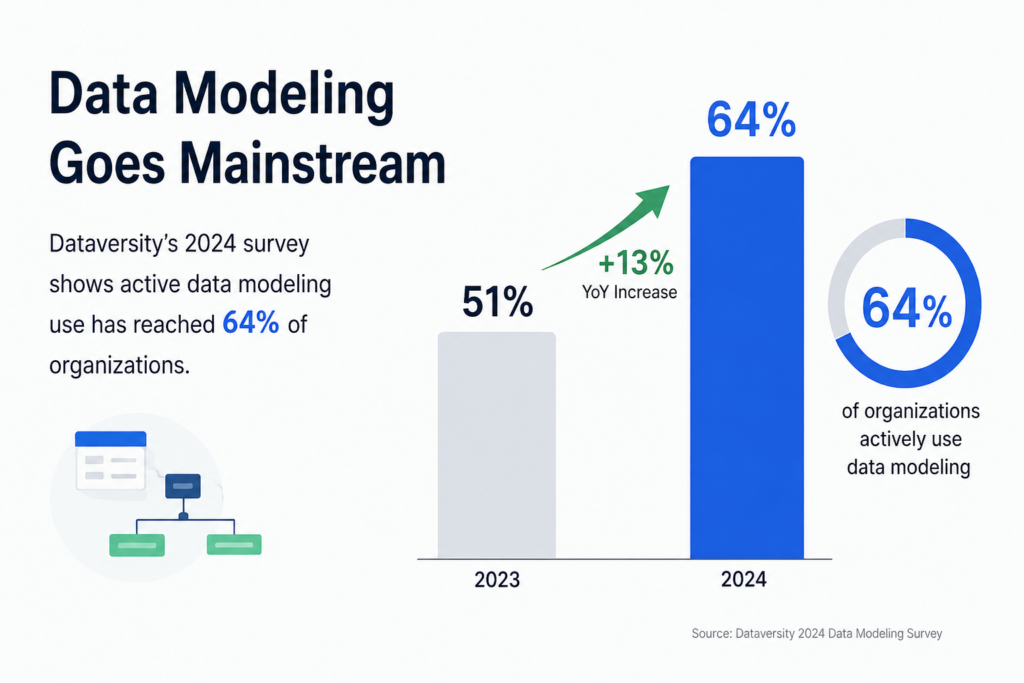
Source: Dataversity: The trend in data modeling in 2025.
Businesses make decisions faster today than ever before.
Marketing teams monitor campaign performance daily. Ecommerce operators track inventory and revenue in real time. SaaS companies analyze churn, retention, feature usage, and customer engagement continuously. Financial teams monitor forecasting, profitability, and operational costs across multiple systems simultaneously.
The problem is that raw data alone is difficult to interpret quickly.
Large spreadsheets, disconnected reports, and static exports often create more confusion rather than clarity. Teams waste time manually compiling reports instead of identifying trends and taking action.
That is where modern interactive dashboard tools become valuable.
Visualization platforms help businesses transform complex datasets into understandable visual formats such as:
- charts
- graphs
- heatmaps
- dashboards
- treemaps
- geo maps
- Sankey diagrams
- KPI trackers
Visual reporting dramatically improves how teams communicate information internally.
Executives can review performance quickly. Marketing teams can monitor attribution trends. Operations teams can identify bottlenecks faster. Analysts can present insights more clearly to non-technical stakeholders.
Real-time dashboards also reduce reporting delays because businesses no longer need to wait for manually updated spreadsheets.
The result is faster decision-making, clearer reporting, and more accessible analytics across organizations.
What Makes Great Data Visualization Software?
The best data presentation software is not simply the platform with the most chart types.
Strong visualization platforms help businesses explore, interpret, and communicate data clearly while remaining easy enough for teams to use consistently.
One of the most important capabilities is interactivity.
Modern dashboards should allow users to:
- apply filters
- drill down into datasets
- explore metrics dynamically
- switch visual views
- customize reporting perspectives
This creates far more useful reporting workflows than static charts.
Real-time data connectivity is another major factor. Businesses increasingly rely on live dashboards connected directly to:
- CRMs
- cloud databases
- marketing platforms
- APIs
- ecommerce systems
- analytics platforms
Visualization tools should update automatically rather than requiring manual exports constantly.
Collaboration features also matter heavily.
Teams often need to:
- share dashboards
- embed charts
- export reports to PDF
- annotate data
- present insights visually
- distribute dashboards externally
Usability is equally important.
Some enterprise BI tools are extremely powerful but require technical expertise and heavy onboarding. Other platforms focus on simplicity and accessibility for non-technical business teams.
The best chart building software balances flexibility, usability, scalability, and presentation quality effectively.
The 12 Best Data Visualization Software Platforms
1. Tableau
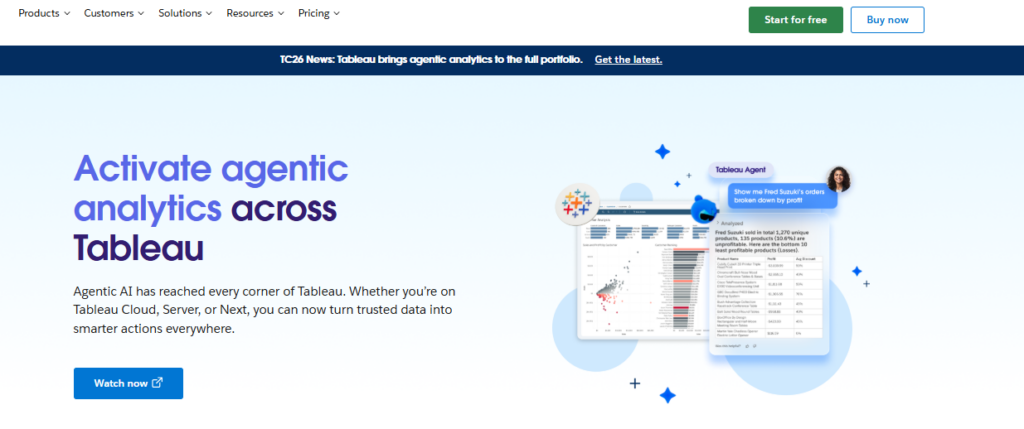
Advanced business intelligence and analytics.
Tableau remains one of the most widely recognized data visualization platforms because of its deep analytics capabilities and highly interactive dashboards.
The platform supports:
- advanced visualizations
- drill-down analytics
- real-time dashboards
- geospatial mapping
- interactive filters
- enterprise reporting
Tableau is especially strong for organizations handling large datasets and advanced business intelligence workflows.
Pros
- Extremely powerful visualizations
- Strong dashboard flexibility
- Advanced analytics
- Enterprise scalability
Cons
- Larger learning curve
- Premium pricing
Best Use Case
Businesses needing advanced enterprise analytics.
2. Microsoft Power BI
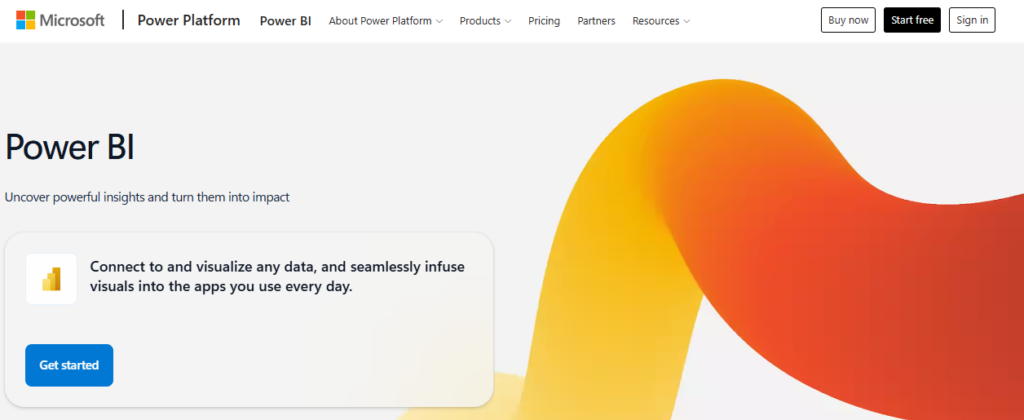
Businesses using Microsoft products.
Power BI has become one of the most popular business intelligence platforms because of its integration with the Microsoft ecosystem.
It connects seamlessly with:
- Excel
- Azure
- SQL Server
- Microsoft 365
- Dynamics
The platform provides strong reporting capabilities while remaining relatively affordable.
Pros
- Strong Microsoft integration
- Affordable pricing
- Excellent dashboards
- Enterprise-ready
Cons
- Best within Microsoft ecosystem
- Complex enterprise features
Best Use Case
Businesses already operating heavily within Microsoft infrastructure.
3. Looker Studio
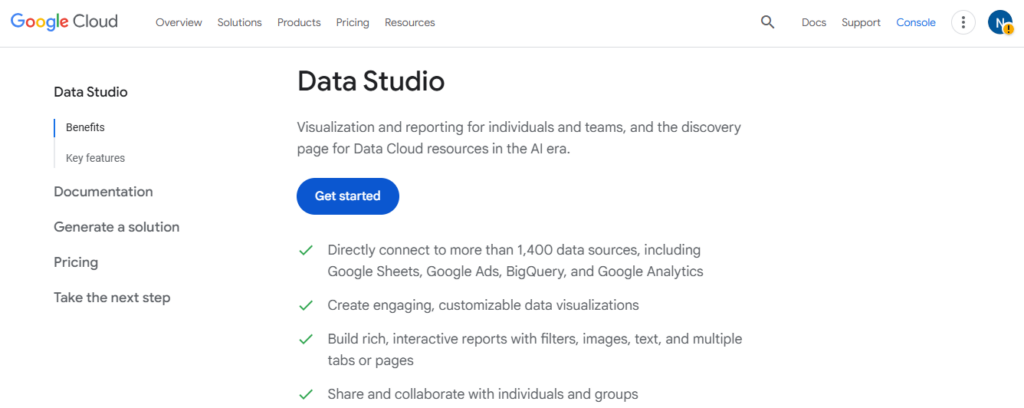
Marketing and reporting dashboards.
Looker Studio, formerly Google Data Studio, is widely used for marketing analytics and lightweight reporting.
It integrates especially well with:
- Google Analytics
- Google Ads
- Search Console
- BigQuery
- YouTube analytics
Pros
- Free platform
- Easy sharing
- Strong Google integrations
- Beginner-friendly
Cons
- Less advanced analytics
- Limited enterprise complexity
Best Use Case
Marketing reporting and lightweight dashboards.
4. Qlik Sense
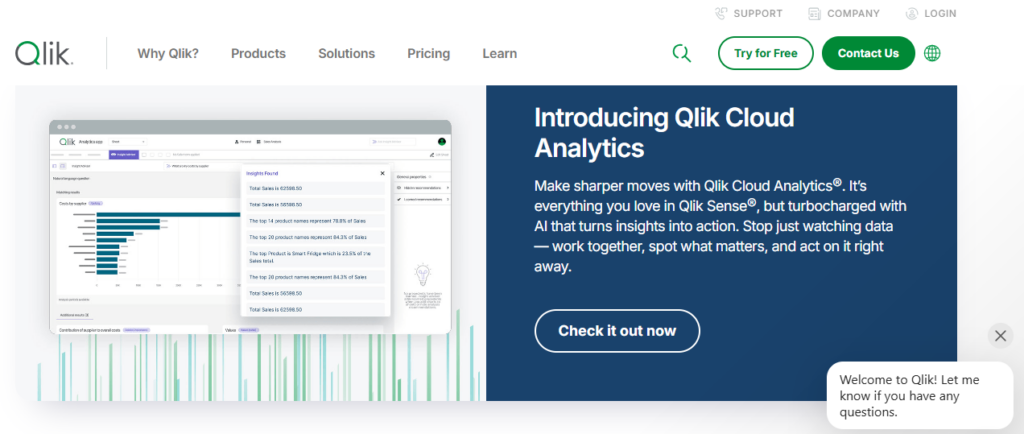
Associative analytics and data exploration.
Qlik Sense stands out because of its associative analytics engine, which allows users to explore relationships across datasets dynamically.
The platform supports highly interactive exploration workflows for enterprise analytics.
Pros
- Strong interactive analysis
- Dynamic exploration
- Enterprise functionality
- Advanced visualizations
Cons
- More technical onboarding
- Higher pricing
Best Use Case
Businesses prioritizing exploratory analytics.
5. Domo
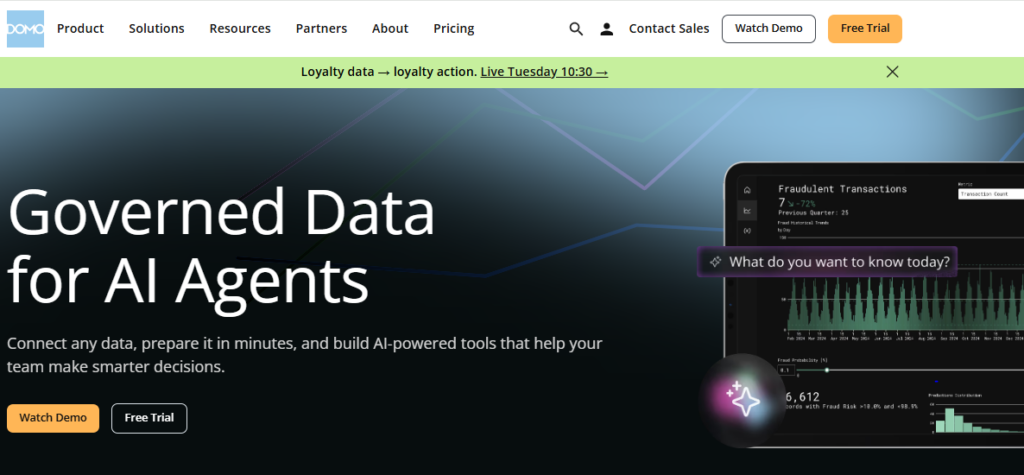
Executive business dashboards.
Domo focuses heavily on real-time operational visibility and executive reporting.
The platform combines:
- live dashboards
- cloud integrations
- KPI monitoring
- collaborative reporting
- operational analytics
Pros
- Real-time visibility
- Executive-friendly dashboards
- Strong integrations
- Cloud-native workflows
Cons
- Enterprise pricing
- Less SMB-focused
Best Use Case
Executive reporting and operational visibility.
6. Sisense
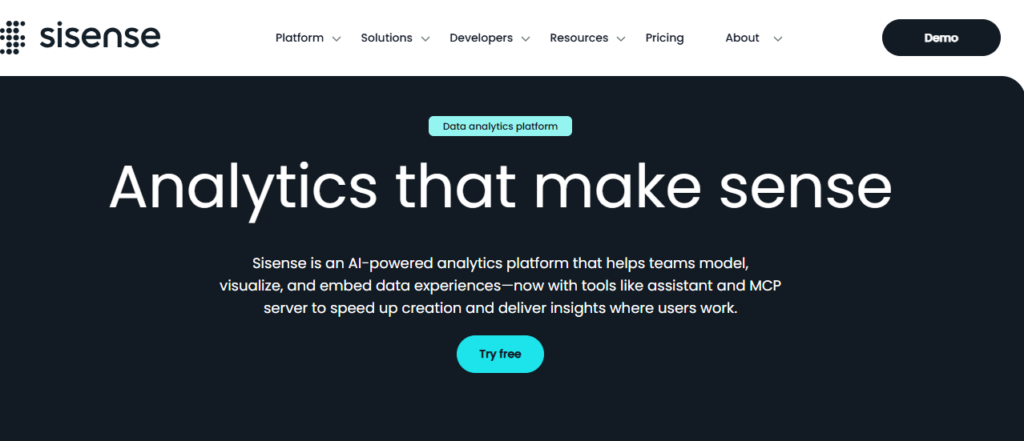
Embedded analytics platforms.
Sisense specializes heavily in embedding dashboards and analytics directly into products and customer applications.
This makes it highly valuable for SaaS businesses offering analytics to customers.
Pros
- Strong embedded analytics
- Scalable architecture
- Flexible integrations
- Enterprise functionality
Cons
- Enterprise complexity
- Premium pricing
Best Use Case
Businesses embedding analytics into products.
7. Zoho Analytics
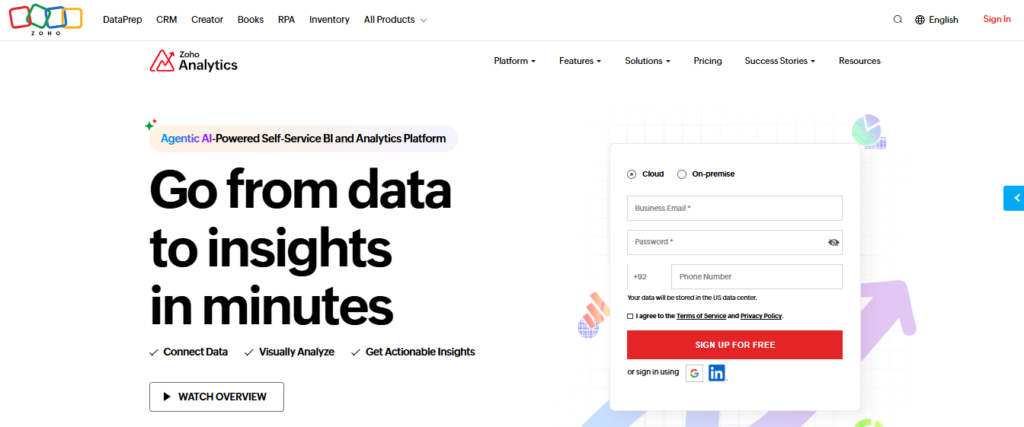
Affordable SMB reporting.
Zoho Analytics offers strong business reporting capabilities at relatively affordable pricing for smaller organizations.
The platform supports:
- dashboards
- reports
- chart building
- KPI tracking
- data blending
Pros
- Affordable pricing
- Good usability
- SMB-friendly
- Strong integrations
Cons
- Less advanced enterprise analytics
- Smaller ecosystem
Best Use Case
Small and mid-sized business reporting.
8. Grafana

Real-time operational and infrastructure analytics.
Grafana is widely used for technical monitoring and operational dashboards.
The platform excels at:
- real-time metrics
- infrastructure dashboards
- cloud monitoring
- operational analytics
- time-series visualization
Pros
- Excellent real-time dashboards
- Open-source flexibility
- Strong integrations
- Highly customizable
Cons
- More technical setup
- Less business-focused visuals
Best Use Case
Infrastructure and operational analytics.
9. Apache Superset
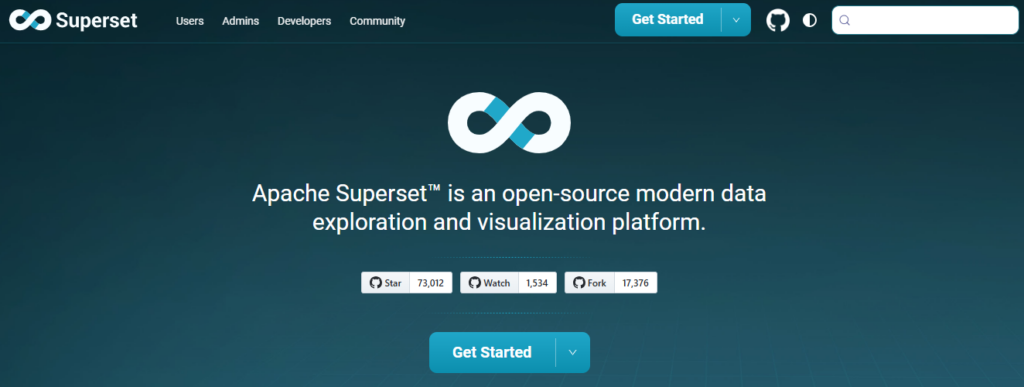
Open-source business intelligence.
Apache Superset provides flexible open-source dashboard creation and business intelligence capabilities.
It supports:
- chart building
- SQL-based analysis
- dashboard sharing
- interactive filtering
Pros
- Free and open-source
- Flexible customization
- Strong community ecosystem
- Scalable reporting
Cons
- Technical setup required
- Less beginner-friendly
Best Use Case
Technical teams wanting open-source BI flexibility.
10. Metabase
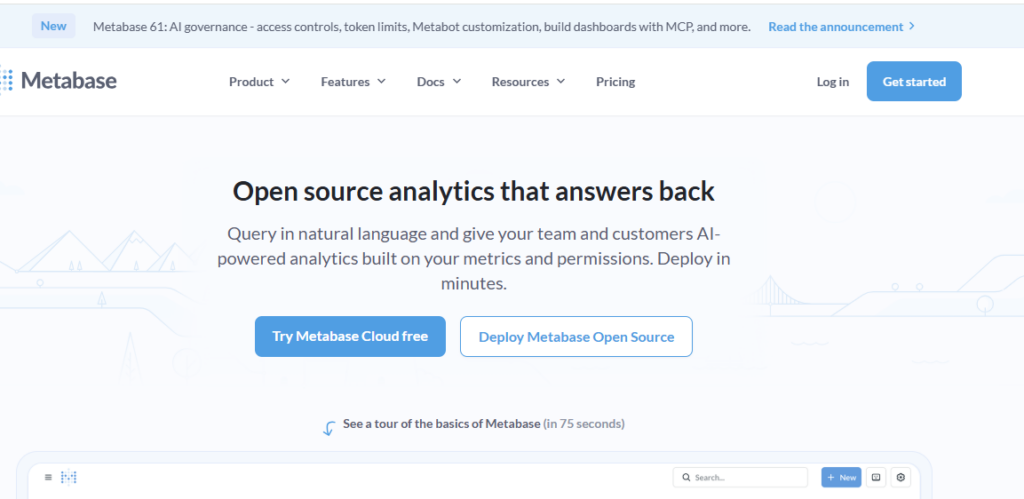
Simple internal analytics.
Metabase focuses heavily on simplicity and usability for non-technical business teams.
The platform makes it easy to create dashboards and ask analytical questions without deep technical expertise.
Pros
- Very user-friendly
- Fast dashboard setup
- Good internal reporting
- Affordable scaling
Cons
- Less advanced analytics depth
- Simpler visualizations
Best Use Case
Internal team reporting and lightweight analytics.
11. Infogram
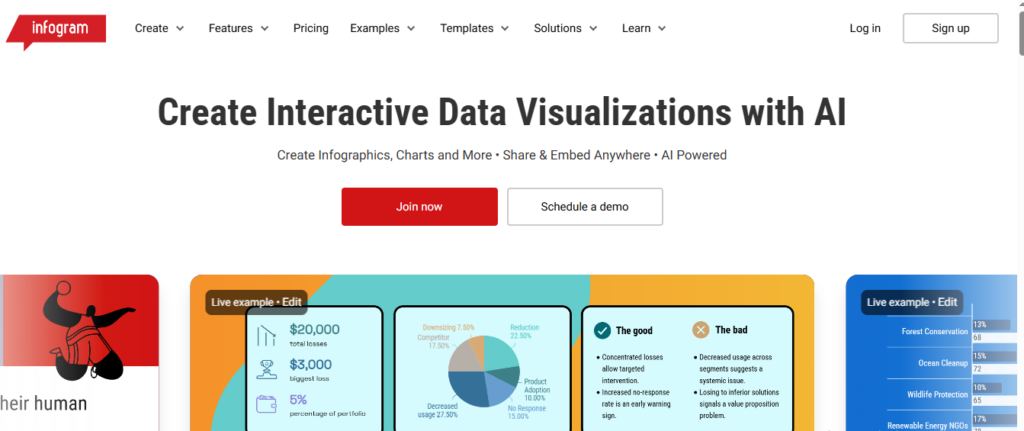
Presentation-focused visual reporting.
Infogram specializes heavily in presentation-quality visual content and infographic creation.
Businesses use it for:
- reports
- presentations
- visual storytelling
- marketing visuals
- executive summaries
Pros
- Excellent presentation visuals
- Easy usability
- Strong infographic capabilities
- Fast content creation
Cons
- Less enterprise analytics depth
- Limited advanced BI functionality
Best Use Case
Presentation and storytelling-focused reporting.
12. Flourish
Interactive visual storytelling.
Flourish focuses heavily on advanced visual storytelling and interactive public-facing visualizations.
It supports:
- animated charts
- interactive maps
- storytelling dashboards
- presentation visuals
Pros
- Beautiful interactive visuals
- Strong storytelling tools
- Excellent animations
- Modern design workflows
Cons
- Less operational BI functionality
- More presentation-focused
Best Use Case
Interactive public-facing visual content.
Which Data Visualization Platform Should You Choose?
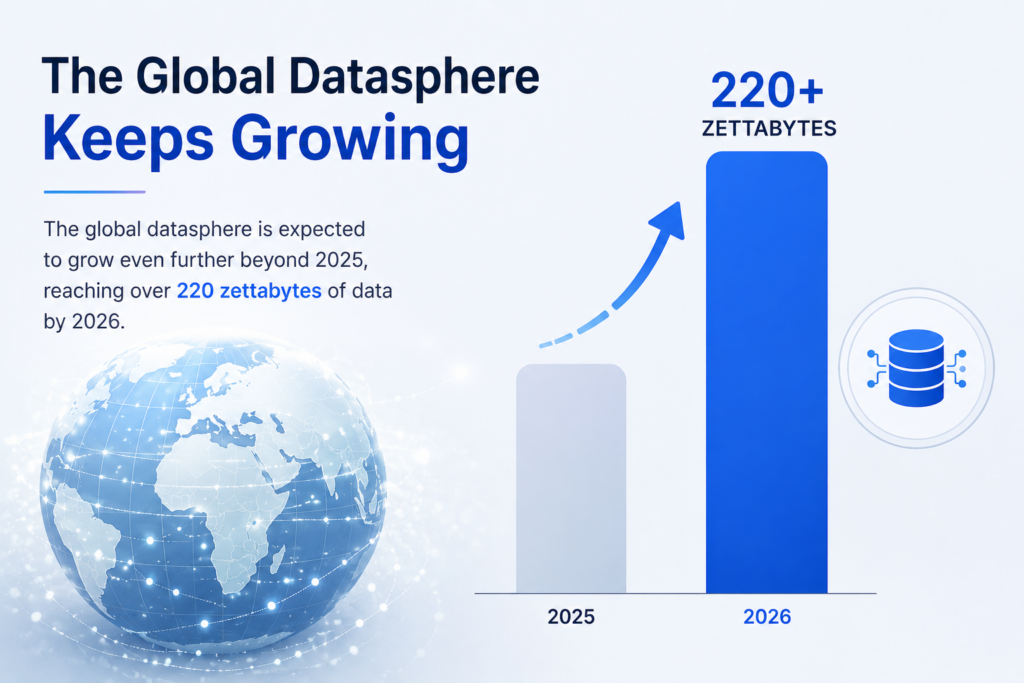
Source: Libretexts Business
The best data visualization software depends heavily on how your business uses data.
Tableau remains one of the strongest enterprise BI solutions for advanced analytics and large datasets, while Power BI offers excellent value for businesses operating inside the Microsoft ecosystem.
Marketing teams often prefer Looker Studio because of its simplicity and Google integrations, while technical teams commonly use Grafana for real-time operational dashboards.
Businesses prioritizing presentation quality may prefer Infogram or Flourish, while startups and SMBs often benefit from simpler tools like Metabase or Zoho Analytics.
The most important factor is choosing a platform that makes data easier to understand and act on rather than simply creating more dashboards.
Didn’t find what you were looking for? Try: 9 Best Business Intelligence Tools for SMBs in 2026
Frequently Asked Questions
What is the best data visualization software?
The best data visualization software depends heavily on your business goals, technical workflows, and reporting complexity. Tableau is widely considered one of the strongest platforms for advanced analytics and enterprise dashboards because of its deep interactivity and visualization flexibility.
Power BI is extremely popular among businesses using Microsoft products because of its affordability and strong ecosystem integrations. Looker Studio is commonly used for marketing dashboards and lightweight reporting, while Qlik Sense focuses heavily on dynamic exploratory analytics. Businesses prioritizing executive dashboards and operational visibility often choose platforms like Domo or Sisense.
What is data visualization software used for?
Data visualization software helps businesses transform large and often complex datasets into visual formats that are easier to understand and act on. Modern data visualization platforms are used to create dashboards, KPI trackers, charts, maps, reports, and interactive analytics environments that improve business reporting and decision-making.
Companies use these tools to monitor sales, analyze customer behavior, track marketing performance, visualize operational workflows, monitor financial metrics, and simplify business intelligence reporting across teams and departments.
What is the difference between BI software and data visualization tools?
Business intelligence software typically includes broader capabilities such as data modeling, warehousing, forecasting, advanced analytics, ETL processes, and operational reporting. Data visualization tools focus more specifically on presenting information visually through charts, dashboards, maps, and interactive reports.
However, many modern interactive dashboard tools now combine both business intelligence and visualization functionality within unified platforms. Solutions like Tableau and Power BI are considered both BI and visualization platforms because they support analytics workflows alongside visual reporting.
Can data visualization tools work with real-time data?
Yes. Most modern data visualization software platforms support real-time or near real-time data connections from APIs, cloud databases, CRMs, analytics tools, ecommerce platforms, and operational systems. This allows businesses to monitor live dashboards without manually exporting spreadsheets or updating reports constantly.
Real-time dashboards are especially useful for ecommerce operations, SaaS analytics, infrastructure monitoring, marketing performance tracking, and operational reporting where teams need continuously updated information.
What chart types are commonly used in visualization software?
Modern chart building software supports a wide range of visual formats depending on reporting goals and dataset complexity. Common chart types include:
- bar charts
- line charts
- area charts
- pie charts
- scatter plots
- treemaps
- geo maps
- Sankey diagrams
- heatmaps
- funnel visualizations
- KPI dashboards
- time-series graphs
Businesses often combine multiple visualization formats within interactive dashboards to present information more clearly and improve analysis workflows.
Is Tableau better than Power BI?
Both Tableau and Power BI are excellent data visualization platforms, but they serve slightly different audiences and business environments. Tableau is often preferred for advanced analytics, deep interactivity, highly customized dashboards, and complex enterprise reporting.
Power BI is widely adopted because of its affordability, accessibility, and strong integration with Microsoft products such as Excel, Azure, SQL Server, and Microsoft 365. Businesses already operating heavily inside the Microsoft ecosystem often find Power BI easier to integrate operationally.
What is an interactive dashboard?
An interactive dashboard is a visual reporting environment that allows users to explore data dynamically rather than viewing static charts or reports. Modern interactive dashboard tools allow users to apply filters, drill down into datasets, switch between visualizations, analyze trends, and customize reporting views in real time.
Interactive dashboards are commonly used for business intelligence, operational monitoring, marketing analytics, financial reporting, and executive decision-making because they make large datasets easier to explore and understand.
What is drill-down functionality in data visualization?
Drill-down functionality allows users to click into charts, reports, or visualizations to access more detailed layers of information. For example, a business might start with company-wide revenue data and then drill down into individual regions, products, campaigns, or customer segments.
Drill-down analytics are extremely important in modern data presentation software because they allow teams to move from high-level summaries into detailed operational insights quickly without creating separate reports manually.
Can data visualization software be embedded into websites or apps?
Yes. Many modern data visualization platforms allow businesses to embed dashboards, charts, and reports directly into websites, SaaS products, customer portals, and internal business systems.
Embedded analytics are especially valuable for SaaS companies offering reporting functionality to customers or businesses wanting centralized reporting inside operational platforms. Solutions like Sisense, Tableau, and Power BI offer strong embedded analytics capabilities for product integrations and client-facing dashboards.
Are free data visualization tools good enough for businesses?
Free visualization tools can work very well for smaller businesses, startups, and lightweight reporting workflows depending on complexity requirements. Platforms like Looker Studio, Grafana, Apache Superset, and Metabase provide strong reporting capabilities at little or no cost.
However, larger organizations handling advanced analytics, enterprise governance, large-scale data infrastructure, or highly customized dashboards often require more advanced paid platforms with enterprise security, scalability, support, and collaboration features.
What industries use data visualization software?
Almost every industry now uses data visualization software in some capacity because businesses increasingly rely on analytics and reporting to improve decision-making. Common industries using visualization platforms include:
- ecommerce
- SaaS
- healthcare
- finance
- logistics
- manufacturing
- marketing
- education
- cybersecurity
- retail
- operations
- cloud infrastructure
Visualization tools help teams identify trends, communicate insights, monitor KPIs, and simplify complex operational data across departments.
Can data visualization improve business decision-making?
Yes. One of the biggest advantages of using modern data visualization platforms is improved decision-making speed and clarity. Visual reporting makes trends, anomalies, bottlenecks, and performance patterns easier to identify compared to spreadsheets or static reports.
Executives, marketers, analysts, operations teams, and financial departments can all make faster and more informed decisions when information is presented visually through dashboards, interactive charts, and real-time reporting systems.
Software Chronicle’s Guide to Smarter Analytics & SaaS Tools
At Software Chronicle, we publish practical SaaS reviews, analytics software comparisons, automation guides, and business technology insights designed to help companies choose smarter digital tools.
To learn more about how we evaluate platforms, visit our How We Review Software page. You can also review our Affiliate Disclosure for transparency regarding affiliate partnerships and recommendations.
Have questions? Contact us now.
Najm Us Sahar Fareed is part of the editorial team at Software Chronicle, a group of SaaS researchers and former software buyers who have collectively evaluated over 200 tools across the categories we cover. With 5 years of experience working with digital marketing agencies across North America, she brings a strong background in content strategy and practical software evaluation.
Blog
How Does CRM Software Work? Step-by-Step Explained
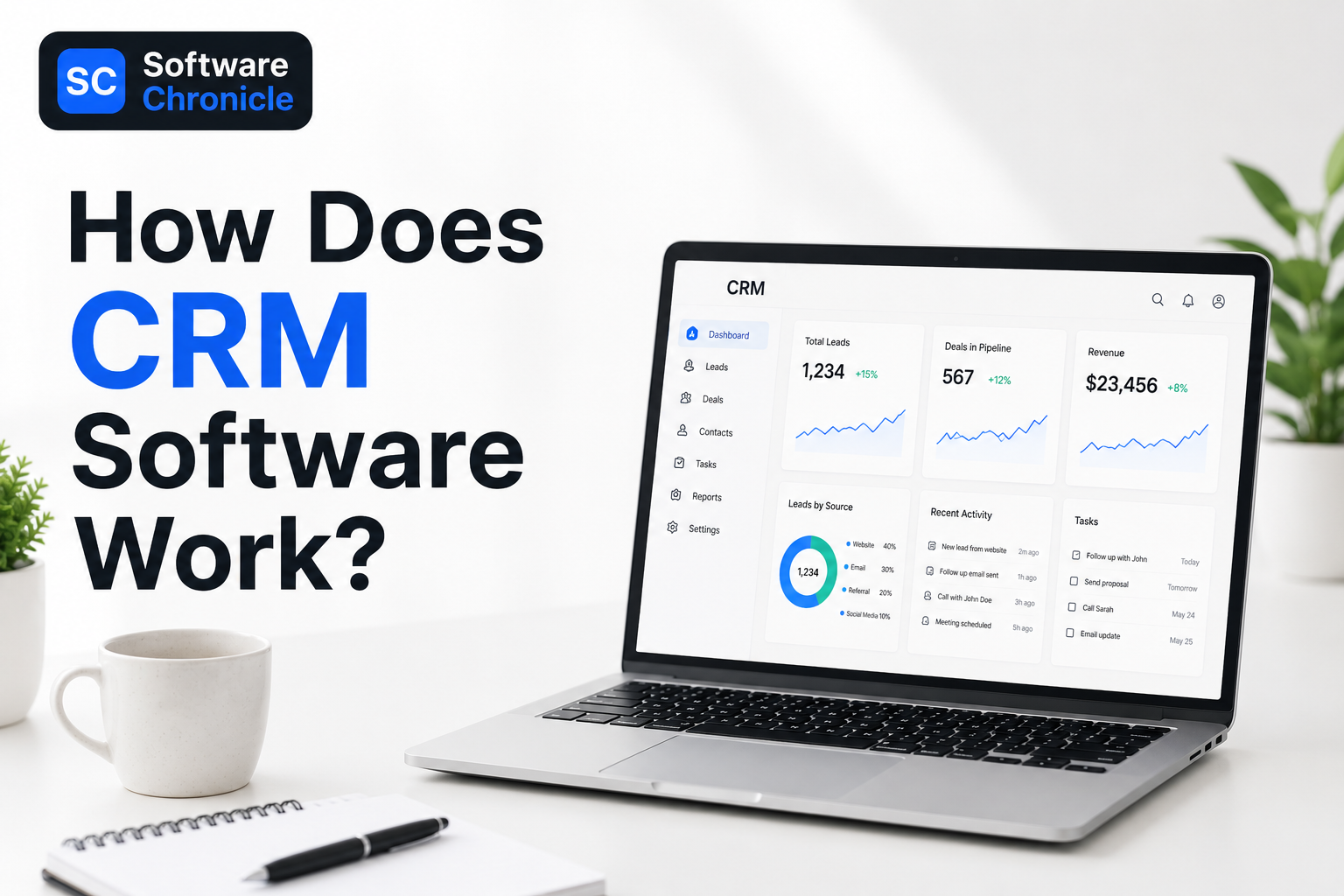
If you have ever wondered how businesses keep track of hundreds or even thousands of customers without everything turning into complete chaos, the answer is usually CRM software.
A CRM, short for Customer Relationship Management software, helps businesses organize customer information, track conversations, manage sales pipelines, and automate follow-ups in one central place. Instead of relying on spreadsheets, scattered notes, inbox searches, or memory, teams use CRM systems to keep every interaction connected and easy to access.
Think about how many ways customers interact with businesses today. Someone might discover a company through Google, sign up for a newsletter, book a demo, reply to emails, speak with sales, contact support later, and eventually make multiple purchases over time. Without a proper system, keeping track of all of that becomes messy very quickly.
That is where CRM software becomes valuable.
Modern CRM platforms automatically log emails, store contact details, track customer activity, schedule reminders, manage deals, and generate reports that help businesses understand what is happening inside their sales process. Many systems also connect with marketing platforms, ecommerce stores, calendars, support tools, and communication apps through third-party integrations.
In this guide, we will break down exactly how CRM software works, how CRM workflows operate behind the scenes, and how businesses actually use CRM systems day to day to manage leads, customers, and sales more efficiently.
Quick Takeaways
- CRM software works by storing customer information, tracking interactions, organizing sales pipelines, and automating follow-ups inside one centralized platform.
- Modern CRM systems automatically collect data from emails, website forms, calls, calendars, marketing tools, ecommerce stores, and customer support platforms through integrations and contact sync.
- Businesses use CRM software to manage leads, monitor deals, schedule reminders, log emails, track customer activity, and improve communication across teams.
- The typical CRM workflow includes lead capture, contact management, sales tracking, automation, reporting, and long-term customer relationship management.
- CRM dashboards help businesses track sales performance, conversion rates, customer activity, pipeline health, and team productivity in real time.
- Popular CRM tools include Salesforce, HubSpot CRM, Zoho CRM, Microsoft Dynamics 365, and Pipedrive.
- CRM automation reduces repetitive tasks like data entry, follow-up reminders, lead assignment, and email logging, helping teams save time and improve consistency.
- According to Freshworks, businesses using CRM software are significantly more likely to exceed their sales goals and improve customer retention.
- The four main types of CRM are operational CRM, analytical CRM, collaborative CRM, and strategic CRM.
- CRM software is no longer just for large enterprises. Small businesses, startups, agencies, ecommerce brands, and service companies now rely heavily on CRM platforms to stay organized and scale customer relationships.
What Is CRM Software?
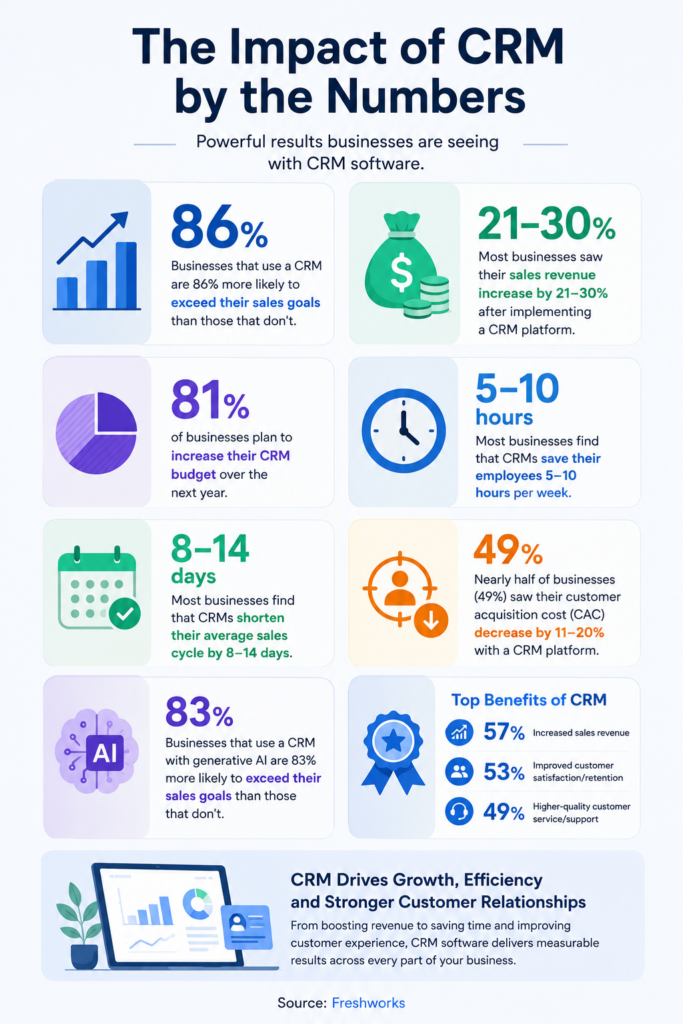
Source: Freshworks
CRM software, short for Customer Relationship Management software, is a system businesses use to manage customer interactions, sales processes, follow-ups, and communication in one centralized platform.
Instead of storing customer information across spreadsheets, inboxes, sticky notes, and disconnected tools, a CRM brings everything together into a single database that teams can access in real time.
A modern CRM system typically stores:
- customer contact information
- email conversations
- meeting history
- sales activity
- deal pipelines
- tasks and reminders
- support interactions
- purchase history
- marketing engagement
The goal of CRM software is simple: help businesses build stronger customer relationships while improving organization and efficiency internally.
For example, if a potential customer fills out a contact form on a website, the CRM can automatically create a lead profile, assign the lead to a sales rep, log future emails, schedule follow-ups, and track where that lead sits inside the sales pipeline. As the relationship grows, the CRM continues updating the customer record automatically.
That is why CRM systems are now used by:
- sales teams
- marketing departments
- ecommerce businesses
- agencies
- SaaS companies
- consultants
- support teams
- enterprise organizations
According to Salesforce, CRM software helps businesses improve customer retention, sales visibility, forecasting, and operational collaboration by centralizing customer information across departments.
Modern CRM platforms also include automation features that reduce repetitive work such as reminder scheduling, email logging, lead assignment, and activity tracking. Many systems now integrate with email platforms, calendars, accounting software, ecommerce systems, and marketing tools to create connected workflows across the business.
In simple terms, CRM software acts as the operational hub for customer management. It helps businesses understand who their customers are, where conversations stand, what actions need to happen next, and how relationships evolve over time.
Step 1: Customer Data Enters the CRM
Every CRM system starts with customer information entering the platform. This usually happens automatically through integrations connected to websites, email platforms, ecommerce stores, calendars, live chat tools, social media lead forms, and marketing software.
For example, if someone fills out a contact form on a website, the CRM can instantly create a lead profile with their name, email address, company details, and source of inquiry. If a customer books a call or replies to a marketing email, the CRM logs that interaction automatically as well.
Modern CRM software is designed to centralize customer data from multiple channels instead of forcing teams to update spreadsheets manually. This is one of the biggest reasons businesses adopt CRM systems as they grow.
Without a CRM, customer information often becomes scattered across inboxes, documents, notes, and disconnected apps, making it difficult to maintain organized communication.
Step 2: The CRM Creates a Central Customer Profile
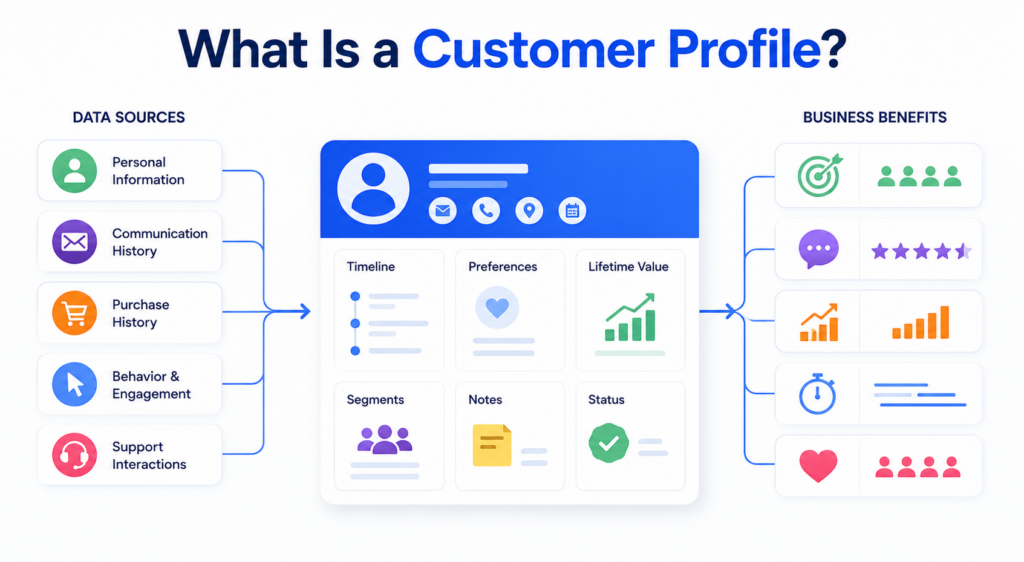
Once information enters the system, the CRM creates a complete customer profile that stores every interaction connected to that lead or customer.
This profile acts like a living timeline.
Instead of employees searching through emails or asking coworkers for updates, they can immediately see the customer’s communication history, meeting notes, tasks, purchases, support conversations, and sales activity in one place.
As new interactions happen, the CRM updates the profile automatically. If a lead opens emails frequently, revisits pricing pages, schedules meetings, or contacts support, those actions are logged inside the customer record.
This centralized structure is what makes CRM software significantly more useful than traditional spreadsheets or disconnected databases.
Step 3: Contacts Get Organized and Segmented
As customer databases grow, organization becomes extremely important.
CRM systems help businesses categorize contacts into different groups based on factors such as lifecycle stage, lead quality, industry, customer type, or sales status.
For example, businesses may separate contacts into:
- new leads
- qualified prospects
- active customers
- enterprise accounts
- repeat buyers
- inactive clients.
This segmentation helps businesses personalize communication and manage workflows more effectively.
A marketing team may want different email campaigns for different customer groups, while sales teams may prioritize high-value leads inside separate pipelines.
Modern CRM software makes this process dynamic and searchable, allowing businesses to filter contacts instantly rather than manually sorting spreadsheets.
Step 4: Leads Move Through the Sales Pipeline
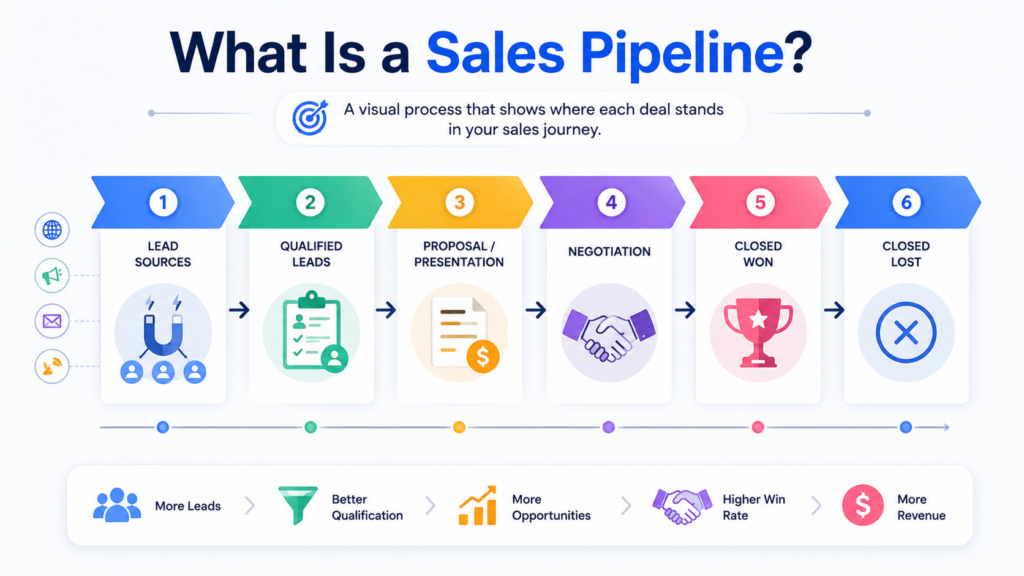
One of the most recognizable parts of CRM software is pipeline management.
The CRM pipeline visually tracks where leads currently stand inside the sales process. As conversations progress, sales teams move opportunities through different stages that represent the customer journey.
A typical CRM process may include stages such as lead captured, qualified, discovery call completed, proposal sent, negotiation, and closed deal.
This gives businesses much clearer visibility into sales activity, deal progression, conversion rates, forecasting, and projected revenue.
Instead of guessing where opportunities stand, teams can monitor pipeline movement in real time.
Pipeline tracking also helps businesses identify bottlenecks. If deals repeatedly stall during certain stages, managers can investigate whether pricing, communication, or follow-up processes need improvement.
Step 5: CRM Software Tracks Customer Activity Automatically
Modern CRM platforms continuously track customer interactions behind the scenes.
This includes emails, calls, meetings, website visits, proposal views, purchases, appointment bookings, and support conversations.
For example, if a lead repeatedly opens a proposal or visits pricing pages multiple times, the CRM may notify the sales team automatically because that activity often signals buying intent.
Activity tracking helps businesses understand how engaged customers are throughout the sales process.
Many CRM systems also include detailed timelines showing every interaction chronologically. This allows employees to quickly understand relationship history before speaking with a customer.
Instead of relying on memory or disconnected notes, teams work from a complete customer record.
Step 6: Automation Handles Repetitive Tasks
One of the biggest advantages of CRM software is automation.
Without automation, employees spend significant amounts of time manually updating records, scheduling reminders, assigning leads, and tracking follow-ups.
CRM systems automate many of these repetitive tasks automatically.
For example, the CRM may assign new leads to sales reps, trigger follow-up emails after meetings, create reminders for inactive deals, update pipeline stages, or notify managers about overdue tasks.
This reduces administrative work while helping businesses maintain more consistent communication.
Automation becomes especially valuable as companies grow because managing customer relationships manually becomes increasingly difficult with higher lead volume and larger sales teams.
Step 7: Teams Use CRM Dashboards to Monitor Performance
Most CRM systems include dashboards and reporting tools that give businesses real-time visibility into sales activity and customer management.
CRM dashboards typically display information such as:
active deals, sales performance, conversion rates, pipeline value, customer activity, lead sources, and forecasting.
Managers can quickly see which sales reps are performing best, which channels generate quality leads, and where deals are slowing down.
This reporting visibility helps businesses make faster decisions because teams no longer need to manually build reports in spreadsheets every week.
Modern CRM dashboards update automatically as customer activity changes inside the system.
Step 8: CRM Integrations Connect Business Tools Together
Modern businesses rarely operate using only one software platform.
Sales teams use email tools, marketing teams use automation platforms, ecommerce stores use payment systems, and support departments use ticketing software. CRM systems help connect all of these tools together.
Most modern CRM platforms integrate with services such as Gmail, Outlook, Shopify, Slack, Zoom, QuickBooks, Stripe, Google Calendar, and marketing automation platforms.
These integrations allow information to sync automatically between systems.
For example, invoices may appear inside customer profiles, support tickets may attach to account records, and calendar meetings may log automatically inside the CRM timeline.
This creates a much more connected operational workflow across departments.
Step 9: The CRM Continues Working After the Sale
A lot of people assume CRM software is only for generating leads and closing sales.
In reality, CRM systems continue helping businesses long after customers convert.
Many businesses use CRM platforms for onboarding, customer support, renewals, upsells, retention campaigns, and long-term account management.
For example, a SaaS company may use CRM workflows to monitor customer health and renewal timelines, while agencies may use CRM systems to manage onboarding processes and client communication.
This long-term relationship management is one of the biggest reasons CRM software improves customer retention over time.
CRM systems are designed to support the entire customer lifecycle, not just the initial sale.
The 4 Main Types of CRM
Businesses often hear about different CRM models and categories.
The four main types are:
Operational CRM
Operational CRM focuses on sales, marketing, and service automation. This is the most common CRM category for businesses.
Analytical CRM
Analytical CRM focuses heavily on reporting, customer insights, forecasting, and data analysis.
Collaborative CRM
Collaborative CRM improves communication between departments and customer-facing teams.
Strategic CRM
Strategic CRM focuses on long-term customer relationship management and customer retention strategies.
Many modern CRM platforms combine features from multiple CRM categories simultaneously.
What Are the 5 Steps of the CRM Process?
According to Zendesk, the CRM process typically includes five major stages:
- Reaching potential customers
- Acquiring leads
- Converting prospects into customers
- Retaining customers
- Building long-term loyalty
CRM software supports all five stages by centralizing customer data and automating workflows throughout the customer journey.
Is Excel a CRM?
Technically, businesses can track customer information inside spreadsheets.
However, Excel is not a true CRM system.
Spreadsheets lack:
- automation workflows
- activity tracking
- email logging
- pipeline management
- collaboration tools
- integrations
- customer timelines
As businesses grow, spreadsheets become difficult to manage and scale effectively.
That is why most growing businesses eventually move to dedicated CRM software.
What Are the Top CRM Tools?
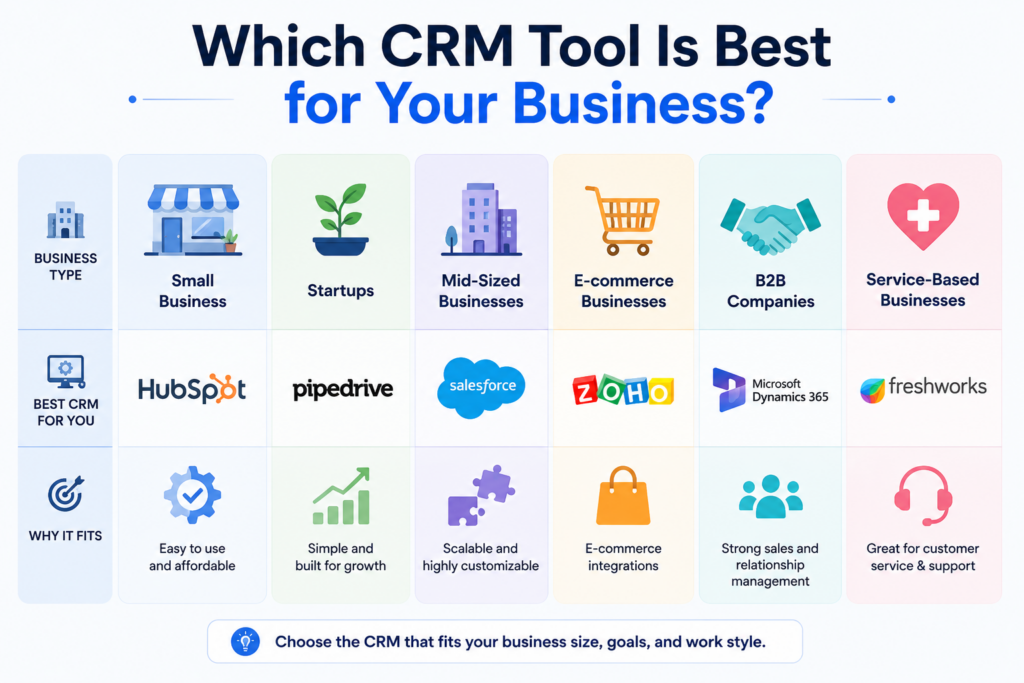
Some of the most widely used CRM platforms include:
Different CRM tools focus on different business sizes and workflows.
For example:
- Salesforce is popular for enterprise businesses
- HubSpot is widely used by SMBs and marketing teams
- Pipedrive focuses heavily on sales pipeline simplicity
- Zoho CRM is known for affordability and customization
Read Also: CRM Software for Small Business: What to Look For
Why CRM Software Matters for Modern Businesses
CRM software has become essential because customer management is now significantly more complex than it was years ago.
Businesses communicate across:
- websites
- social media
- chat
- calls
- ecommerce systems
- marketing platforms
- support systems
Without a centralized CRM, customer information becomes fragmented quickly.
CRM software helps businesses:
- improve organization
- automate workflows
- increase visibility
- improve follow-up consistency
- strengthen customer relationships
- improve reporting
- scale sales operations
According to Freshworks, 93% of businesses reported higher customer retention rates after implementing CRM software.
For many businesses, CRM software becomes the operational center of sales and customer management.
Frequently Asked Questions
What are the 4 types of CRM?
The four major CRM types are operational CRM, analytical CRM, collaborative CRM, and strategic CRM. Each category focuses on different aspects of customer management, automation, reporting, and collaboration.
What is a CRM and how to use it?
A CRM is software used to manage customer relationships, sales pipelines, communication history, and business workflows. Businesses use CRM systems to track leads, organize customer data, automate follow-ups, monitor deals, and improve customer interactions.
Does NetSuite have a CRM?
Yes. NetSuite includes CRM functionality as part of its broader ERP and business management platform. NetSuite CRM supports sales automation, customer management, forecasting, marketing workflows, and reporting.
What are the 5 steps of the CRM process?
The CRM process typically includes lead generation, customer acquisition, conversion, retention, and customer loyalty management. CRM software helps automate and organize each stage.
Is Excel a CRM?
No. While businesses can store customer data in spreadsheets, Excel does not provide the automation, reporting, workflow management, and customer tracking capabilities of a true CRM platform.
What are the top 3 CRM tools?
Salesforce, HubSpot CRM, and Microsoft Dynamics 365 are often considered among the top CRM platforms because of their scalability, integrations, and feature depth.
What are the golden rules of CRM?
Strong CRM practices usually focus on maintaining accurate customer data, consistent follow-ups, clear communication, automation efficiency, and long-term relationship building.
What are the 5 CRM skills?
Important CRM skills include communication, organization, data analysis, customer relationship management, and workflow management.
How do CRM integrations work?
CRM systems connect with third-party tools such as email platforms, ecommerce systems, marketing automation tools, calendars, accounting software, and support platforms through integrations and APIs. These integrations help businesses centralize workflows and reduce manual data entry.
Can small businesses use CRM software?
Yes. Many CRM platforms are designed specifically for small businesses and startups. Cloud-based CRM systems allow smaller teams to organize customer relationships and automate workflows without needing enterprise infrastructure.
Software Chronicle’s Guide to Smarter CRM & Sales Tools
At Software Chronicle, we publish practical CRM guides, SaaS reviews, sales software comparisons, and workflow optimization resources designed to help businesses choose smarter technology systems.
To learn more about how we evaluate software platforms, visit our How We Review Software page. You can also review our Affiliate Disclosure for transparency regarding affiliate partnerships and recommendations.
Contact us if you need help understanding which CRM platform best fits your business workflows and growth goals.
Najm Us Sahar Fareed is part of the editorial team at Software Chronicle, a group of SaaS researchers and former software buyers who have collectively evaluated over 200 tools across the categories we cover. With 5 years of experience working with digital marketing agencies across North America, she brings a strong background in content strategy and practical software evaluation.
Blog
Marketing Automation for eCommerce: Tools & Tactics
Running an ecommerce business today is not just about getting traffic anymore. The real challenge starts after someone visits your store.
Customers browse products, abandon carts, open emails without buying, forget about brands, compare prices across multiple stores, and often need several touchpoints before making a purchase. Managing all of those interactions manually becomes almost impossible once an online store starts scaling.
That is why marketing automation for ecommerce has become one of the most important growth systems for modern online brands.
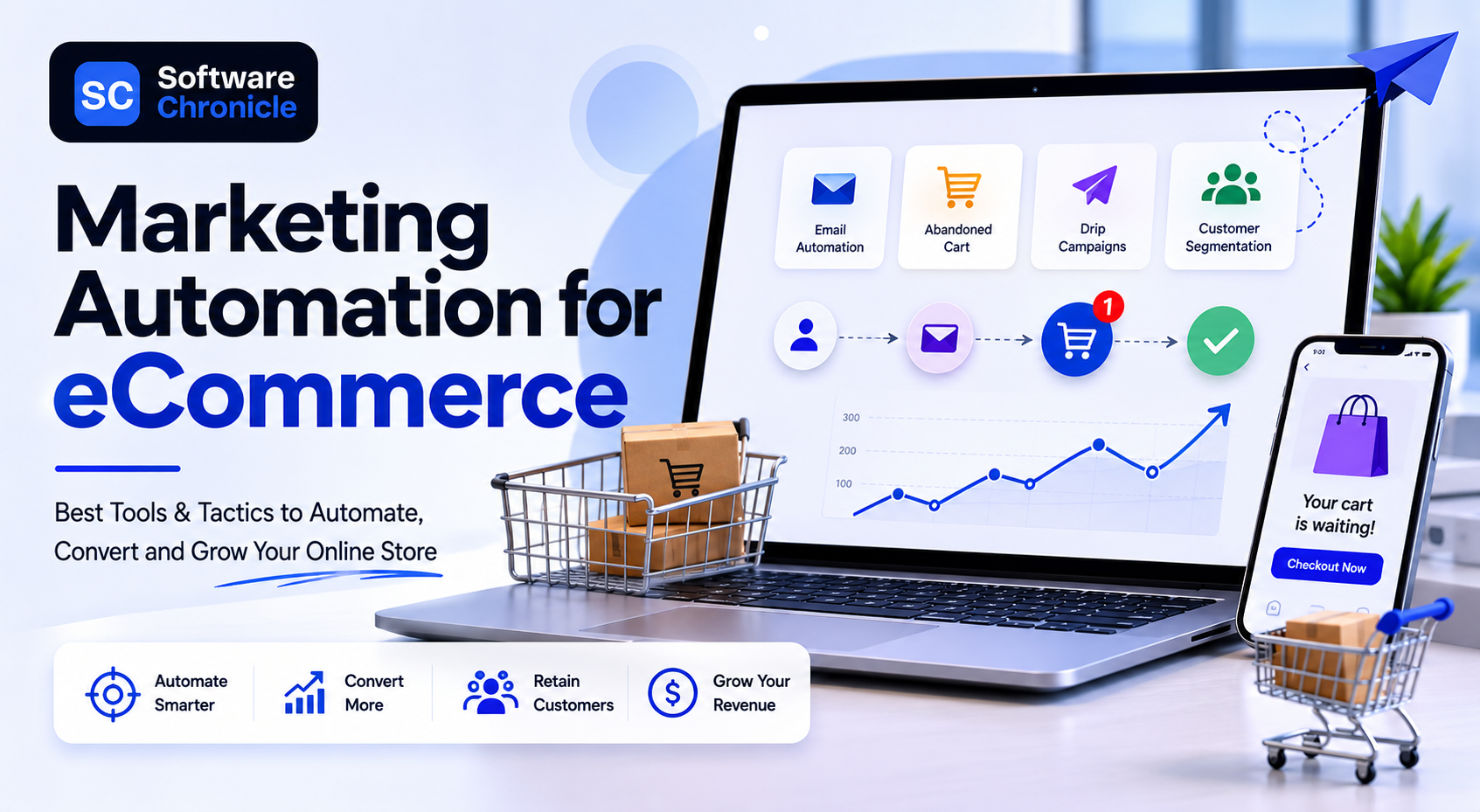
Instead of manually sending emails, tracking customer behavior, or following up with shoppers individually, ecommerce automation tools allow stores to build automated workflows that run continuously in the background. These systems can recover abandoned carts, send personalized product recommendations, trigger post-purchase sequences, win back inactive customers, and improve retention automatically.
Modern ecommerce marketing automation platforms now combine several functions, including customer segmentation, email automation, SMS marketing, behavioral triggers, product recommendations, loyalty workflows, analytics and reporting, and much more.
For ecommerce brands, this creates a major advantage because automation allows stores to scale customer communication without scaling manual workload at the same pace.
In this guide, we will break down how ecommerce marketing automation works, the best automation tools for online stores, the most important workflows every ecommerce business should build, and the automation tactics that actually drive revenue growth in 2026.
Quick Takeaways
- Marketing automation for ecommerce helps online stores automate customer communication, email campaigns, follow-ups, retention workflows, and personalized shopping experiences.
- Ecommerce automation platforms can automatically trigger abandoned cart emails, browse abandonment reminders, product recommendations, loyalty campaigns, and post-purchase sequences based on customer behavior.
- Shopify stores commonly use tools such as Klaviyo, Omnisend, Mailchimp, ActiveCampaign, and HubSpot for ecommerce email automation and customer retention workflows.
- Abandoned cart automation is one of the highest-converting ecommerce workflows because it targets customers who already showed strong buying intent.
- Ecommerce automation improves customer retention by sending personalized messages at the right time instead of relying only on manual campaigns.
- AI-driven automation platforms now use customer behavior, purchase history, and predictive analytics to personalize email timing, recommendations, and offers automatically.
- Post-purchase automation flows help ecommerce brands increase repeat purchases, customer satisfaction, referrals, and product reviews.
- According to Shopify and Klaviyo data, repeat customers often generate significantly higher long-term revenue compared to first-time buyers.
- Marketing automation is now used heavily across B2C, D2C, subscription ecommerce, beauty brands, fashion stores, supplement brands, and online retail businesses.
- Ecommerce businesses that automate customer communication usually scale faster because workflows continue running continuously in the background.
What Is Marketing Automation for eCommerce?
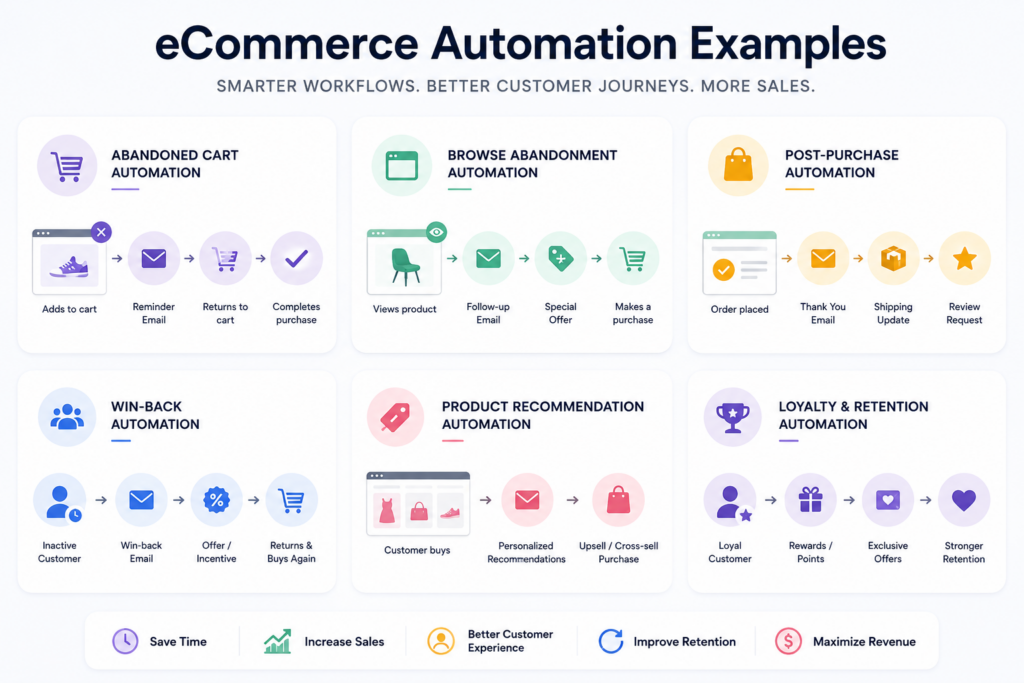
Marketing automation for ecommerce refers to using software and automated workflows to manage customer communication and marketing activities across an online store.
Instead of manually sending emails or tracking customer actions individually, automation platforms trigger messages automatically based on customer behavior.
For example:
- if someone abandons their cart, the system sends a reminder
- if a customer makes a purchase, the store sends a post-purchase sequence
- if someone views products repeatedly without buying, browse abandonment emails may trigger
- if a customer becomes inactive, a win-back campaign may launch automatically
The goal is to create more personalized communication at scale while reducing manual workload.
Modern ecommerce automation systems usually connect directly with platforms such as:
- Shopify
- WooCommerce
- BigCommerce
- Magento
- Amazon
- email marketing tools
- SMS platforms
- CRM systems
- loyalty programs
This allows businesses to centralize customer data and automate communication across multiple channels.
Why Ecommerce Automation Matters More Than Ever
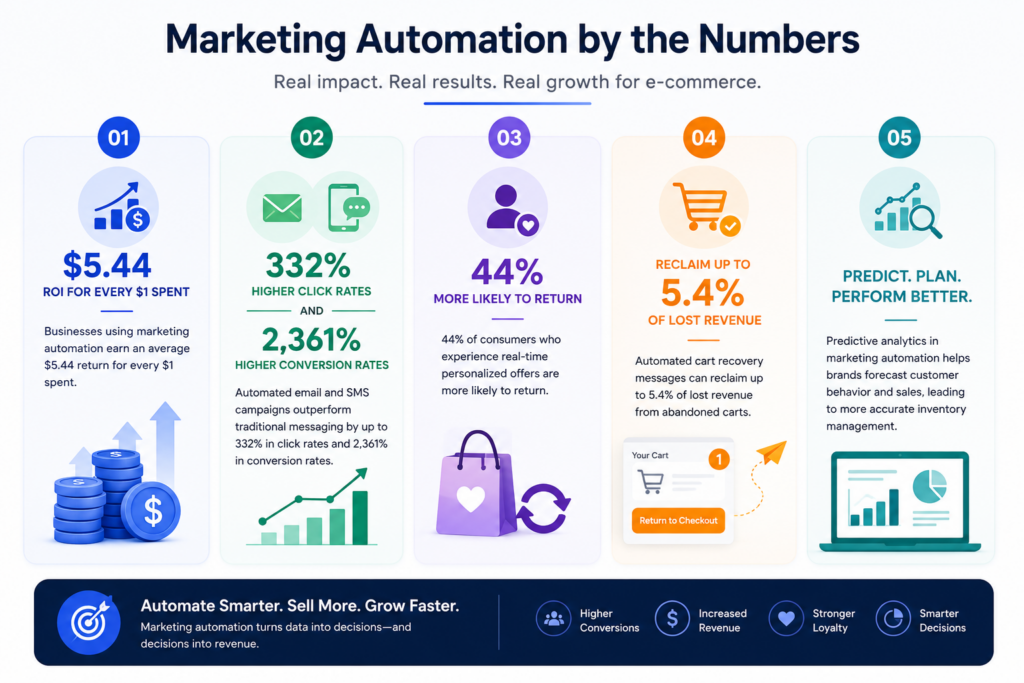
Source: Zoko
Customer acquisition costs continue rising across Meta Ads, Google Ads, TikTok, and other advertising platforms.
That means ecommerce brands can no longer rely only on constantly acquiring new customers profitably.
Retention has become increasingly important.
Marketing automation helps ecommerce brands improve:
- repeat purchases
- customer retention
- average order value
- customer lifetime value
- engagement
- conversion rates
Instead of depending only on one-time purchases, automation helps businesses build long-term customer relationships.
This is one of the reasons automated email flows often outperform generic promotional campaigns. Customers respond better when communication feels timely and behavior-driven rather than random.
The Most Important Ecommerce Automation Workflows
Not all ecommerce automation flows generate the same impact.
Some workflows consistently outperform others across nearly every ecommerce niche.
Abandoned Cart Automation
Cart abandonment automation is one of the highest-performing ecommerce workflows.
When shoppers add products to their cart but leave before completing checkout, automation platforms can send reminder emails or SMS messages encouraging them to return.
Most abandoned cart sequences include:
- reminder emails
- urgency messaging
- discount offers
- product images
- social proof
- recovery links
Because these customers already showed strong purchase intent, abandoned cart campaigns often generate extremely high ROI compared to standard email blasts.
Browse Abandonment Campaigns
Browse abandonment automation targets shoppers who viewed products but never added them to cart.
For example, if someone repeatedly visits product pages or collections, the automation platform may send:
- product reminders
- educational content
- reviews
- recommendations
- promotional offers
This workflow helps re-engage interested visitors before they completely forget about the brand.
Post-Purchase Automation
Post-purchase automation is one of the most underrated ecommerce growth systems.
Most stores focus heavily on acquiring customers but neglect communication after the sale.
Post-purchase flows commonly include:
- order confirmations
- shipping updates
- onboarding emails
- cross-sell recommendations
- review requests
- loyalty rewards
- referral incentives
Strong post-purchase automation improves customer experience while increasing repeat purchases significantly.
Win-Back Campaigns
Not every customer buys repeatedly without reminders.
Win-back automation targets inactive customers who have not purchased in a certain period of time.
These campaigns usually include:
- personalized offers
- product recommendations
- reminders
- new arrivals
- loyalty incentives
- seasonal promotions
Win-back sequences help ecommerce stores recover lost customers without constantly relying on paid acquisition.
Product Recommendation Automation
Modern automation tools now use customer behavior and purchase history to personalize recommendations automatically.
For example:
- customers who bought skincare products may receive complementary recommendations
- fashion stores may recommend matching items
- supplement brands may suggest refill reminders
Personalized recommendation flows help increase average order value while improving shopping experience.
The Best Marketing Automation Tools for eCommerce
Different automation platforms focus on different ecommerce workflows and business sizes.
Klaviyo
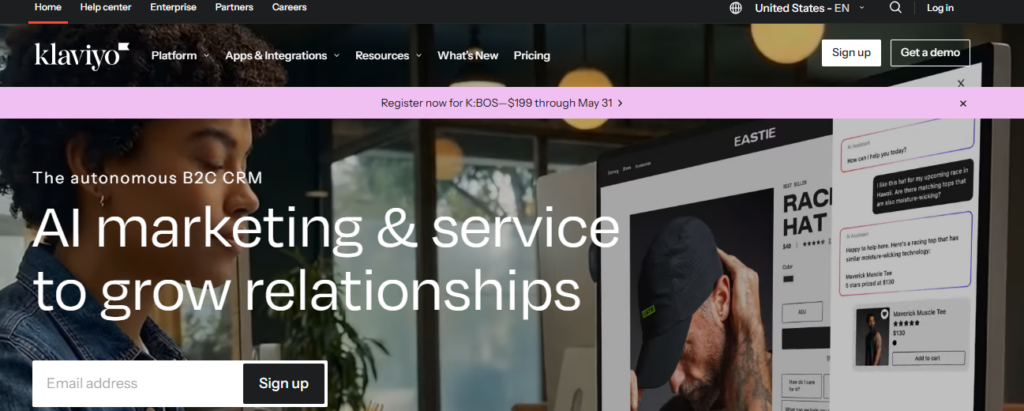
Klaviyo is one of the most popular ecommerce email automation platforms, especially for Shopify stores.
It focuses heavily on:
- advanced segmentation
- behavioral automation
- SMS marketing
- predictive analytics
- ecommerce personalization
Klaviyo is widely used by DTC brands because of its deep ecommerce integrations and powerful automation workflows.
Omnisend
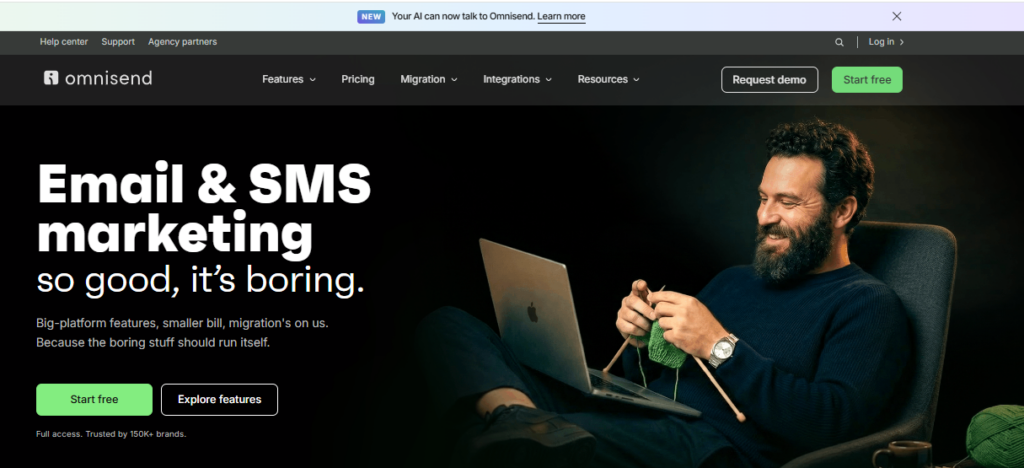
Omnisend is designed specifically for ecommerce marketing automation.
It combines:
- email automation
- SMS campaigns
- push notifications
- product recommendations
- cart recovery workflows
Many ecommerce businesses choose Omnisend because it is easier to use than some enterprise-focused platforms.
Mailchimp
Mailchimp remains one of the most widely recognized email marketing tools globally.
Although it started primarily as an email platform, it now includes ecommerce automation features such as:
- customer journeys
- abandoned cart emails
- product recommendations
- behavioral triggers
It is often used by smaller ecommerce stores and beginner-friendly businesses.
ActiveCampaign
ActiveCampaign combines email marketing automation with CRM functionality.
It is particularly strong for:
- customer segmentation
- automation workflows
- lifecycle marketing
- ecommerce personalization
- lead nurturing
Businesses wanting both CRM and ecommerce automation capabilities often choose ActiveCampaign.
HubSpot
HubSpot is commonly used by businesses wanting a broader marketing ecosystem alongside ecommerce automation.
It supports:
- CRM workflows
- email automation
- customer segmentation
- reporting
- lead nurturing
- omnichannel marketing
HubSpot is especially popular among B2B ecommerce and hybrid ecommerce-service businesses.
Need to explore more options? Read: 12 Best Marketing Automation Software for Small Business
How AI Is Changing Ecommerce Automation
AI is rapidly changing how ecommerce automation platforms operate.
Modern systems now analyze:
- customer behavior
- shopping patterns
- engagement timing
- product preferences
- purchase probability
- predicted lifetime value
This allows automation tools to personalize:
- email timing
- product recommendations
- subject lines
- offers
- audience segmentation
- loyalty campaigns
AI-driven personalization helps brands create more relevant customer experiences without manually managing every workflow.
Many ecommerce automation platforms now include predictive analytics and AI-generated recommendations directly inside campaign builders.
Ecommerce Automation Mistakes
One of the biggest mistakes ecommerce brands make is automating too much without personalization.
Customers still want communication to feel relevant and human.
Overusing aggressive sales emails or sending too many automated messages can increase unsubscribes quickly.
Another common problem is failing to segment customers properly. New visitors, repeat buyers, VIP customers, and inactive shoppers should not all receive identical messaging.
Poor timing also hurts automation performance. Sending messages too frequently or at irrelevant times can reduce engagement significantly.
Strong ecommerce automation works best when it feels timely, contextual, and behavior-driven rather than overly robotic.
Also, remember that automation is not only about automating your emails. These are two distinct terms with one being the subset of another.
What Are the 4 P’s of Ecommerce Marketing?
The traditional 4 P’s of marketing still apply heavily to ecommerce businesses:
- Product
- Price
- Place
- Promotion
Marketing automation mainly strengthens the promotion side by improving customer communication, retention campaigns, personalized offers, and lifecycle marketing.
However, automation also indirectly improves product discovery and customer experience throughout the shopping journey.
What Are the Main Ecommerce Business Models?
Ecommerce businesses usually operate under several major models:
- B2C (Business to Consumer)
- B2B (Business to Business)
- D2C (Direct to Consumer)
- C2C (Consumer to Consumer)
D2C ecommerce brands have grown particularly fast because automation tools allow brands to build direct customer relationships without relying entirely on marketplaces or retailers.
Why Ecommerce Automation Is Becoming Essential
As ecommerce competition continues increasing, customer retention and operational efficiency are becoming more important than ever.
Marketing automation helps online stores:
- recover lost sales
- improve retention
- personalize communication
- scale customer engagement
- increase repeat purchases
- reduce manual workload
Without automation, managing customer communication manually becomes increasingly difficult as stores grow.
That is why ecommerce automation is no longer just a “nice extra” for larger brands. It has become a core operational system for modern online businesses.
Frequently Asked Questions
What are some marketing automation tools?
Some of the most popular marketing automation tools for ecommerce include Klaviyo, Omnisend, Mailchimp, ActiveCampaign, HubSpot, Drip, and Brevo. Different platforms focus on different workflows, integrations, and business sizes. For example, Klaviyo is heavily used by Shopify brands for advanced segmentation and retention workflows, while HubSpot is more common among businesses needing CRM and broader marketing automation together.
What is ecommerce automation?
Ecommerce automation refers to using software and automated workflows to manage customer communication, email campaigns, retention sequences, abandoned cart recovery, product recommendations, and repetitive marketing tasks inside online stores. Instead of manually sending every message, automation tools trigger campaigns automatically based on customer behavior and shopping activity.
What is abandoned cart automation?
Abandoned cart automation sends reminder emails or SMS messages to shoppers who added products to their cart but left before completing checkout. These workflows often include product reminders, urgency messaging, discount incentives, and direct checkout links. Cart abandonment automation is considered one of the highest-converting ecommerce marketing workflows because it targets users who already showed strong purchase intent.
What is a post-purchase sequence?
A post-purchase sequence is an automated workflow triggered after a customer places an order. These flows usually include order confirmations, shipping updates, onboarding emails, review requests, upsells, loyalty messaging, and referral incentives. Strong post-purchase automation helps ecommerce brands improve customer experience and increase repeat purchases over time.
What are the 4 models of ecommerce?
The four main ecommerce models are B2C (Business to Consumer), B2B (Business to Business), C2C (Consumer to Consumer), and C2B (Consumer to Business). D2C (Direct to Consumer) is also commonly discussed today because many modern ecommerce brands now sell directly to customers without relying heavily on retailers or marketplaces.
Which ecommerce model is most profitable?
There is no universal answer because profitability depends heavily on niche, margins, operations, and customer acquisition costs. However, many brands focus heavily on D2C ecommerce because it allows stronger customer relationships, more control over branding, higher margins, and better retention opportunities compared to marketplace-only selling.
What is the difference between B2B and B2C ecommerce?
B2B ecommerce involves businesses selling products or services to other businesses, while B2C ecommerce involves businesses selling directly to consumers. B2B ecommerce usually has longer sales cycles, larger order values, and more relationship-driven purchasing decisions compared to B2C ecommerce.
What is browse abandonment automation?
Browse abandonment workflows target shoppers who viewed products or collections but did not add items to cart. These campaigns help re-engage interested visitors through product reminders, recommendations, educational content, and personalized offers before they completely leave the buying journey.
Can small ecommerce stores use automation?
Yes. Modern ecommerce automation tools are widely used by smaller Shopify stores, startups, and growing DTC brands because they improve efficiency and customer retention without requiring large teams. Many automation platforms now offer beginner-friendly workflows and templates specifically designed for smaller ecommerce businesses.
What is loyalty automation?
Loyalty automation helps ecommerce brands reward repeat customers automatically through points systems, referrals, VIP rewards, retention campaigns, birthday offers, and personalized incentives. Loyalty workflows are designed to improve customer retention and long-term lifetime value.
What is an ecommerce drip campaign?
An ecommerce drip campaign is a sequence of automated emails sent over time based on customer behavior or lifecycle stage. Drip campaigns are commonly used for welcome sequences, onboarding, educational content, product recommendations, and retention workflows. Instead of sending one-off campaigns manually, ecommerce drip automation nurtures customers gradually through timed messaging.
What is product recommendation automation?
Product recommendation automation uses customer behavior, purchase history, browsing activity, and AI-driven personalization to suggest relevant products automatically. Ecommerce stores often use these workflows inside emails, SMS campaigns, and post-purchase sequences to increase average order value and repeat purchases.
What is an order confirmation flow?
An order confirmation flow is an automated sequence triggered immediately after checkout. Besides confirming purchases, many brands use these emails to introduce onboarding content, shipping updates, loyalty programs, referral offers, and product education. These emails often generate very high open rates because customers actively expect them.
What is win-back automation in ecommerce?
Win-back automation targets inactive customers who have not purchased or engaged with a store for a certain period of time. These campaigns typically include reminders, special offers, personalized recommendations, or new product announcements designed to reactivate previous buyers.
How does ecommerce email automation work?
Ecommerce email automation works by using customer behavior triggers and workflows to send personalized emails automatically. Actions such as adding products to cart, browsing categories, completing purchases, or becoming inactive can all trigger different automated email sequences without manual input from the business.
Is SMS automation important for ecommerce?
Yes. SMS automation has become increasingly important because text messages often achieve significantly higher open rates than email. Many ecommerce brands now combine email automation and SMS automation together for cart recovery, shipping notifications, flash sales, loyalty messaging, and post-purchase communication.
What is customer segmentation in ecommerce marketing automation?
Customer segmentation involves grouping shoppers based on factors such as purchase history, behavior, engagement level, demographics, average order value, or lifecycle stage. Segmentation allows ecommerce brands to send more personalized communication instead of sending identical campaigns to every customer.
What are the biggest benefits of ecommerce automation?
The biggest benefits usually include improved customer retention, increased repeat purchases, higher average order value, better personalization, reduced manual workload, stronger customer experience, and improved marketing efficiency. Automation also allows ecommerce brands to scale communication much more effectively as customer volume grows.
Can ecommerce automation increase sales?
Yes. Strong automation workflows often increase ecommerce revenue significantly because they recover lost sales opportunities, improve retention, encourage repeat purchases, and personalize communication based on customer behavior. Many ecommerce brands generate a large percentage of their total revenue directly from automated flows rather than one-time promotional campaigns alone.
Software Chronicle’s Guide to Smarter eCommerce Growth Tools
At Software Chronicle, we publish practical ecommerce software guides, automation strategy content, SaaS reviews, and business technology comparisons designed to help brands grow more efficiently.
Our goal is to simplify complex software decisions with practical, experience-driven content focused on real business workflows and long-term scalability.
To learn more about how we evaluate software platforms, visit our How We Review Software page. You can also review our Disclaimer for additional transparency regarding our content and recommendations.
Want to get a tool reviewed? Contact us now.
Najm Us Sahar Fareed is part of the editorial team at Software Chronicle, a group of SaaS researchers and former software buyers who have collectively evaluated over 200 tools across the categories we cover. With 5 years of experience working with digital marketing agencies across North America, she brings a strong background in content strategy and practical software evaluation.
- CRM for Freelancers: Do You Really Need One?
- CRM for Real Estate Agents: Best Options

- CRM Integration Guide: Connect Your Tools Without Breaking Your Data
- CRM Pricing Guide: What Does CRM Software Actually Cost? (2026)

- Task Management vs Project Management: What’s the Difference?

- Project Management Methodologies: Agile vs. Scrum vs. Kanban vs. Waterfall
- Gantt Chart Software: Do You Need It? (An Honest Answer)

- CRM + Marketing Automation: How They Work Together

-

 Blog5 months ago
What Is Accounting Software? The Complete SMB Guide to Managing Finances
-
 Blog4 months ago
11 Best No-Code App Builders for Business in 2026
-

 Blog3 months ago
How to Choose Accounting Software for Your Business: The Ultimate Buyer’s Guide
-
 Blog3 months ago
How to Choose Project Management Software: A No-Nonsense Buying Guide for 2026
-

 Blog2 months ago
How to Choose Customer Support Software (Without Regretting It in Six Months)
-
 Blog4 months ago
9 Best No-Code Website Builders in 2026
-
 Blog4 months ago
11 Agile Project Management Tools — Full Guide for Modern Teams (2026)
-
 AI Tools4 months ago
9 Best AI Writing Tools for Content Teams in 2026