
AI Tools
12 Best Live Chat Software for Websites in 2026
Modern customers expect answers immediately. Whether someone is browsing an ecommerce store, comparing SaaS products, booking a service, or looking for support, waiting hours for an email response often leads to frustration and lost conversions. Businesses that respond quickly usually win more trust, generate more leads, and close more sales.
That is why customer support software especially, live chat has become one of the most important communication tools for modern websites.
The best live chat software does far more than place a small chat box in the corner of a webpage. Modern platforms combine real-time messaging, AI chatbot integration, visitor tracking, proactive engagement, automation workflows, and customer support tools into a complete communication system designed to improve both user experience and business performance.
For many businesses, live chat directly impacts revenue.
A well-designed live chat tool for websites can help reduce cart abandonment, improve customer satisfaction, increase lead generation, assist with onboarding, and answer sales questions while visitors are actively browsing. Instead of losing potential customers because of delayed responses, businesses can engage people at the exact moment they are ready to interact.
Modern website live chat plugins have also evolved significantly in recent years. Many now include features such as proactive chat triggers, mobile chat support, chatbot automation, offline messaging, chat transcripts, visitor monitoring, and CRM integrations. Some platforms focus heavily on customer support workflows, while others are designed primarily for sales conversations and lead qualification.
The challenge is that not every live chat platform works equally well for every business.
Some tools are better suited for ecommerce stores that need fast customer support and cart recovery features. Others are designed for SaaS companies managing onboarding and customer success workflows. Certain platforms prioritize AI automation and chatbot systems, while others focus on creating more human and personalized customer interactions.
In this guide, we will break down the best live chat software in 2026, including lightweight chat widgets, AI-powered messaging platforms, customer support systems, and sales-focused real-time chat support software for modern websites.
Whether you need a simple chat widget for a small business website or a scalable customer communication platform with automation and visitor tracking, this guide will help you find the right solution for your workflow and business goals.
Quick Comparison Table
| Software | Best For | Free Plan | Starting Price | Standout Feature |
| Intercom | SaaS and AI-powered support | No | Premium pricing | AI customer messaging |
| Tidio | Ecommerce and small businesses | Yes | Affordable SMB pricing | Chatbot automation |
| LiveChat | Dedicated support teams | Trial available | Mid-range pricing | Real-time support workflows |
| Zendesk Chat | Zendesk users | Limited | Enterprise-friendly | Omnichannel support |
| Crisp | Startups and growing teams | Yes | Budget-friendly | Shared inbox |
| Drift | B2B sales conversations | No | Premium pricing | Conversational sales |
| HubSpot Live Chat | CRM-focused businesses | Yes | Free CRM integration | Lead capture |
| Olark | Lightweight live chat | Trial available | Affordable pricing | Simplicity |
| Freshchat | Customer engagement automation | Yes | Flexible pricing | AI workflows |
| Help Scout | Human-first support teams | Trial available | SMB pricing | Customer conversations |
| Smartsupp | Ecommerce visitor tracking | Yes | Budget-friendly | Visitor recordings |
| Chatra | Small teams | Yes | Low-cost pricing | Simple mobile chat |
Why Live Chat Became Essential for Modern Websites
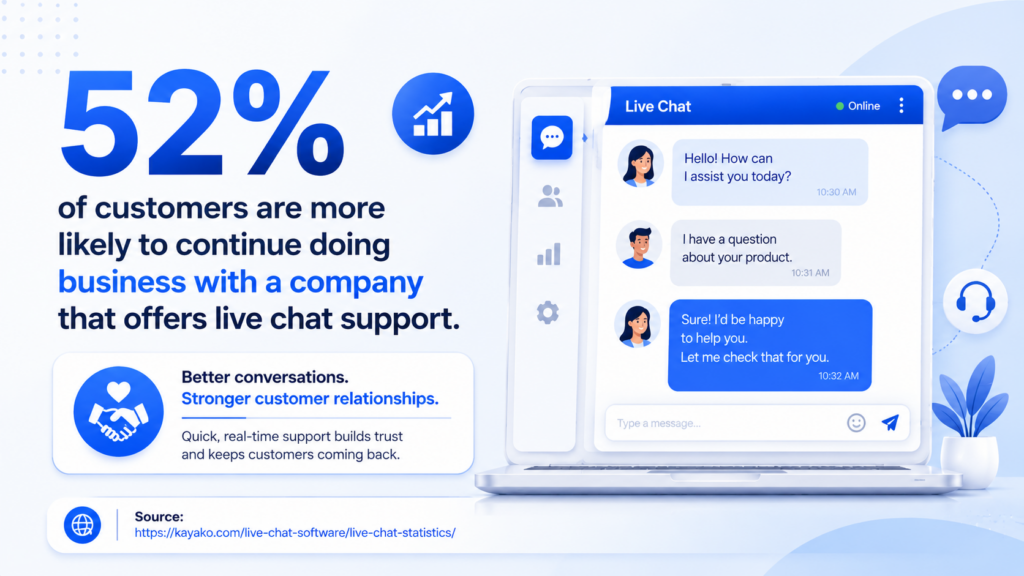
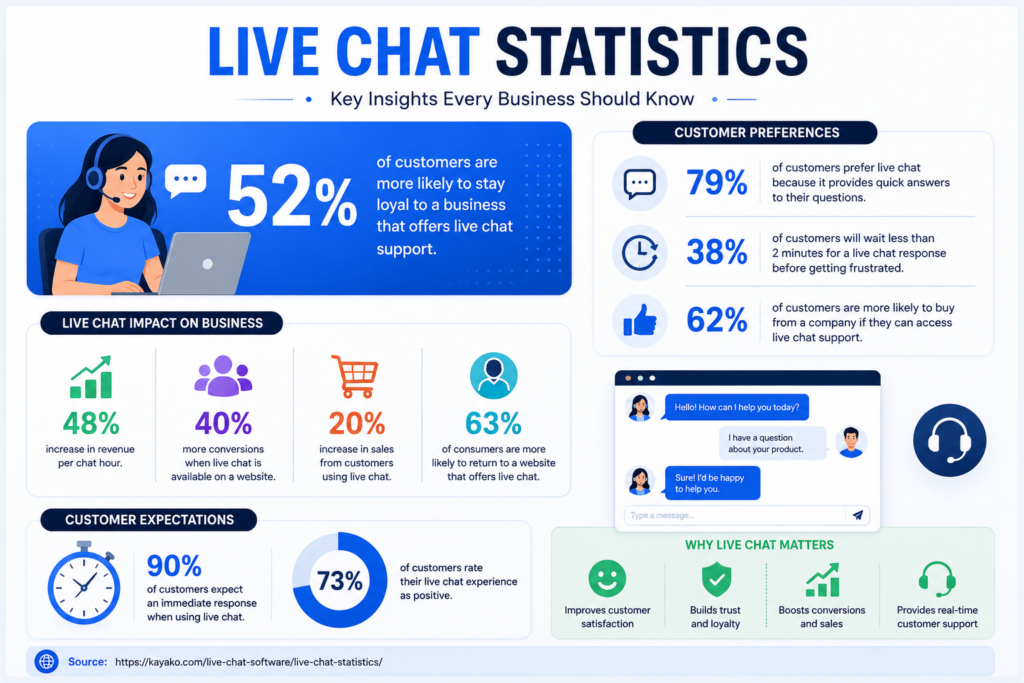
Source: Kayako
Customer communication habits have changed dramatically over the last few years. Most users no longer want to wait for email responses or navigate complicated support forms just to ask a simple question. People expect immediate interaction while they are actively browsing a website.
That shift has made real-time chat support software one of the most valuable tools for modern businesses.
For ecommerce stores, live chat helps reduce abandoned carts and improve buyer confidence during checkout. For SaaS companies, it improves onboarding and customer support. Service businesses use live chat to qualify leads and answer pre-sales questions instantly.
The biggest advantage is timing.
Traditional support systems rely on customers leaving the website and waiting for replies later. Live chat keeps conversations active while users are still engaged, increasing the likelihood of conversions and reducing customer frustration.
Modern chat platforms have also evolved far beyond basic support widgets. Many systems now include:
- proactive messaging
- chatbot automation
- visitor tracking
- mobile support
- AI assistance
- CRM syncing
- automated chat routing
This allows businesses to personalize conversations and respond more efficiently without overwhelming support teams.
Another major reason businesses adopt live chat is mobile behavior. Customers increasingly browse websites from phones and expect fast messaging experiences similar to apps they already use daily. Modern mobile chat systems help businesses maintain support quality across all devices.
For many companies today, live chat is no longer optional. It has become part of the standard customer experience.
What Makes a Great Live Chat Platform?
Not every live chat tool improves customer communication equally. Some platforms prioritize automation and AI, while others focus on human conversations, sales workflows, or ecommerce support.
The best live chat tools for websites usually balance speed, usability, automation, and customer experience without making conversations feel robotic.
One of the most important factors is widget performance. Poorly optimized chat widgets can slow down websites or create frustrating user experiences. Fast-loading and visually clean chat interfaces usually perform much better for engagement and conversions.
Another major factor is proactive engagement.
Modern platforms can trigger conversations automatically based on visitor behavior. For example, a chat popup may appear when:
- someone spends significant time on a pricing page
- a visitor shows exit intent
- a customer abandons a cart
- a user revisits the site multiple times
These chat triggers help businesses engage visitors at high-intent moments instead of waiting passively for customers to ask questions first.
Automation also plays an increasingly important role.
Many modern platforms now combine human support with chatbot integration. AI chatbots can answer common questions, route conversations, collect lead information, schedule meetings, and qualify sales inquiries before a human agent joins the conversation.
Visitor tracking is another valuable capability.
Strong platforms allow businesses to monitor:
- pages viewed
- time spent on site
- visitor location
- referral source
- returning visitor behavior
This context helps support and sales teams personalize conversations more effectively.
Good reporting features matter as well. Businesses should be able to review:
- chat transcripts
- customer satisfaction ratings
- response times
- conversion data
- support trends
These insights help teams improve workflows and customer communication over time.
Finally, mobile usability has become essential. Both customers and support teams increasingly rely on mobile devices, making responsive mobile chat functionality a major factor when choosing software.
The best live chat software should improve customer conversations while reducing operational friction for businesses.
12 Best Live Chat Software Platforms
1. Intercom
Best For
AI-powered customer communication and SaaS support.
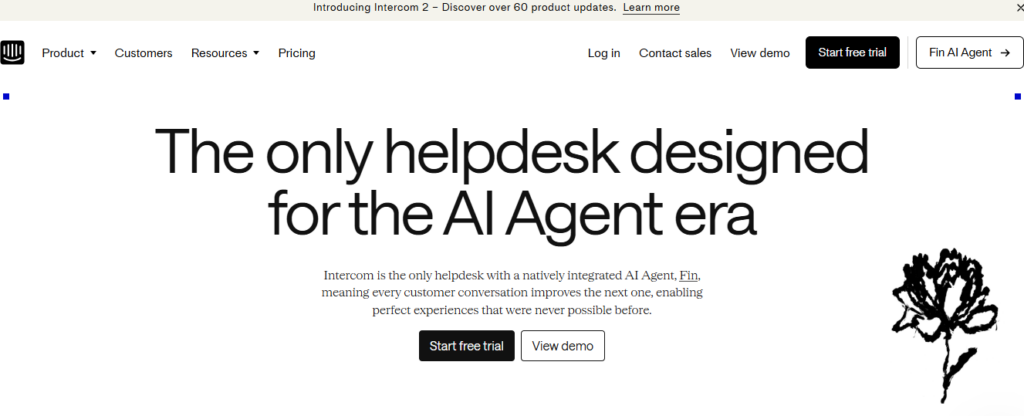
Intercom is one of the most advanced customer messaging platforms available today. It combines live chat, AI automation, onboarding workflows, help center functionality, and customer engagement tools inside one ecosystem.
The platform is especially popular among SaaS companies because of its strong onboarding and automation capabilities. Businesses can create proactive messaging campaigns, automate support responses, guide new users through onboarding flows, and personalize communication based on user behavior.
Intercom’s AI chatbot functionality has also become one of its strongest selling points. The system can answer common support questions automatically while escalating more complex issues to human agents when needed.
The platform also includes:
- customer segmentation
- workflow automation
- knowledge base integration
- product tours
- team inboxes
- chat analytics
The biggest downside is pricing. Intercom is powerful, but it is significantly more expensive than many smaller business alternatives.
Pros
- Excellent AI automation
- Powerful onboarding workflows
- Strong SaaS integrations
- Advanced customer targeting
Cons
- Premium pricing
- Can feel overwhelming for smaller teams
Best Use Case
SaaS businesses managing onboarding and customer engagement at scale.
2. Tidio
Best For
Small businesses and ecommerce stores.
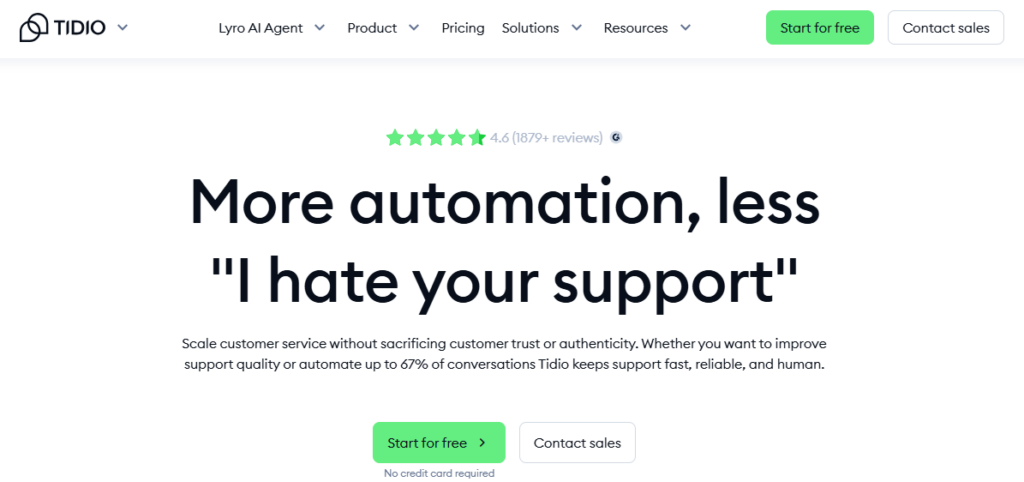
Tidio has become extremely popular among smaller businesses because it combines affordability with surprisingly strong automation capabilities.
The platform is easy to set up and works particularly well for Shopify and ecommerce stores. Businesses can quickly install the website live chat plugin, customize the widget, and begin engaging customers in real time.
Tidio also supports chatbot automation for:
- abandoned carts
- FAQs
- lead capture
- order tracking
- visitor engagement
The interface is simple and beginner-friendly, making it attractive for businesses without dedicated support teams.
Despite its lower pricing, Tidio still includes useful features such as visitor tracking, mobile chat support, proactive messaging, and integrations with ecommerce platforms.
Pros
- Easy setup
- Affordable pricing
- Strong ecommerce integrations
- Good chatbot automation
Cons
- Limited advanced enterprise workflows
- Reporting could be deeper
Best Use Case
Small businesses and online stores wanting affordable live chat automation.
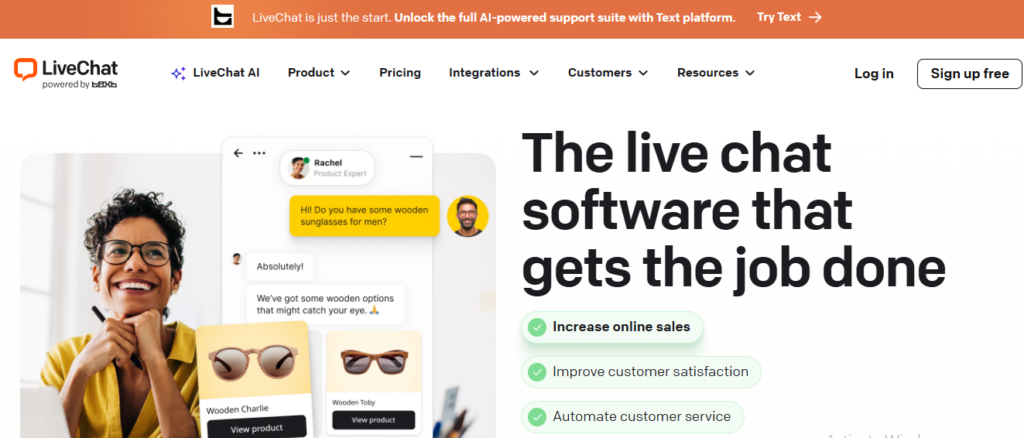
3. LiveChat
Best For
Dedicated customer support teams.
LiveChat focuses heavily on traditional customer support workflows and real-time communication.
The platform provides one of the cleanest support-focused interfaces in the industry and is designed for businesses managing high volumes of customer conversations.
Support teams can organize chats, collaborate across agents, review transcripts, and monitor customer satisfaction ratings from centralized dashboards.
The software also supports:
- chat routing
- proactive chat invitations
- file sharing
- visitor monitoring
- mobile support
- reporting dashboards
LiveChat is less focused on AI-heavy automation compared to Intercom or Drift, but many businesses prefer its more human-centered support experience.
Pros
- Excellent support workflows
- Clean interface
- Strong reporting
- Reliable real-time chat
Cons
- Less AI-focused
- Pricing scales with team size
Best Use Case
Businesses prioritizing customer support quality and live agent workflows.
4. Zendesk Chat
Best For
Businesses already using Zendesk.
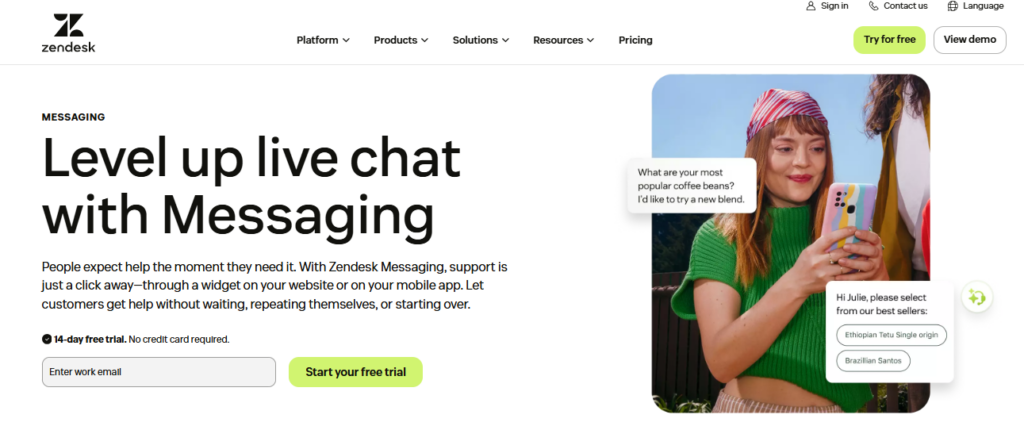
Zendesk Chat integrates deeply with the Zendesk support ecosystem, making it attractive for companies already using Zendesk ticketing and customer service products.
The platform combines:
- live chat
- ticketing
- CRM syncing
- omnichannel support
- support automation
Businesses can move conversations between chat and support tickets seamlessly while maintaining full customer context.
Zendesk Chat also performs well for larger organizations managing support across multiple communication channels.
Pros
- Strong support ecosystem
- Omnichannel workflows
- Excellent ticket integration
- Enterprise scalability
Cons
- Better within Zendesk ecosystem
- Interface can feel enterprise-heavy
Best Use Case
Businesses already invested in Zendesk support infrastructure.
5. Crisp
Best For
Affordable all-in-one customer messaging.
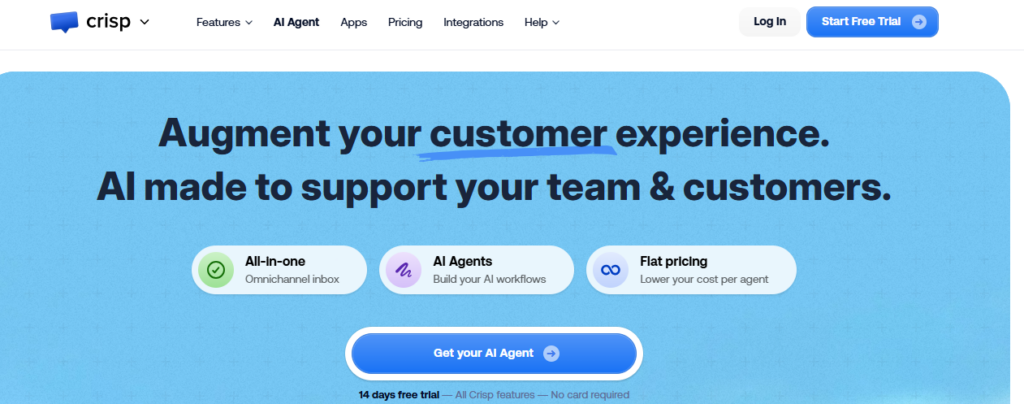
Crisp has gained popularity because it delivers a surprisingly large feature set at startup-friendly pricing.
The platform combines:
- live chat
- shared inboxes
- email campaigns
- automation
- knowledge bases
- chatbot workflows
Unlike many competitors, Crisp keeps pricing relatively accessible even as businesses scale.
The interface is modern, lightweight, and collaborative, making it attractive for startups and growing SaaS companies.
Pros
- Excellent pricing
- Strong feature balance
- Shared inbox collaboration
- Modern interface
Cons
- Fewer advanced enterprise workflows
- Smaller integration ecosystem
Best Use Case
Startups and SMBs wanting affordable all-in-one communication software.
6. Drift
Best For
B2B sales conversations.
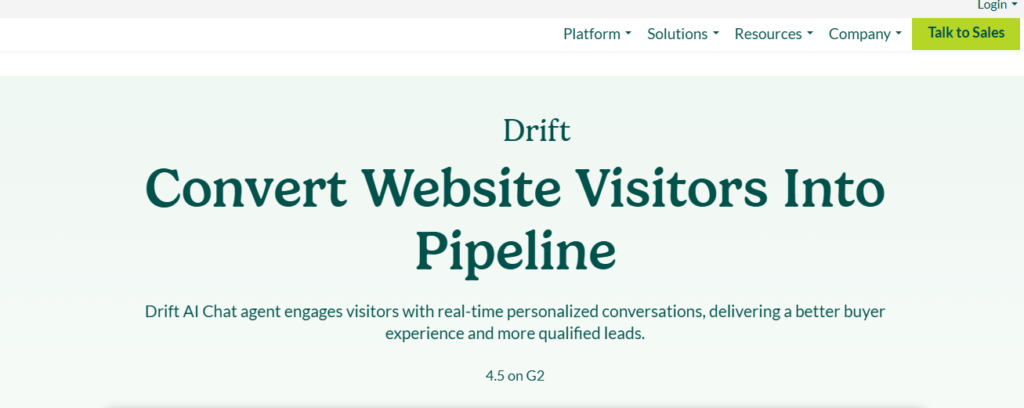
Drift focuses heavily on conversational marketing and sales engagement rather than traditional customer support.
The platform helps businesses qualify leads, book meetings, and automate sales conversations directly through chat.
Drift is particularly strong for B2B SaaS companies where live conversations can accelerate sales pipelines significantly.
The platform includes:
- AI sales bots
- meeting scheduling
- lead routing
- account targeting
- sales automation
Drift is highly sales-focused, making it less suitable for businesses seeking primarily customer support workflows.
Pros
- Excellent sales workflows
- Strong lead qualification
- Good meeting automation
- Powerful B2B targeting
Cons
- Expensive
- Less support-focused
Best Use Case
B2B companies using conversational sales strategies.
7. HubSpot Live Chat
Best For
CRM-focused businesses.
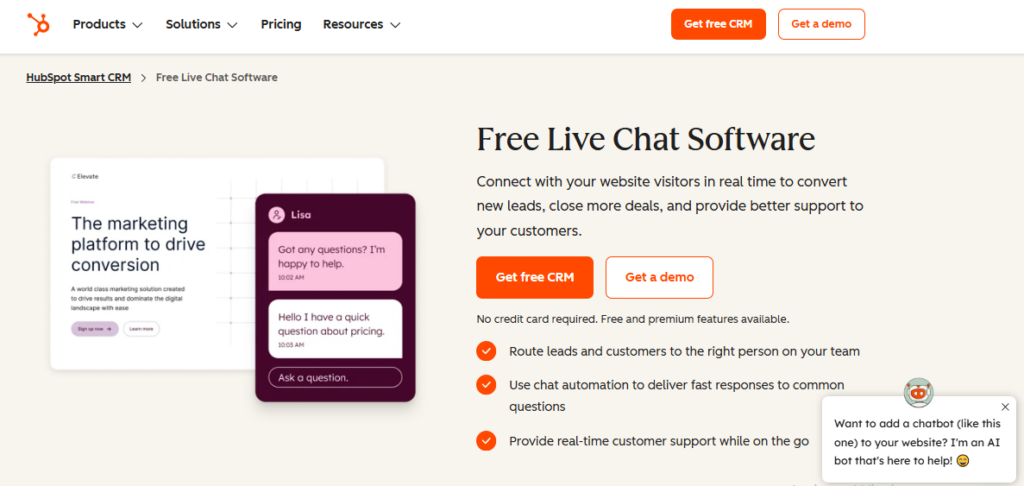
HubSpot Live Chat integrates directly into HubSpot’s CRM ecosystem, making it attractive for businesses already using HubSpot marketing or sales tools.
The platform allows businesses to capture leads, automate chat workflows, and sync customer conversations directly into CRM records.
HubSpot’s free plan is also one of the strongest free entry points for businesses wanting basic live chat functionality without immediate costs.
Pros
- Strong CRM integration
- Excellent free plan
- Easy setup
- Good lead tracking
Cons
- Advanced features require upgrades
- Best inside HubSpot ecosystem
Best Use Case
Businesses using HubSpot CRM and marketing tools.
8. Olark
Best For
Simple website live chat functionality.
Olark focuses heavily on simplicity and usability.
Businesses can deploy a lightweight best chat widget quickly without navigating overly complicated workflows or enterprise dashboards.
The platform supports:
- chat transcripts
- automation rules
- visitor monitoring
- team collaboration
- basic analytics
Olark works especially well for smaller businesses that want reliable live chat without excessive complexity.
Pros
- Simple setup
- Lightweight interface
- Good usability
- Affordable pricing
Cons
- Limited advanced automation
- Smaller feature ecosystem
Best Use Case
Businesses wanting straightforward live chat functionality.
9. Freshchat
Best For
Customer engagement automation.
Freshchat combines live messaging with automation and omnichannel communication tools.
The platform supports:
- AI chatbots
- WhatsApp integration
- automated workflows
- customer segmentation
- proactive engagement
Freshchat works well for businesses wanting more automation without moving fully into enterprise pricing territory.
Pros
- Good automation features
- Omnichannel support
- Modern interface
- AI chatbot functionality
Cons
- Advanced features require upgrades
- Reporting could improve
Best Use Case
Businesses automating customer engagement workflows.
10. Help Scout
Best For
Human-first support teams.
Help Scout focuses heavily on maintaining natural and personalized customer conversations.
Unlike highly automated platforms, Help Scout prioritizes human support experiences while still offering live chat and collaboration tools.
The platform combines:
- shared inboxes
- live chat
- knowledge bases
- support workflows
- customer conversation history
Pros
- Clean support experience
- Strong collaboration
- Customer-friendly workflows
- Easy usability
Cons
- Less automation-focused
- Smaller AI feature set
Best Use Case
Support teams prioritizing personalized customer interactions.
11. Smartsupp
Best For
Visitor tracking and ecommerce monitoring.
Smartsupp combines live chat with visitor recordings and website monitoring functionality.
Businesses can watch how users navigate websites while proactively engaging high-intent visitors through chat.
This combination makes Smartsupp especially useful for ecommerce optimization and lead capture workflows.
Pros
- Strong visitor tracking
- Good ecommerce focus
- Affordable pricing
- Useful recordings
Cons
- Less enterprise-focused
- Smaller automation ecosystem
Best Use Case
Ecommerce businesses optimizing customer behavior and conversions.
12. Chatra
Best For
Small teams needing lightweight live chat.
Chatra provides simple and affordable live chat functionality for businesses that do not need complex enterprise systems.
The platform supports:
- group chats
- offline messages
- mobile apps
- basic automation
- visitor tracking
Chatra’s simplicity makes it attractive for smaller businesses prioritizing usability over advanced automation.
Pros
- Beginner-friendly
- Affordable pricing
- Good mobile support
- Easy setup
Cons
- Limited advanced workflows
- Smaller integration ecosystem
Best Use Case
Small businesses wanting simple and reliable website live chat.
Which Businesses Benefit Most From Live Chat?
Live chat is no longer limited to large SaaS companies or enterprise support teams. Today, businesses across almost every industry use real-time chat support software to improve communication, increase conversions, and reduce customer frustration.
For ecommerce stores, live chat often plays a direct role in sales generation. Customers frequently have questions about shipping, sizing, pricing, returns, or product compatibility before purchasing. Instant support during those moments can significantly reduce abandoned carts and improve buyer confidence.
SaaS companies rely heavily on live chat for onboarding and customer success. Instead of forcing users to search through documentation or wait for support tickets, businesses can guide customers in real time while they are actively using the product.
Agencies and service businesses also benefit heavily from live chat because it improves lead qualification. Potential clients visiting a website can immediately ask questions about pricing, services, timelines, or consultations without needing to fill out long forms.
Educational platforms, healthcare booking websites, consultants, and local businesses increasingly use chat systems as well because modern customers prefer quick digital communication over traditional contact forms and delayed email responses.
The common factor across all industries is convenience.
The easier it is for visitors to communicate, the more likely businesses are to build trust and convert interest into action.
Live Chat vs Chatbots: What Is the Difference?
Many businesses confuse live chat and chatbot software, but they serve different purposes.
Live chat focuses on real-time human conversations. Customers interact directly with support agents, sales teams, or account managers through a website chat widget. This creates more personalized communication and works especially well for complex support issues or high-value sales conversations.
Chatbots, on the other hand, automate conversations using predefined workflows or AI-generated responses. Modern chatbot systems can:
- answer FAQs
- qualify leads
- collect visitor information
- route conversations
- book meetings
- recommend resources
The biggest advantage of chatbots is availability. Automated systems can operate 24/7 even when support teams are offline.
However, purely automated systems often create frustrating customer experiences when conversations become too robotic or fail to understand nuanced questions.
That is why most modern best live chat software platforms now combine both approaches.
Hybrid systems use AI and automation for repetitive tasks while allowing human agents to take over more important or complex conversations when needed. This creates a balance between efficiency and personalization.
For most businesses, hybrid communication systems provide the best overall customer experience.
How Proactive Chat Increases Conversions
One of the biggest advantages of modern live chat platforms is proactive engagement.
Traditional support systems wait for customers to ask questions first. Proactive chat changes this by allowing businesses to initiate conversations automatically based on visitor behavior.
For example, chat widgets can trigger automatically when:
- a visitor spends significant time on a pricing page
- someone shows exit intent
- a customer abandons a cart
- a user revisits the website multiple times
- a visitor reaches a checkout page
These proactive interactions help businesses engage users during high-intent moments instead of relying on passive communication.
For ecommerce stores, proactive messaging can reduce abandoned carts by answering purchase concerns before customers leave the website.
For SaaS businesses, proactive onboarding assistance can help users activate faster and reduce confusion during setup.
Visitor tracking also improves targeting quality. Modern live chat tools for websites can monitor browsing behavior and personalize chat triggers according to:
- pages visited
- referral sources
- geographic location
- returning visitor activity
- customer segmentation
This creates more relevant and timely customer interactions.
However, businesses need to use proactive chat carefully. Overly aggressive popups or poorly timed interruptions can frustrate users instead of helping them.
The best proactive chat experiences feel useful rather than intrusive.
Common Mistakes Businesses Make With Live Chat
Adding a chat widget alone does not automatically improve customer experience. Many businesses implement live chat poorly and unintentionally create frustration instead of convenience.
One of the most common mistakes is using overly aggressive popups. Constant interruptions and forced chat windows can feel spammy, especially when triggered too quickly after a visitor lands on a page.
Another major issue is slow response times.
Customers expect live chat to feel immediate. If visitors wait several minutes for replies, the experience often becomes worse than traditional email support because expectations are much higher.
Over-automation is another growing problem.
While chatbot automation can improve efficiency, businesses sometimes rely too heavily on automated workflows that fail to understand customer needs properly. Users often become frustrated when they cannot reach a real person during important conversations.
Mobile experience is another area businesses frequently overlook. Many websites install chat systems that work well on desktop but create poor experiences on smaller screens. Since a large percentage of traffic now comes from mobile devices, mobile chat optimization is extremely important.
Finally, many companies fail to analyze chat performance properly.
Modern platforms provide valuable insights such as:
- response times
- chat ratings
- conversion data
- customer satisfaction
- transcript analysis
Ignoring this data limits opportunities to improve customer communication and conversion workflows over time.
Are Free Live Chat Tools Good Enough?
Free live chat tools can work surprisingly well for smaller businesses, startups, and low-traffic websites.
Many free plans now include:
- basic chat widgets
- visitor monitoring
- mobile support
- simple automation
- chatbot functionality
- CRM integrations
For newer businesses, free plans are often enough to begin improving customer communication without increasing operational costs.
However, as businesses grow, limitations usually appear quickly.
Paid live chat platforms often provide:
- multiple support agents
- advanced automation
- AI workflows
- CRM syncing
- detailed analytics
- custom branding
- advanced chat routing
- omnichannel support
Larger support teams and growing ecommerce businesses typically require these advanced capabilities to maintain efficiency and scalability.
The key is choosing software that aligns with current business size while still supporting future growth.
A lightweight free tool may work perfectly for a small business today, while larger organizations often benefit more from platforms with stronger automation and customer management systems.
Final Verdict: Which Live Chat Software Should You Choose?
The best live chat software depends heavily on your business goals, communication style, and workflow complexity.
Intercom remains one of the strongest all-around platforms for SaaS businesses and companies wanting advanced AI-driven customer engagement. Its onboarding workflows, automation systems, and customer targeting capabilities are extremely powerful, although pricing can become expensive.
Tidio and Crisp provide excellent value for startups, ecommerce stores, and smaller businesses wanting affordable live chat automation without enterprise complexity.
Businesses focused heavily on sales conversations and lead qualification may benefit most from Drift because of its conversational marketing and meeting automation workflows.
For companies prioritizing customer support quality and human conversations, LiveChat and Help Scout remain excellent choices.
Meanwhile, HubSpot Live Chat works especially well for businesses already operating within the HubSpot ecosystem and wanting CRM-connected communication workflows.
The most important factor is not choosing the platform with the longest feature list. It is choosing software that matches your communication strategy, customer expectations, and operational needs.
A well-implemented live chat system can improve support quality, increase conversions, strengthen customer relationships, and create a significantly better website experience overall.
Frequently Asked Questions
What is the best live chat software for websites?
Intercom, Tidio, LiveChat, Crisp, and HubSpot Live Chat are among the best live chat software platforms available today. The best option depends on whether your business prioritizes customer support, ecommerce conversions, lead generation, AI automation, or CRM integration. Smaller businesses often prefer affordable and lightweight chat systems, while larger SaaS companies typically require more advanced automation and customer engagement workflows.
Are live chat widgets good for conversions?
Yes, live chat widgets can significantly improve website conversions when implemented properly. Real-time customer communication helps reduce friction during purchasing decisions and allows businesses to answer questions immediately while visitors are actively browsing. Many ecommerce stores use proactive chat triggers to reduce abandoned carts, while SaaS businesses use live chat to improve onboarding and lead qualification.
What is the difference between live chat and chatbots?
Live chat focuses on real-time conversations between customers and human agents, while chatbots automate conversations using predefined workflows or AI-generated responses. Modern real-time chat support software often combines both approaches. Chatbots help automate repetitive tasks and provide 24/7 support, while human agents handle more complex or personalized conversations.
Which live chat software is best for ecommerce?
Tidio, Smartsupp, and Crisp are among the strongest live chat platforms for ecommerce websites because they provide features such as visitor tracking, proactive messaging, cart recovery workflows, and chatbot automation. Ecommerce businesses benefit heavily from real-time communication because it improves buyer confidence and reduces abandoned checkouts.
Can live chat software track website visitors?
Yes, many modern live chat tools for websites include visitor tracking functionality. Businesses can monitor pages viewed, time spent on site, referral sources, geographic location, and returning visitor activity. This helps support and sales teams personalize conversations and identify high-intent visitors more effectively.
Do live chat tools work on mobile websites?
Yes, most modern live chat platforms support mobile websites and responsive chat experiences. Many tools also include mobile apps for support teams, allowing agents to respond to customer conversations remotely. Since a large percentage of website traffic now comes from smartphones, strong mobile chat functionality has become extremely important.
What features should live chat software include?
The best live chat software should include:
- real-time messaging
- proactive chat triggers
- chatbot integration
- visitor tracking
- offline messaging
- chat transcripts
- mobile support
- analytics and reporting
- CRM integration
Businesses should prioritize features that align with their communication goals and customer support workflows.
Are free live chat plugins worth using?
Yes, free live chat plugins can work very well for startups, small businesses, and lower-traffic websites. Many free tools now include basic automation, visitor tracking, chatbot support, and CRM integrations. However, growing businesses often require paid plans for advanced automation, multiple support agents, detailed analytics, and scalable customer communication workflows.
Better Customer Communication Starts With Better Tools
Customer expectations continue to evolve rapidly, and businesses that communicate faster and more effectively often gain a major competitive advantage. Choosing the right communication platform can improve customer satisfaction, reduce response times, increase conversions, and create stronger long-term relationships.
At Software Chronicle, we publish in-depth SaaS reviews, software buying guides, workflow comparisons, and business technology insights designed to help companies choose smarter tools with confidence.
Whether you are researching:
- live chat software
- CRM platforms
- customer support systems
- help desk tools
- marketing automation software
- communication platforms
Our goal is to simplify software research with practical, transparent, and business-focused guidance.
To learn more about our evaluation process, visit our How We Review Software page. You can also review our Affiliate Disclosure for transparency regarding affiliate partnerships and recommendations.
Communicate faster. Support smarter. Convert more visitors into customers.
Need more information? Contact us directly.

Najm Us Sahar Fareed is part of the editorial team at Software Chronicle, a group of SaaS researchers and former software buyers who have collectively evaluated over 200 tools across the categories we cover. With 5 years of experience working with digital marketing agencies across North America, she brings a strong background in content strategy and practical software evaluation.
AI Tools
AI Tools for Small Business: Where to Actually Start (2026)
Most small business owners are not asking whether to use AI anymore. They are staring at a dozen tabs, each one promising to be “the AI tool your business needs,” and closing the laptop no closer to an answer than when they opened it.
That confusion is the actual barrier now, not access or cost. The U.S. Chamber of Commerce’s 2026 small business report found that most small business leaders believe AI will help their daily work, and the real challenge has shifted from availability to moving past experimentation into structured use. Forbes Advisor’s own AI research backs this up from the broader business side: nearly three out of four businesses have started using AI for at least one business function, with half using it for two or more.
This guide is the starting point that cuts through the noise: which AI tools actually save a small business time today, in plain categories, with the honest limits included.
Quick Takeaways
- Nearly 3 in 4 businesses now use AI for at least one function, and half use it for two or more, according to Forbes Advisor.
- The U.S. Chamber of Commerce found small businesses see AI’s biggest current value in saving time, cutting costs, and finding new opportunities, with the shift from “experimentation to adoption” identified as the key next step.
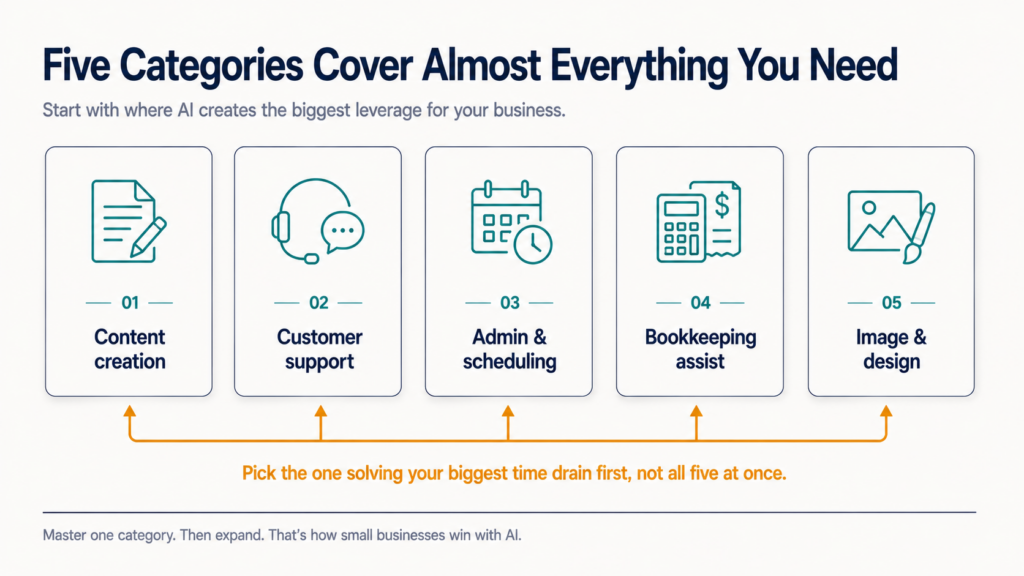
- Five categories cover almost everything a small business actually needs to start: content creation, customer support, admin and scheduling, bookkeeping assistance, and image or design generation.
- Free plans are genuinely usable starting points across every category below; the upgrade decision should wait until a specific limit (volume, features, or quality) actually gets hit.
- No AI tool replaces judgment on pricing, legal, financial, or hiring decisions. Treat AI output in those areas as a draft to review, never a final answer.
The 5 Categories Worth Starting With
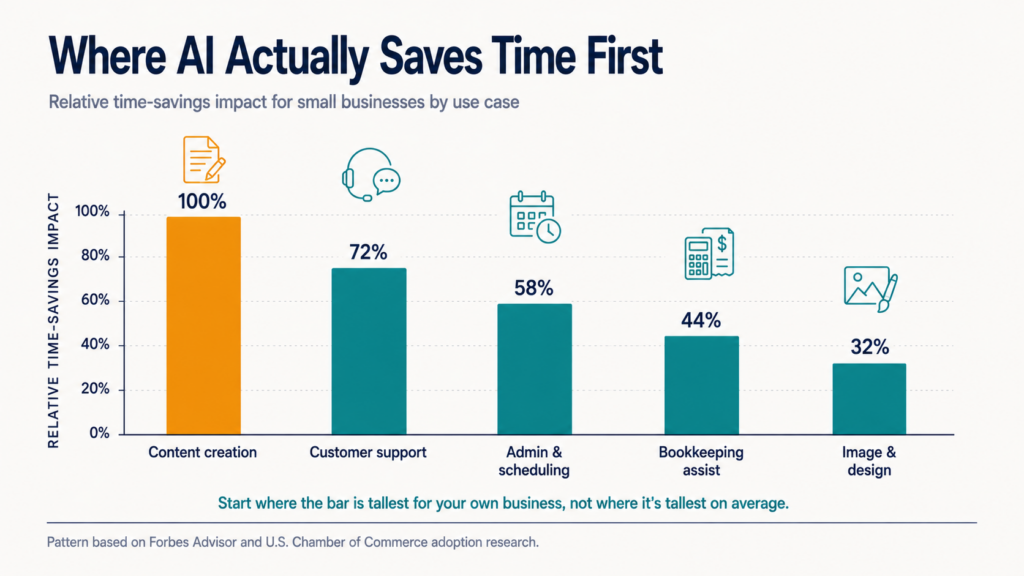
Nearly every practical AI use case for a small business falls into one of five categories: content creation, customer support, admin and scheduling, bookkeeping assistance, and image or design generation, and starting with the category matching your single biggest time drain beats trying all five at once.
| Category | What It Actually Does | Free Plan Available? | Best Starting Tool |
| Content creation | Drafts blog posts, social captions, product descriptions, emails | Yes | ChatGPT, Claude |
| Customer support | Answers common questions, drafts replies, routes tickets | Yes (capped) | Freshdesk Free, Intercom Fin trial |
| Admin & scheduling | Drafts meeting notes, schedules calls, summarizes emails | Yes (limited) | Google Gemini (Workspace), Motion |
| Bookkeeping assistance | Categorizes expenses, flags anomalies, drafts summaries | Yes (basic tier) | QuickBooks Online with AI features |
| Image & design generation | Product photos, social graphics, ad creative drafts | Yes (credit-limited) | Canva AI tools |
Starting With AI Content Creation
Content creation is the highest-adoption AI use case among small businesses because the time savings are immediate and the risk of a bad output is low, a draft, not a live decision.
ChatGPT and Claude both handle blog drafts, social captions, product descriptions, and email copy from a plain-English prompt, with genuinely usable free tiers.
- Start with the writing you do most often: product descriptions, email replies, or social captions, not the most ambitious piece you can imagine
- Give the AI real context: your brand voice, your audience, three examples of writing you like, not just a bare topic
- Treat the first draft as 70% done, not finished; the editing pass is still yours
For a deeper look at where AI content tools specifically fit into a broader writing workflow, see our guide to AI writing tools for content teams.
Starting With AI Customer Support
AI customer support tools answer repetitive questions (hours, shipping, returns) instantly and hand off anything complex to a human, which is exactly the workload split a small business without a dedicated support team needs.
Most modern help desks, including Freshdesk and Intercom, now build a chatbot layer directly into their existing free or entry tiers rather than selling it as a wholly separate product.
Read Also: Best AI Chatbot Builder for Business in 2026
The realistic starting move: turn on the AI answer feature inside a help desk you already use (or a free tier of one), point it at your existing FAQ page or return policy, and let it handle the questions that currently eat your inbox every single day before you build anything more elaborate.
Starting With AI for Admin and Scheduling
Admin AI tools summarize meetings, draft calendar invites, and turn a messy inbox into a prioritized list, work that is tedious but low-risk, which makes it a safe second category to adopt after content or support.
Google Gemini inside Google Workspace drafts email replies and summarizes long threads for businesses already on Google’s ecosystem. Dedicated scheduling assistants like Motion go further, actively rearranging your calendar around priorities rather than just logging what you tell it.
Starting With AI Bookkeeping Assistance
AI features inside accounting software categorize expenses, flag unusual transactions, and draft plain-English summaries of your financial position, meaningfully reducing manual data entry without replacing your accountant’s judgment.
QuickBooks Online’s AI features increasingly handle transaction categorization and anomaly flagging automatically as part of its existing tiers, covered in more depth in our accounting software buying guide.
The honest boundary here matters: AI can draft and flag, but tax filing, financial strategy, and anything with legal or compliance weight still needs a human accountant reviewing the output, not just approving it on sight.
Starting With AI Image and Design Generation
AI image tools generate social graphics, ad concepts, and basic product visuals from a text prompt, which is genuinely useful for a business with no design budget, provided the output is treated as a draft rather than a finished, publication-ready asset.
Canva’s built-in AI tools are the easiest starting point for a non-designer, since they sit inside a tool most small businesses already use for basic graphics.
What Free AI Plans Actually Get You
Every category above has a genuinely usable free tier, and the honest advice is to run every one of them for at least two weeks before paying for anything.
Free plans typically cap message volume, resolution quality, or advanced features, not core functionality, which means a small business can validate real value before committing budget.
- Free tiers are built to be outgrown on volume or polish, not on core capability
- The upgrade signal is a specific limit you actually hit, not a vague sense you “should” pay
- Running two weeks free costs nothing and tells you more than any review, including this one
Frequently Asked Questions
Which AI tool is best for starting a business?
Rather than one universal answer, the practical starting sequence for a brand-new business is: a general assistant (ChatGPT or Claude) for everything from business plans to marketing copy, plus one category tool matching your single most time-consuming task, whether that’s customer questions, scheduling, or bookkeeping.
Adding a third or fourth tool before the first two are genuinely embedded in your routine usually creates more confusion than value.
What is the 30% rule for AI?
There isn’t one widely recognized, formally defined “30% rule for AI”; the phrase shows up in a few different contexts (some marketing guides suggest capping AI-drafted content at roughly 30% of final published output without a human rewrite pass, for instance) without a single authoritative source.
If you’ve seen this phrase used somewhere specific, treat it as that source’s internal guideline rather than an industry standard, and the safer universal practice is simply: AI drafts, a human always reviews and edits before anything goes out under your business’s name.
Which AI business can I start?
Realistic AI-adjacent small business models include offering AI-assisted services (content writing, virtual assistant work, or basic automation setup for other small businesses), building niche tools on top of existing AI APIs, or consulting on AI adoption for businesses still in the experimentation phase this guide describes.
Any framing that suggests starting an “AI business” requires no skill, effort, or ongoing work is worth treating with real skepticism.
Which 3 jobs will survive AI?
Roles requiring in-person trust, physical skill, and complex human judgment are consistently rated most resistant to AI automation: skilled trades (electricians, plumbers), healthcare roles involving hands-on patient care, and senior roles requiring accountability and relationship-based judgment, such as executive leadership and high-stakes client management.
The common thread across all three is that AI can assist with the paperwork and communication around these jobs while the core work itself still needs a human physically or relationally present.
How can I make $1,000 a day using AI?
There is no reliable, repeatable way to make $1,000 a day using AI tools alone, and any claim promising a fixed daily income from AI specifically should be treated with real skepticism.
AI tools genuinely help existing businesses cut costs and save time, which is the actual, well-documented value this guide covers, but income still depends on your product, your customers, and your effort; AI changes how efficiently you can produce and support a real business, it does not manufacture income out of a prompt.
What are the 5 most popular AI tools?
Among small businesses broadly, the most widely adopted AI tools in 2026 are ChatGPT and Claude for general assistance and content, Canva’s AI features for design, Google Gemini for Workspace-integrated admin tasks, and AI chatbot features built into help desk platforms like Freshdesk and Intercom for customer support.
Popularity is a reasonable starting point for a shortlist, but the category-fit approach covered earlier in this guide matters more than which tool ranks highest overall.
Start With One Problem, Not Every Tool
Software Chronicle is an independent SaaS research publication. AI tool adoption succeeds when it solves one real, specific time drain, and fails when it becomes a collection of subscriptions nobody in the business actually uses.
Our recommendations stay independent of our partnerships. See how in our affiliate disclosure, read our review methodology, or contact us if you want an AI tool shortlist built around your specific business.
Najm Us Sahar Fareed is part of the editorial team at Software Chronicle, a group of SaaS researchers and former software buyers who have collectively evaluated over 200 tools across the categories we cover. With 5 years of experience working with digital marketing agencies across North America, she brings a strong background in content strategy and practical software evaluation.
AI Tools
How AI Tools Work: A Plain-English Explanation (No Math, Promise)

You type a question. You hit Enter. Three seconds later, a machine writes you a better answer than your group chat ever has.
Somewhere between the Enter key and that answer, something genuinely strange happens. And almost nobody who uses AI every day can explain what. That is not a knock on anyone; the industry buries the explanation under words like “transformer architecture” and “inference,” then acts surprised when people either fear AI or worship it.
Here is the secret: the core idea fits in one sentence, and you already understand the hard part because you do it yourself every day. By the end of this guide, you will know exactly what happens in those three seconds, what all nine pieces of jargon actually mean, and why AI tools are simultaneously brilliant and capable of confidently telling you that Australia has two moons.
No math. Promise.
Quick Takeaways
- AI tools are pattern-prediction machines: they learned patterns from enormous amounts of text and generate answers by predicting one small word-piece at a time.
- This is no longer niche knowledge. 88% of organizations now use AI in at least one business function, up from 78% a year earlier, according to McKinsey’s State of AI survey.
- Adoption outpaced every technology before it: Stanford’s 2026 AI Index reports generative AI reached 53% of the population faster than the PC or the internet, and estimates its value to US consumers at $172 billion annually.
- The nine terms that unlock everything: training data, neural network, transformer architecture, token, prompt, inference, context window, temperature, and fine-tuning.
- AI does not “know” facts the way a database does; it predicts plausible text. That single distinction explains both its creativity and its confident mistakes.
How Does AI Work in Simple Words?
In simple words, AI tools work by studying billions of examples of text (or images, or audio), learning the statistical patterns in them, and then generating new responses by predicting what should come next, one small piece at a time, based on your prompt.
It is your phone’s autocomplete, scaled up a few billion times and trained on a meaningful fraction of everything humans have ever written.
Everything else in this article is just unpacking that sentence. Let’s walk through the nine pieces, in the order they matter.
What Is Training Data?
Training data is the mountain of text, code, images, and conversation an AI model studies before you ever meet it: books, websites, articles, forums, documentation.
During training, the model is shown this text with words hidden and asked, billions of times: what comes next? Every wrong guess adjusts it slightly. Repeat at unimaginable scale, and it gets eerily good at the game.
This is why training data quality is destiny. A model mostly learns the world its data describes, gaps, biases, and all. It is the same reason data quality decides everything in analytics: the output can only be as good as what went in.
What Is a Neural Network?
A neural network is the model’s structure: millions of simple number-crunching units organized in layers, where each layer detects slightly more abstract patterns than the last.
Despite the name, it is not a brain. Early layers might pick up on spelling and word fragments; middle layers on grammar and phrasing; deeper layers on things startlingly close to concepts, tone, and logic.
A useful mental picture: a very tall building of filters. Your text goes in the ground floor as raw characters and comes out the top floor as meaning. No single floor “understands” anything; understanding-like behavior emerges from all of them stacked together.
What Is the Transformer Architecture?
The transformer is the 2017 breakthrough design behind modern AI tools, and its superpower is attention: the ability to weigh every word in your text against every other word simultaneously.
Older AI read like a person with a flashlight, one word at a time, forgetting the beginning by the end. Transformers read like someone seeing the whole page at once, noticing that “it” in your sentence refers to “the invoice” from two paragraphs ago.
That is the whole trick. The T in ChatGPT literally stands for Transformer, and nearly every major AI tool you have touched since 2020 is built on this design.
What Is a Token?
A token is the bite-sized chunk AI actually reads and writes: usually a short word or a piece of a longer one, where “cat” is one token but “extraordinary” might be three.
Models do not see letters or words the way you do; they see numbered tokens. Roughly, 1,000 tokens is about 750 English words.
Tokens matter to you for one practical reason: everything is measured in them. Pricing, length limits, and the “memory” of your conversation are all counted in tokens, which brings us to what happens when you press enter.
What Actually Happens When You Hit Enter? (Prompts and Inference)
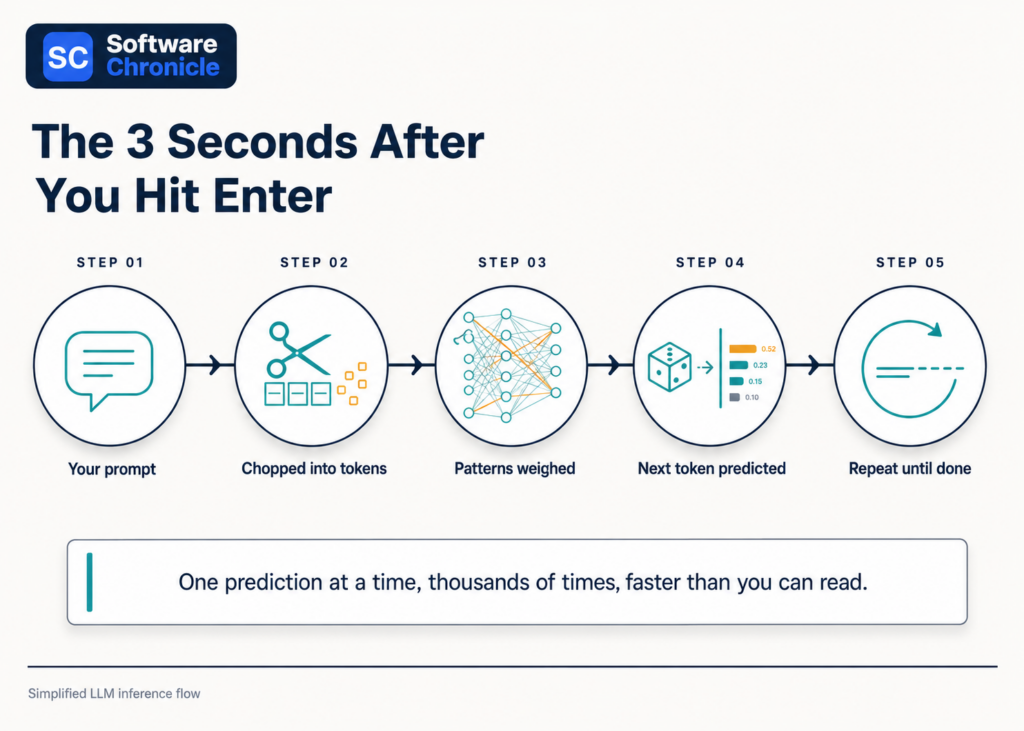
Your prompt (the text you typed) gets chopped into tokens and fed through the network, and the model performs inference: predicting the single most fitting next token, appending it, and repeating until the answer is complete.
That fluid paragraph appearing on your screen was generated one token at a time, each prediction shaped by your prompt and everything generated so far.
This is also why prompt quality changes everything. The model is pattern-matching against your words; a vague prompt matches a million generic patterns, while a specific one (“explain this to a 10-year-old,” “respond as a skeptical lawyer”) narrows the prediction toward exactly the kind of text you want.
Working well with AI is mostly the skill of pointing to its predictions.
What Is a Context Window?
The context window is the model’s working memory: the maximum number of tokens (your conversation plus its replies) it can consider at once, and anything beyond it effectively falls off the whiteboard.
Modern tools have windows spanning hundreds of pages, but the principle holds: an AI does not remember your chat from last month by default. It rereads whatever fits in the window, every single time.
When a long conversation gets weird and the AI “forgets” your instructions from an hour ago, you have usually scrolled off the edge of its whiteboard. Starting a fresh chat with a clean summary often works better than pushing on.
What Is the Temperature Setting?
Temperature is the dial controlling how adventurous the model’s predictions are: low temperature always picks the safest next token, high temperature lets it gamble on less likely ones.
At temperature near zero, you get consistent, careful, sometimes boring output, ideal for factual summaries and code. Turned up, the model takes creative detours, ideal for brainstorming and fiction, with a rising risk of nonsense.
Most consumer chat tools set this for you behind the scenes. But now you know why the same question can produce a crisp answer today and a slightly unhinged one tomorrow: you are sampling from a probability distribution, not querying a database.
What Is Fine-Tuning?
Fine-tuning takes a fully trained general model and trains it further on a focused dataset, turning a generalist into a specialist: a support agent, a legal summarizer, a medical coder.
It is medical school after college. The base model already speaks the language; fine-tuning teaches it your domain, your tone, and your rules.
This is how AI shows up inside business software. The AI answering tickets in your help desk or surfacing churn risks in customer analytics platforms is typically a general model fine-tuned and constrained for one job, which is precisely why it behaves more reliably there than a blank chatbot would.
Read Also: What Is Business Intelligence Software? A Beginner to Pro Guide
Why Do AI Tools Get Things Confidently Wrong?
Because AI predicts plausible text rather than retrieving verified facts, it can generate statements that sound perfectly authoritative and are perfectly false, a failure mode known as hallucination.
The model is doing its job, completing the pattern beautifully; the pattern just happens to describe a court case that never existed. Nothing inside is checking against reality unless the tool is explicitly connected to search or a database.
The practical rule: treat AI output on facts the way you would treat a brilliant, well-read friend speaking from memory. Wonderful for drafts, explanations, and ideas; verify anything you plan to rely on. Notice, too, what McKinsey’s data shows: even with 88% of organizations using AI somewhere, nearly two-thirds have not scaled it enterprise-wide, and closing that trust gap is a large part of why.
Frequently Asked Questions
How does AI work in simple words?
AI works by learning patterns from billions of examples and then predicting the most fitting response to your input, one token at a time. It does not look up answers in a database; it generates them the way autocomplete suggests your next word, just with vastly more sophistication and context.
What is the AI tool and how does it work?
An AI tool is an application (like ChatGPT, Claude, or Gemini) built around a trained model: you provide a prompt, the tool runs inference through its neural network, and it streams back a generated response token by token. The app layer adds the chat interface, memory features, safety filters, and connections to search or files.
What is AI in 10 points?
AI in 10 points:
1) AI learns patterns from massive training data.
2) The model is a layered neural network.
3) Modern tools use the transformer architecture.
4) Text is processed as tokens, not words.
5) Your input is called a prompt.
6) Generating an answer is called inference.
7) The context window is its working memory.
8) Temperature controls how creative it gets.
9) Fine-tuning specializes a general model.
10) It predicts plausible text, so outputs need human verification.
How to work with AI tools?
Work with AI tools by giving specific prompts (role, audience, format, constraints), iterating instead of settling for the first draft, keeping important instructions inside the context window, and verifying factual claims before using them.
Treat it like a fast, talented junior colleague: excellent output, but you sign off on the final version.
Who is the father of AI?
John McCarthy, the American computer scientist who coined the term “artificial intelligence” in 1955 and organized the 1956 Dartmouth Conference that launched the field, is widely called the father of AI.
Alan Turing is honored as its intellectual grandfather for asking, years earlier, whether machines could think.
Is ChatGPT an AI tool?
Yes. ChatGPT is the most widely used AI tool: a chat application built on OpenAI’s GPT family of large language models, which are transformer-based neural networks trained on internet-scale text.
Everything in this guide (tokens, context windows, temperature, inference) describes exactly what happens each time it answers you.
Explanations Without the Hand-Waving
Software Chronicle is an independent SaaS research publication. We believe you make better software decisions when you understand how the machinery actually works, so we write the plain-English versions the vendors skip.
Curious how we evaluate the AI-powered tools we review? Our review methodology covers it, our affiliate disclosure covers how we fund it, and you can always contact us with a concept you want explained next.
Najm Us Sahar Fareed is part of the editorial team at Software Chronicle, a group of SaaS researchers and former software buyers who have collectively evaluated over 200 tools across the categories we cover. With 5 years of experience working with digital marketing agencies across North America, she brings a strong background in content strategy and practical software evaluation.
AI Tools
AI Tools for SEO: Do They Actually Work? (Tested & Ranked for 2026)
There is a version of this article that just lists five tools and calls it a day. This is not that article. The question of whether AI tools for SEO actually work is one that gets dodged constantly, replaced with feature screenshots and affiliate links that tell you nothing about what happens after you hit publish.
The honest answer is more interesting: some of them genuinely move rankings, some of them are expensive content spinners dressed up with dashboards, and knowing the difference is worth more than any individual subscription.
SEO has changed significantly. Google’s algorithms now evaluate topical clusters, entity optimization, and search intent alignment in ways that pure keyword stuffing never addressed. AI tools that understand this: that analyze semantic keywords, surface content gaps, and map out topic authority can genuinely accelerate results. Tools that don’t are just autocomplete with an SEO badge.
We’ve gone deep on the five platforms worth your attention to give you the full picture.
So, Do AI SEO Tools Actually Work?
Short answer: yes, selectively. Here’s the longer, more useful answer.
AI SEO tools work when they help you do things faster and smarter than you could manually.Tthings like identifying content gaps across hundreds of competitor pages, generating semantically relevant keyword clusters from a seed topic, optimizing content structure against top-ranking SERP results, and flagging missing entities that search engines associate with authority on a topic.
They don’t work when they’re used as a content replacement. Pages written entirely by AI with no editorial oversight, no real expertise, and no unique perspective are increasingly identifiable by both Google’s systems and human readers.
Google’s Helpful Content guidelines are explicit: content should demonstrate first-hand expertise and genuine value to the reader. AI tools that help you produce that kind of content faster? Valuable. AI tools that produce that content for you wholesale? A short-term shortcut with long-term ranking risk.
| The Rule of ThumbUse AI SEO tools to research smarter, structure better, and optimize more precisely, but write like a human who knows their subject. The tools in this list are ranked partly on how well they support that workflow. |
What the Data Says About AI in SEO
- 61% of marketers say AI is the most important aspect of their data strategy (Salesforce)
- Content optimized with AI SEO tools increases organic traffic by 40% to 60%. (TG)
- 82% of SEO professionals report using AI in their workflow as of 2026 (SQ Magazine)
- Pages that address search intent comprehensively earn 45% more organic traffic than keyword-matched pages alone (LLMrefs)
- The global AI in SEO market is projected to reach $32.6 billion by 2035, growing at 23.4% CAGR (Market.us)
Quick Takeaways
- Surfer SEO is the best tool for on-page content optimization — real-time scoring against live SERP data is its core strength
- Semrush is the most complete platform: keyword research, SERP analysis, content gap, site audit, and AI writing all in one
- Frase is the best value for content teams that need fast, research-driven brief creation and optimization
- MarketMuse is built for topical authority strategy — best for sites playing a long content game at scale
- NeuronWriter offers the strongest feature-to-price ratio for freelancers and small agencies
All 5 Tools: At a Glance
| Tool | Best For | AI Keyword Research | Content Optimization | SERP Analysis | Content Briefs | Starting Price |
|---|---|---|---|---|---|---|
| Surfer SEO | On-page optimization | Yes | Real-time scoring | Yes | Yes | $89/mo |
| Semrush | All-in-one SEO suite | Advanced | SEO Writing Assistant | Advanced | Yes | $139.95/mo |
| Frase | Brief creation + optimization | Yes | Yes | Basic | Excellent | $45/mo |
| MarketMuse | Topical authority | Advanced | Topic modeling | Yes | Advanced | $149/mo |
| NeuronWriter | Budget content optimization | Yes | SERP-based scoring | Yes | Yes | $23/mo |
Surfer SEO
| 🏄 Surfer SEOBest for on-page content optimization with real-time SERP scoring |
Surfer SEO built its reputation on one thing: real-time content scoring against the actual pages ranking on page one for your target keyword. You write inside Surfer’s editor, and as you type, it tells you whether your word count, heading structure, NLP term usage, and entity coverage are competitive with what’s already ranking. For teams serious about on-page optimization, it’s the closest thing to a live map of what Google wants to see.
What Surfer SEO Does Well
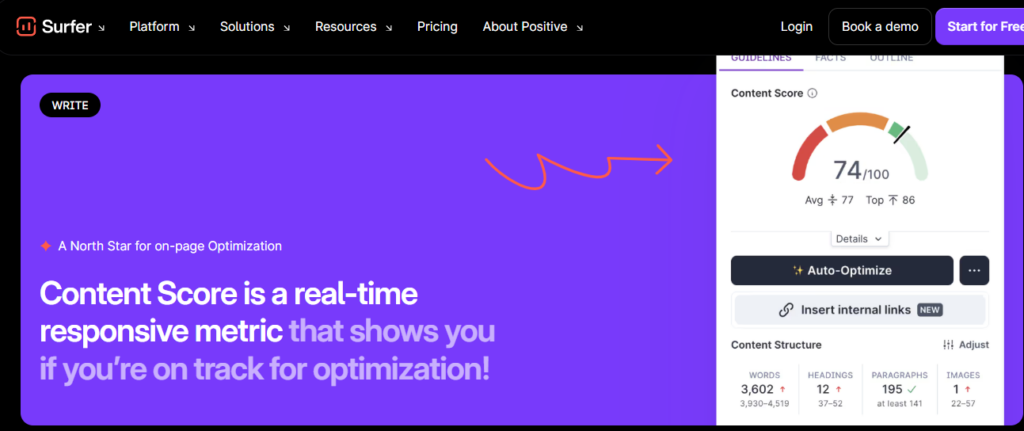
- Content Score: Surfer’s signature feature. A live 0-100 score that updates as you write, measuring how well your content matches the semantic keyword distribution, structure, and NLP signals found in top-ranking pages for your target keyword.
- SERP Analyzer: Breaks down the top 20 results for any keyword including word count, heading patterns, keyword usage, page speed, backlink counts, giving you a clear structural picture of what ranks.
- AI Content Outline: Generates a full content brief in seconds: H2/H3 structure, suggested word count, semantic keywords to include, and questions to answer based on live SERP data, not generic templates.
- Topical Map: A newer feature that identifies the full cluster of topics your site should cover to build authority in a niche, surfacing content gaps your competitors have already filled.
- Keyword Research: Clusters keyword ideas by semantic relevance and search intent so instead of a flat list of 500 terms, you get grouped topic clusters you can build content around strategically.
Where It Falls Short
- Backlink analysis is limited: Surfer is an on-page tool; for off-page SEO you’ll still need Ahrefs or Semrush
- The Content Score is a guide, not a guarantee: over-optimizing to hit 100 can produce stilted, keyword-heavy prose
- Entry plan limits the number of articles and team seats: agencies need the Scale plan or above
| Surfer SEO VerdictThe best pure on-page optimization tool available. If your content team publishes frequently and wants data-driven guidance on exactly what to write and how to structure it, Surfer delivers consistently. Pair it with a keyword research tool like Semrush for a complete workflow. |
| Plan | Price/mo | Key Inclusions |
|---|---|---|
| Essential | $99 | 30 articles/mo, Content Editor, Keyword Research |
| Scale | $182 | 100 articles/mo, AI Outline, SERP Analyzer, Topical Map |
| Scale AI | $219 | Full AI automation, bulk content creation, priority support |
| Enterprise | $999 | Unlimited, white-label, dedicated CSM |
Prices may vary depending on youe needs.
Semrush
| 📊 SemrushBest all-in-one AI SEO platform for keyword research, audits, and content |
Semrush is the closest thing SEO has to a single platform that does everything and actually does most of it well. Keyword research, competitor analysis, backlink auditing, rank tracking, site health, content optimization, and AI-assisted writing are all available under one login. For teams that don’t want to manage a stack of five different tools, Semrush is the logical home base.
What Semrush Does Well
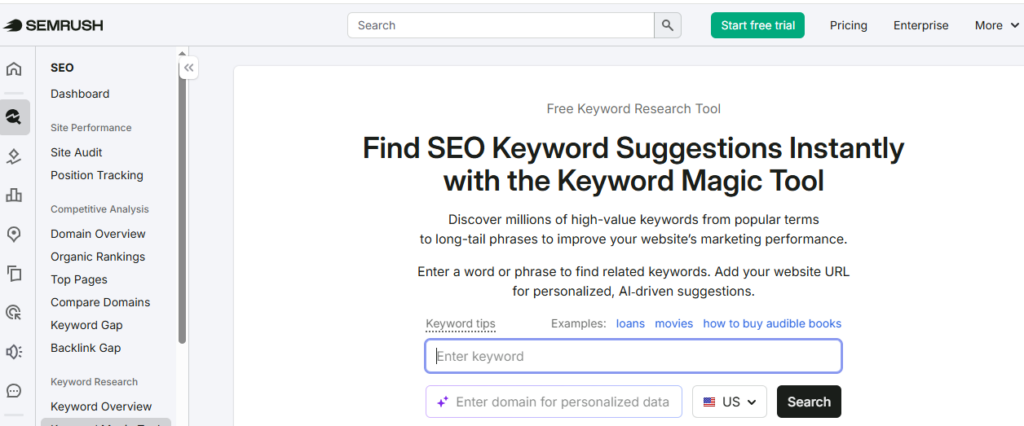
- Keyword Magic Tool: One of the largest keyword databases available with over 25 billion keywords and AI-powered filtering by intent (informational, navigational, commercial, transactional) and semantic clustering that groups related terms automatically.
- SEO Writing Assistant: Real-time content scoring similar to Surfer’s. It analyzes readability, target keyword usage, semantic keyword inclusion, tone of voice consistency, and originality against a live SERP benchmark.
- Content Gap Analysis: Enter your domain and up to five competitors. Semrush shows you every keyword your competitors rank for that you don’t. One of the most actionable content planning features in any SEO tool.
- AI Meta Description and Title Tag Generator: Generates optimized meta descriptions and title tags based on your target keyword and page content. One of the underrated time-savers for teams managing large content libraries.
- Topic Research: Enter a seed topic and get a full map of subtopics, related questions (pulled from PAA and forums), and trending headlines, essentially a content brief generator built on real search data.
Where It Falls Short
- Pricing is the highest on this list: the Pro plan starts at $117.335/mo, and most serious features require Guru or above
- Data overload is real: the platform is enormous, and new users often struggle to find the features most relevant to their workflow
- The SEO Writing Assistant, while useful, isn’t as deep as Surfer’s real-time content scoring for pure on-page optimization
| Semrush VerdictThe strongest platform in this comparison for teams that need keyword research, competitor analysis, technical SEO auditing, and content optimization in one place. The price is justified if you’re replacing multiple tools. For pure content optimization, Surfer is more focused but for a complete SEO workflow, Semrush covers more ground than anything else here. |
| Plan | Price/mo | Key Inclusions |
|---|---|---|
| Pro | $117.33 | 5 projects, 500 KW tracking, SEO Writing Assistant |
| Guru | $208.33 | 15 projects, Content Marketing Platform, historical data |
| Business | $416.33 | 40 projects, API access, white-label, extended limits |
Prices may vary.
| 📝 FraseBest for fast, research-driven content briefs and AI-assisted writing |
Frase occupies a sweet spot that the larger platforms miss: it’s fast, intuitive, and built specifically for the content brief-to-draft workflow. Where Semrush overwhelms with data and Surfer focuses tightly on scoring, Frase focuses on getting a writer from blank page to structured, well-researched draft as efficiently as possible. For content teams publishing at volume, this translates directly into hours saved per article.
What Frase Does Well
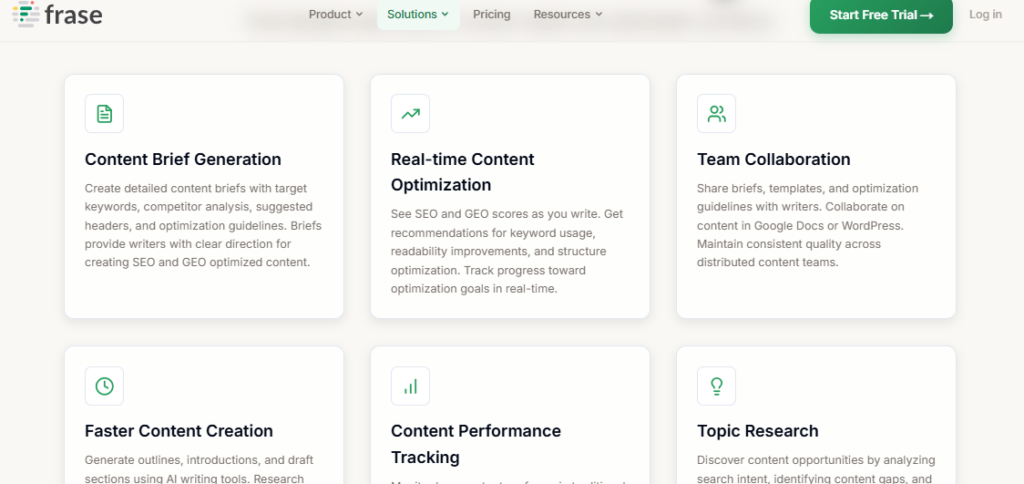
- AI Content Brief Generation: Frase analyzes the top 20 SERP results for your target keyword and builds a full content brief in under 30 seconds, including recommended headings, key statistics, questions to answer, and topics to cover based on what’s actually ranking.
- SERP Research Sidebar: While you write, the right-hand panel shows you exactly what each top-ranking competitor covers including, topics, statistics, key points so you can benchmark and fill gaps without leaving the editor.
- Topic Score: Similar to Surfer’s Content Score, Frase assigns a topic coverage score as you write, measuring whether you’ve covered the semantic entities and subtopics found across top-ranking pages.
- AI Writer: Built into the editor. It generates introductions, expands bullet points, rewrites sections, and completes partial paragraphs. More useful as a drafting accelerator than a full content generator.
- Questions Research: Aggregates PAA questions, Reddit threads, Quora discussions, and forum content related to your topic, ideal for building FAQ sections and identifying what real users are actually asking.
Where It Falls Short
- Keyword research depth is limited compared to Semrush. Frase is a content tool, not a full SEO suite
- AI-generated content quality is average; works best as a starting point rather than finished copy
- Backlink and technical SEO features are absent. You’ll need a separate tool for those
| Frase VerdictThe best tool in this comparison for content teams focused on research speed and brief quality. At $45/month for the Solo plan, it’s also the best value for writers and small agencies who need SERP-based optimization without the complexity or price of Semrush. Pair it with a dedicated keyword research tool for a complete workflow. |
| Plan | Price/mo | Key Inclusions |
|---|---|---|
| Starter | $49 | 1 user, 30 docs/mo, AI Writer, SERP research |
| Professionl | $129 | 3 users, unlimited docs, full brief generation |
| Scale | $299 | 5 users, advanced AI, team collaboration, priority support |
Prices may vary.
MarketMuse
| 🧠 MarketMuseBest for building topical authority and long-term content strategy at scale |
MarketMuse plays a different game to the other tools in this list. It’s not primarily a content editor or a keyword research tool. It’s a topical authority platform. Its core insight is that Google doesn’t just rank individual pages; it ranks sites that demonstrate comprehensive, authoritative coverage of a topic area. MarketMuse maps that territory for you, identifies where your site’s authority gaps are, and tells you exactly what to create to fill them.
What MarketMuse Does Well
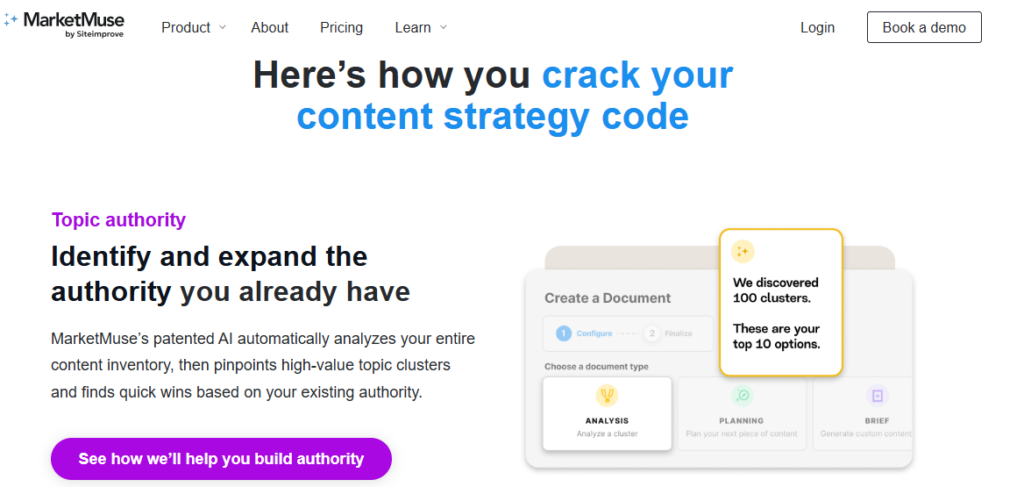
- Content Inventory and Audit: MarketMuse crawls your entire site and scores every page against topic coverage benchmarks, giving you a prioritized view of which existing pages need updating and which gaps represent your highest-value creation opportunities.
- Topical Authority Score: Measures how comprehensively your site covers a given topic relative to competitors, using a proprietary model trained on millions of pages. This is the clearest expression of entity optimization available in any tool.
- Topic Model: For any target keyword, MarketMuse generates a full topic model including every related entity, subtopic, and concept that search engines associate with authority on the subject. Invaluable for brief creation and editorial planning.
- Competitive Content Gap: Identifies specific content pieces your competitors have published that cover topics your site hasn’t addressed, mapped against your existing authority scores to prioritize impact.
- Content Briefs: The most detailed content briefs of any tool in this comparison with recommended word count, target KPIs, questions to answer, related topics to cover, internal linking suggestions, and competitor benchmarks.
Where It Falls Short
- Starting price of $149/month positions it above Surfer and well above Frase — hard to justify for individual bloggers or small teams
- The free plan is very limited — useful for evaluation but not practical workflow
- The depth of data can be overwhelming; MarketMuse takes longer to onboard than simpler tools
| MarketMuse VerdictThe most strategically sophisticated tool in this comparison. If you’re building a content-driven SEO strategy for a site with real scale ambitions — a media publication, a large SaaS blog, an authority site — MarketMuse’s topical modeling and authority scoring will inform decisions that simpler tools can’t. For smaller operations, the price-to-value ratio tips against it. |
| Plan | Price/mo | Key Inclusions |
|---|---|---|
| Free | $0 | 10 queries/mo, limited content briefs |
| Optimize | $149 | 100 queries/mo, full topic modeling, content briefs |
| Research | $249 | Unlimited queries, competitive analysis, inventory |
| Strategy | Custom | Full site audit, dedicated strategist, custom reporting |
Prices may vary.
| ⚡ NeuronWriterBest value AI SEO tool for freelancers, bloggers, and small agencies |
NeuronWriter is the tool that surprises people who’ve only heard of the bigger names. At $19/yearly for a fully functional plan, it delivers SERP-based content optimization, semantic keyword analysis, AI-assisted writing, and content brief generation that competes directly with tools charging three to five times as much. For freelancers, bloggers, and small agencies watching their software spend, it’s the most honest value in AI SEO software right now.
What NeuronWriter Does Well
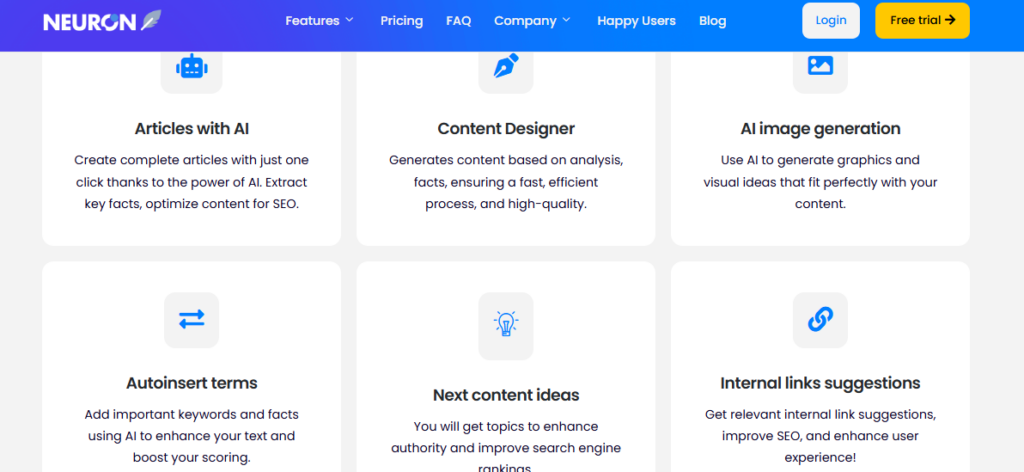
- NLP Content Optimization: NeuronWriter uses Google’s own Natural Language Processing API to identify the semantic terms and entities that top-ranking pages use and scores your content against that benchmark in real time, just like Surfer.
- SERP Analysis: Analyzes the top 30 ranking pages for your target keyword, breaking down their structure, word count, heading patterns, and NLP term usage, giving you a clear optimization target.
- Content Brief Builder: Generates structured content briefs based on SERP data, recommended headings, questions to answer, terms to include, and competitor gaps to fill.
- AI Writing Assistant: Built-in GPT-powered writing tools for generating introductions, expanding sections, rewriting paragraphs, and completing outlines, available without leaving the editor.
- Internal Linking Suggestions: Suggests relevant internal links from your existing content library as you write: a feature that many higher-priced tools don’t include.
Where It Falls Short
- No standalone keyword research tool: you’ll need Google Search Console, Ahrefs, or Semrush to identify keywords before bringing them into NeuronWriter
- UI is functional but less polished than Surfer or Frase
- Content scoring model is solid but not quite as sophisticated as MarketMuse’s topic modeling
| NeuronWriter VerdictThe best-kept secret in AI SEO tools. For anyone who finds Surfer’s pricing hard to justify or wants a Frase alternative that doesn’t compromise on core optimization features, NeuronWriter delivers remarkably well at a fraction of the price. The only real gap is keyword research. Pair it with Google Search Console or a free Semrush account to cover that base. |
| Plan | Price/mo (billed annually) | Key Inclusions |
|---|---|---|
| Bronze | $19 | 25 analyses/mo, AI writer, NLP optimization |
| Silver | $37 | 50 analyses/mo, content planner, SERP analysis |
| Gold | $57 | 75 analyses/mo, team access, advanced AI writing |
| Platinum | $77 | 150 analyses/mo, API, white-label, priority support |
Prices my vary.
Read Also: 9 Best AI Writing Tools for Content Teams in 2026
Head-to-Head: Which AI SEO Tool Wins on Each Use Case?
| Use Case | Winner | Why |
|---|---|---|
| On-page content optimization | Surfer SEO | Real-time SERP scoring is the most precise available |
| Keyword research + intent analysis | Semrush | 25B+ keyword database with AI clustering and intent filters |
| Content brief creation speed | Frase | 30-second SERP-based briefs; fastest research-to-brief workflow |
| Topical authority + content strategy | MarketMuse | Topic modeling and authority scoring go deeper than anyone else |
| Best value for budget | NeuronWriter | Full NLP optimization + AI writer at $23/mo is unbeaten |
| All-in-one single platform | Semrush | Covers more SEO use cases than any other tool here |
| Best for freelancers / solo bloggers | NeuronWriter / Frase | Both offer strong optimization features at accessible price points |
| Best for content agencies | Surfer SEO / Semrush | Scalable plans with team features and client project management |
| AI meta description + title tags | Semrush | Dedicated AI generator for meta content built into the platform |
| Search intent alignment | Frase / Surfer SEO | Both analyze SERP intent signals and structure briefs around them |
Which AI SEO Tool Is Right for You?
The right tool depends on your role, team size, and primary bottleneck:
- Freelance writer or solo blogger: Start with NeuronWriter. You get real NLP optimization and AI writing at a price that makes sense for one-person operations.
- Content manager publishing 10-30 posts/month: Frase is built for your workflow: fast briefs, research sidebar, topic scoring, and a usable AI writer at a price that scales.
- SEO specialist or strategist: Semrush for keyword research and competitor analysis, Surfer for on-page optimization. These two together cover the full workflow better than any single platform.
- Head of content at a growth-stage company: MarketMuse if topical authority is your strategic priority. Surfer if on-page quality and volume are the primary bottleneck.
- Agency managing multiple client sites: Semrush for its project management, white-label reporting, and breadth. Surfer as a writing-side add-on for production teams.
Didn’t find what you were looking for? Read: 11 Best AI Chatbot Builders for Business in 2026
Frequently Asked Questions
Are AI SEO tools worth it?
Yes, AI SEO tools are absolutely worth the investment, provided you use them as administrative accelerators rather than a replacement for strategy.
They dramatically lower costs often cutting technical workflows by up to 32% and eliminate hours of manual labor by scraping vast sets of data in seconds. If your goal is to scale competitor research, speed up site audits, or build rapid content outlines, the ROI is high. They lose their value entirely if you use them to blindly publish unedited automated content.
Can I use AI to help with SEO?
Yes, you can and should use AI to assist your SEO efforts to stay competitive. In fact, an Ahrefs study revealed that 86.5% of top-ranking web pages leverage AI-assisted processes in their workflow. The smartest ways to use AI for SEO include:
- Running instant technical site crawls to find broken links and broken schema.
- Mapping keyword clusters based on semantic search intent.
- Generating structured content outlines using real-time SERP data.
- Translating text and generating missing meta descriptions at scale.
What is the 10-20-70 rule for AI?
The 10-20-70 rule for AI states that successful digital transformation relies far more on people than technology. The percentage breakdown dictates that:
- 10% of your focus and effort goes into the algorithms and models.
- 20% goes toward the underlying data infrastructure and software platforms.
- 70% must be dedicated to the people, internal processes, and change management required to use those tools effectively.
Is SEO dead or evolving in 2026?
SEO is not dead; it is actively evolving into a hybrid discipline called Generative Engine Optimization (GEO). AI answers provided by tools like ChatGPT, Gemini, and Perplexity do not invent information out of thin air; they cite and pull data directly from highly optimized websites ranking in top traditional search positions. Traditional keyword stuffing is dead, but organizing high-quality data so AI agents can crawl and trust your site is more crucial than ever.
Is SEO replaceable by AI?
No, SEO cannot be fully replaced by AI because algorithmic optimization requires human judgment, context, and creative business strategy. While AI handles the execution of data-heavy tasks, it completely lacks the capacity for real-world relationship building, local market insight, and complex site migrations. Because search algorithms require human-centric verification, automated systems cannot replace the oversight needed to guide a brand’s strategy.
What is the 30% rule for AI?
The 30% rule for AI is a workflow framework specifying that AI should handle no more than 30% of a task or content piece, leaving the remaining 70% to human oversight, strategy, and creative editing. In content creation, adhering to this ensures your brand avoids generating generic “AI-slop” that search engines routinely filter out. It establishes a balanced human-machine partnership where the AI acts as a foundational support layer, not a solo creator.
Is ChatGPT good for SEO?
Yes, ChatGPT is excellent for SEO brainstorming, formatting, and analysis, but it is a poor choice for raw copy production. It excels at building programmatic outlines, spinning up regex formulas for Google Search Console, or clustering keywords by search intent. However, if you let it write your entire article without heavy editing, it lacks the original data, unique perspectives, and first-party expert quotes necessary to satisfy search ranking guidelines.
What is the 80/20 rule of SEO?
The 80/20 rule of SEO (the Pareto Principle) means that 80% of your search engine traffic will come from 20% of your content and keywords. In practice, this means webmasters should spend less time publishing a massive volume of low-performing pages, and instead dedicate the bulk of their optimization resources to protecting, updating, and building links to the core 20% of high-intent pages that actually drive business conversions.
Which 3 jobs will survive AI?
While technical workflows continue to shift, three broad categories of employment are highly resilient to AI automation due to their deep reliance on human traits:
- Strategic Leaders and Decision Makers: Roles requiring high-level ethical judgment, long-term vision, crisis management, and complex stakeholder negotiation.
- Creative Innovators and Researchers: Positions built on original problem solving, generating net-new scientific hypotheses, or writing unique thought-leadership pieces that do not yet exist on the internet.
- Empathy-Driven and Relational Specialists: Careers heavily anchored in emotional intelligence, deep human empathy, and relationship building, such as advanced behavioral therapists, complex negotiators, and community care leaders.
Research-Backed Reviews With Software Chronicle
Software Chronicle is an independent SaaS research publication testing software across SEO, marketing, CRM, HR, finance, customer support, and more. We go hands-on with every platform we cover, benchmark features against real workflows, and publish findings that help you make smarter software decisions.
Our editorial process is independent of the vendors we review. We evaluate platforms based on performance, not partnerships and we’re upfront about affiliate relationships so you always know where we stand.
Read how we approach reviews on our how we review software page, and check our disclaimer for full disclosure.
Have a question or a tool you’d like us to review? Contact us here.
Najm Us Sahar Fareed is part of the editorial team at Software Chronicle, a group of SaaS researchers and former software buyers who have collectively evaluated over 200 tools across the categories we cover. With 5 years of experience working with digital marketing agencies across North America, she brings a strong background in content strategy and practical software evaluation.
- CRM for Freelancers: Do You Really Need One?

- CRM for Real Estate Agents: Best Options

- CRM Integration Guide: Connect Your Tools Without Breaking Your Data

- CRM Pricing Guide: What Does CRM Software Actually Cost? (2026)

- Task Management vs Project Management: What’s the Difference?

- Project Management Methodologies: Agile vs. Scrum vs. Kanban vs. Waterfall
- Gantt Chart Software: Do You Need It? (An Honest Answer)

- CRM + Marketing Automation: How They Work Together

-

 Blog6 months ago
What Is Accounting Software? The Complete SMB Guide to Managing Finances
-
 Blog5 months ago
11 Best No-Code App Builders for Business in 2026
-

 Blog3 months ago
How to Choose Accounting Software for Your Business: The Ultimate Buyer’s Guide
-

 Blog4 months ago
How to Choose Project Management Software: A No-Nonsense Buying Guide for 2026
-

 Blog3 months ago
How to Choose Customer Support Software (Without Regretting It in Six Months)
-
 Blog5 months ago
9 Best No-Code Website Builders in 2026
-
 AI Tools5 months ago
9 Best AI Writing Tools for Content Teams in 2026
-

 Blog5 months ago
11 Agile Project Management Tools — Full Guide for Modern Teams (2026)